- 42 -
5 MEASUREMENT PAGE
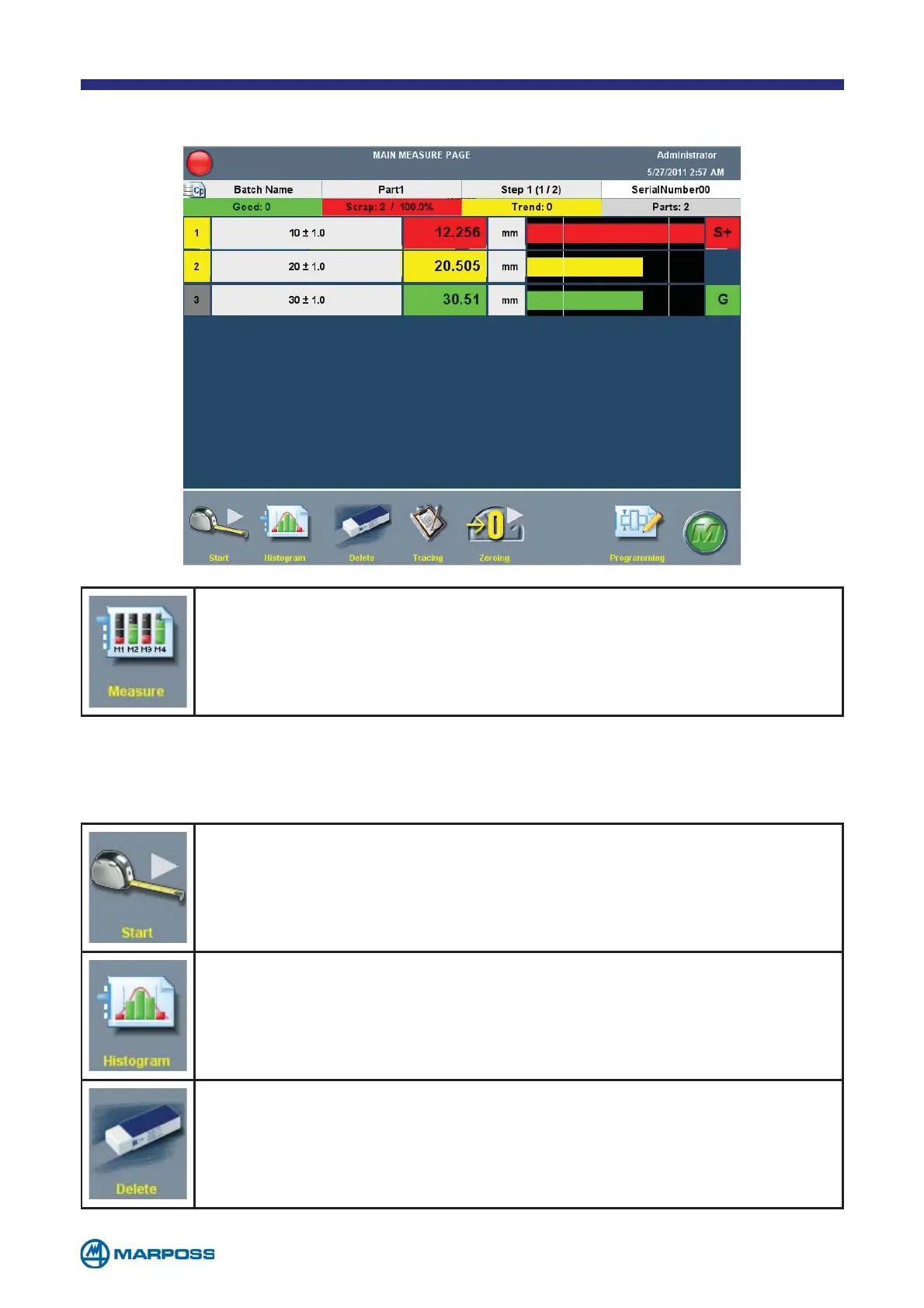
Tap MEASURE to access the MAIN MEASURE PAGE. This page allows the
user to view the measurements acquired by the device connected
to the Merlin in real time.
Up to 16 measurements can be displayed simultaneously, if there are more than 8
measurements they are arranged in two columns.
Tap the START button to start a measurement sequence. If more than
one measurement step was set up during the programming phase,
tap the same button to proceed step-by-step.
Tap the HISTOGRAM button to modify the display by activating the hi-
stogram.
The DELETE function enables the user to delete the last acquisition.
If this button is tapped during a stepped acquisition, the operator
can decide whether to delete the last step only or all the preceding
ones, (limited to the steps associated with the last part).



 To Next Page