- 43 -
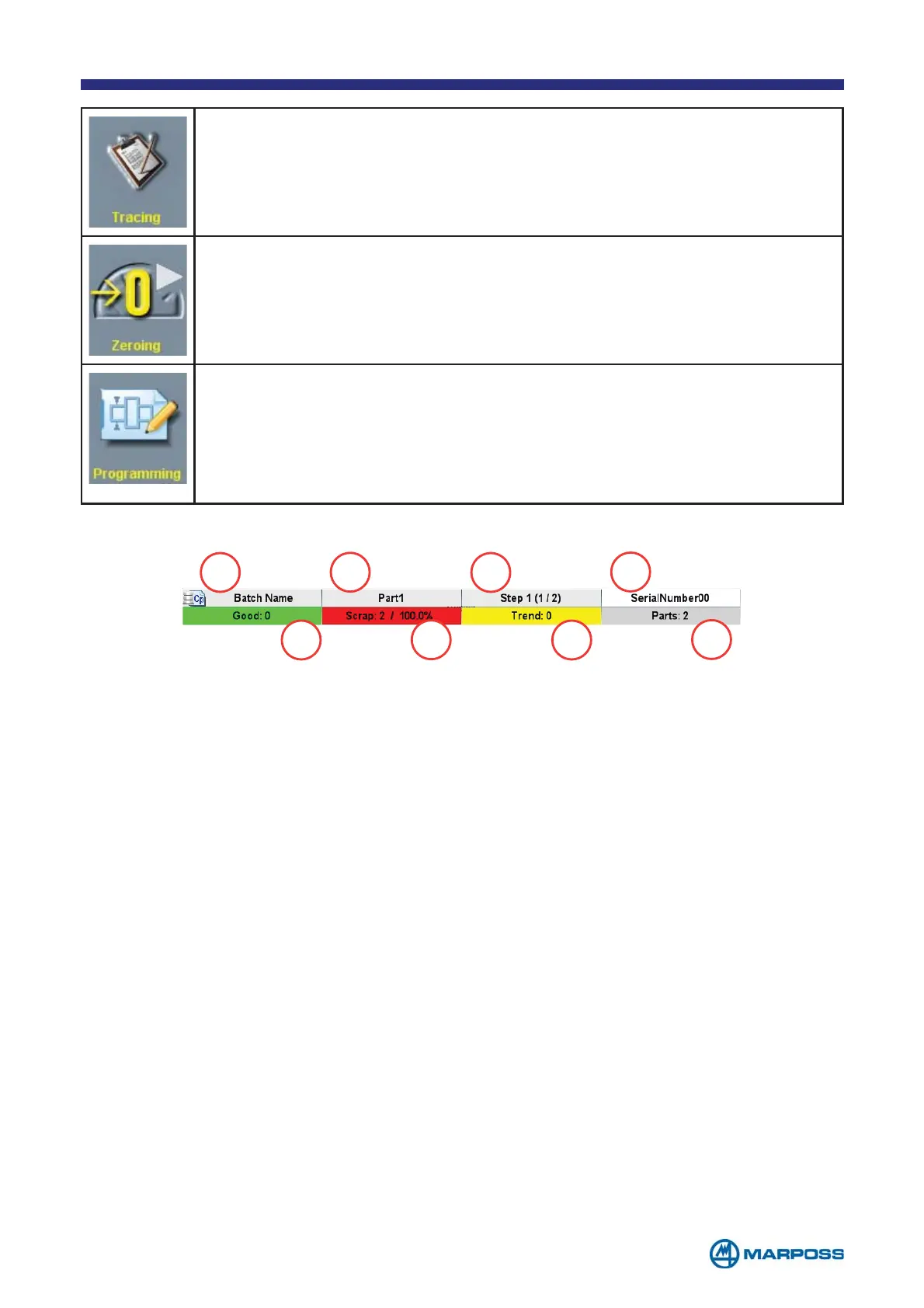
Tap the TRACING button to insert the TRACING DATA.
Tap on ZEROING to carry out the device electrical zeroing procedure.
Tap on PROGRAMMING to access the current PART PROGRAM programming
phase (see para. 3.2.5). Tap on the C
HARACTERISTIC identification number
(yellow or grey) to access the programming phase for the corresponding
C
HARACTERISTIC directly. The modifications have an immediate effect on
the measurement process
1. Name of active B
ATCH
2. PART PROGRAM name
3. S
TEP name (STEP 1 of 2)
4. Last S
ERIAL NUMBER inserted if it is programmed in the TRACING DATA page
5. G
OOD: Number of GOOD parts / percentage of GOOD parts
6. S
CRAPT: Number of SCRAPT parts / percentage of SCRAPT parts
7. T
REND: Number of TREND parts / percentage of TREND parts
8. Total number of measured parts
1
2
3
4
5
6
7
8



 To Next Page