- 56 -
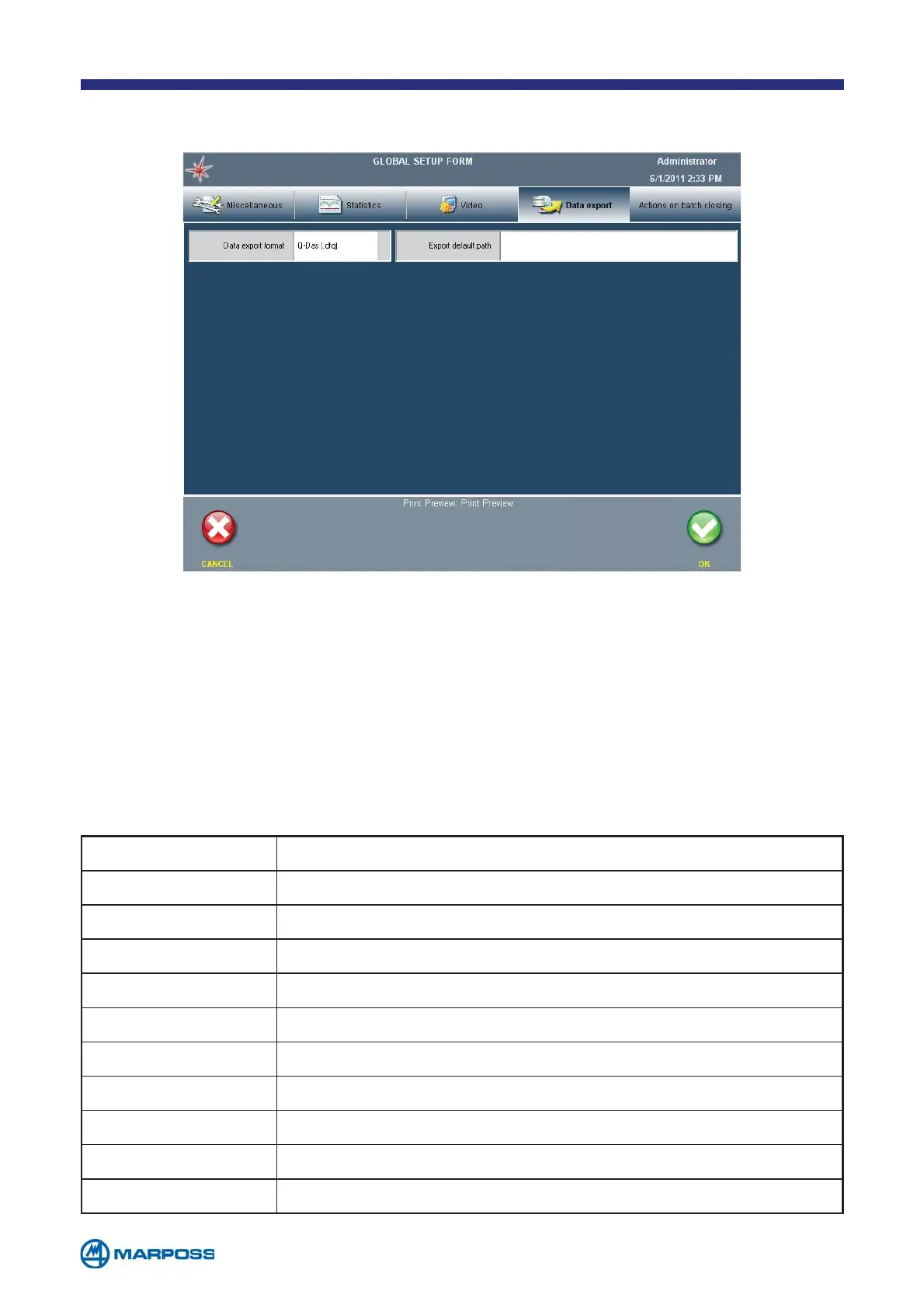
6.6 Data Export TAB
• DATA EXPORT FORMAT: Q-Das (File .DFQ)/ Text (File .CSV)/ SESAME (.txt). The
text file format is totally compatible with Microsoft® EXCEL.
• E
XPORT DEFAULT PATH: to enter the data saving path. Both local (Compact Flash
or USB memory) and remote (preconfigured Ethernet connection) paths may
be used. For example: C:\FolderName\ when saving to the internal Compact
Flash, or \USB HDD\FolderName when saving to the USB memory, or \\PCNa-
me\SharedFolder\ for the network connection.
CSV FORMAT
FIELDS DESCRIPTION
Date and time Date and time of the measure
* Separator (for characteristic)
Short Description Name of the characteristic
Value Value of the characteristic
UoM Measure unit of the characteristic
Absolute value Absolute value of the characteristic
Abs. value UoM Measure unit of the absolute value
Nominal value Nominal value of the characteristic
UTL Value Upper tolerance value of the characteristic
LTL Value Lower tolerance value of the characteristic



 To Next Page