- 18 -
Once at least one device has been added to the MEASUREMENT DEVICES MAP page, it
is possible to select the commands that are used to set the parameters for each
transducer.
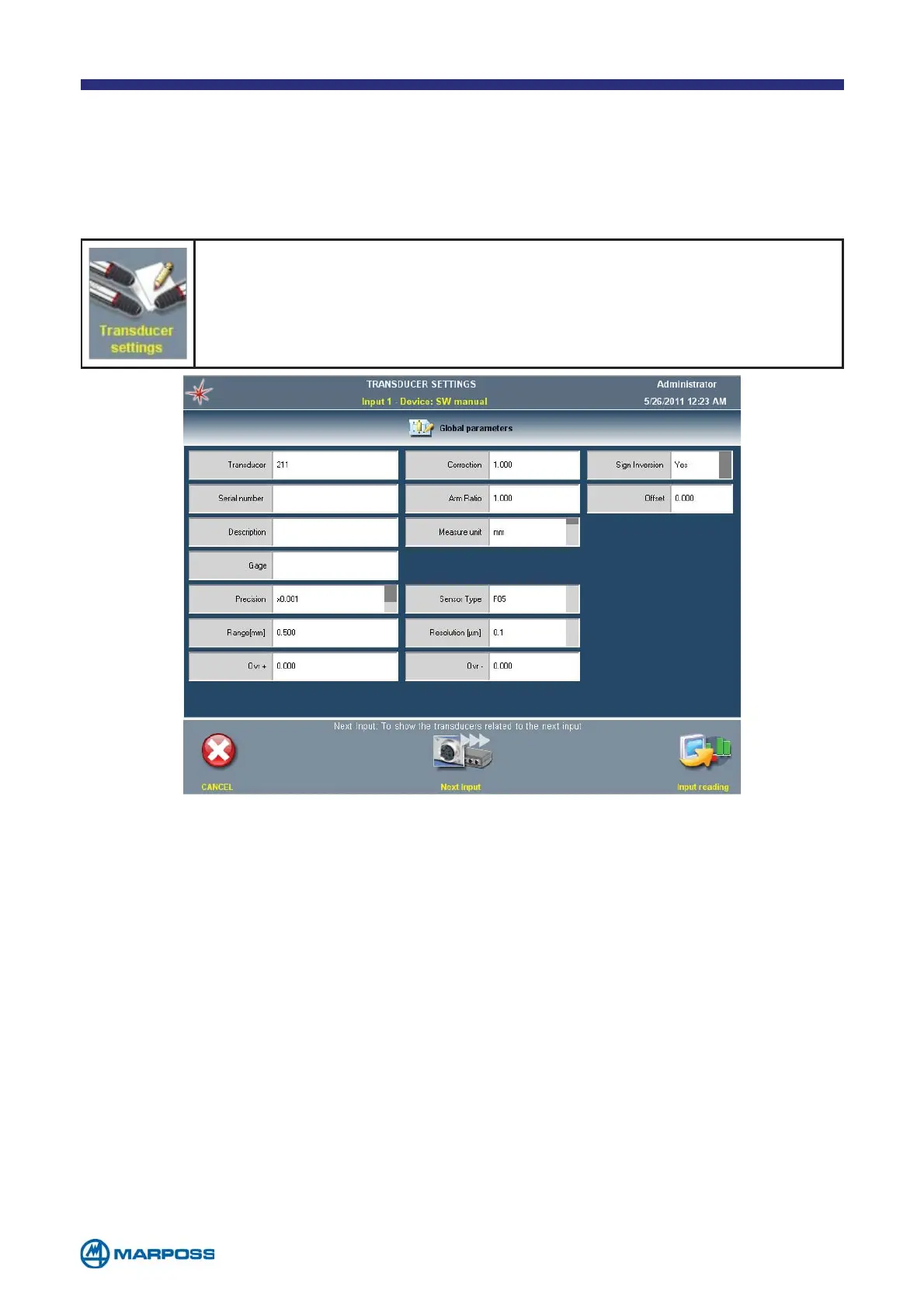
Tap on TRANSDUCERS SETTINGS to edit the transducer parameters. The
following parameters are always present, for all device types.
2.4 Transducer settings
• TRANSDUCER: transducer name (max. 5 characters editable using the keybo-
ard). The transducer default name consists of three figures, representing the
device number (as indicated on the M
EASURE DEVICE MAP), the channel number
and the instance number. For example: T231 indicates the first instance of the
second device on the third channel.
• S
ERIAL NUMBER: it can be edited using the keyboard.
• D
ESCRIPTION: it can be edited using the keyboard.
• G
AGE: the gage name can be edited using the keyboard, only in multi-instance.
• M
EASURE UNIT: the available measurement units depend on the device type.
• P
RECISION: number decimal places displayed (options: x1, x0.1, x0.01, x0.001,
x0.0001, x0.00001)
• O
VR ±: transducer over-range settings.
• C
ORRECTION: sensitivity correction; if non-standard transducers are in use, the
different behaviour can be compensated with this multiplication factor.



 To Next Page