- 32 -
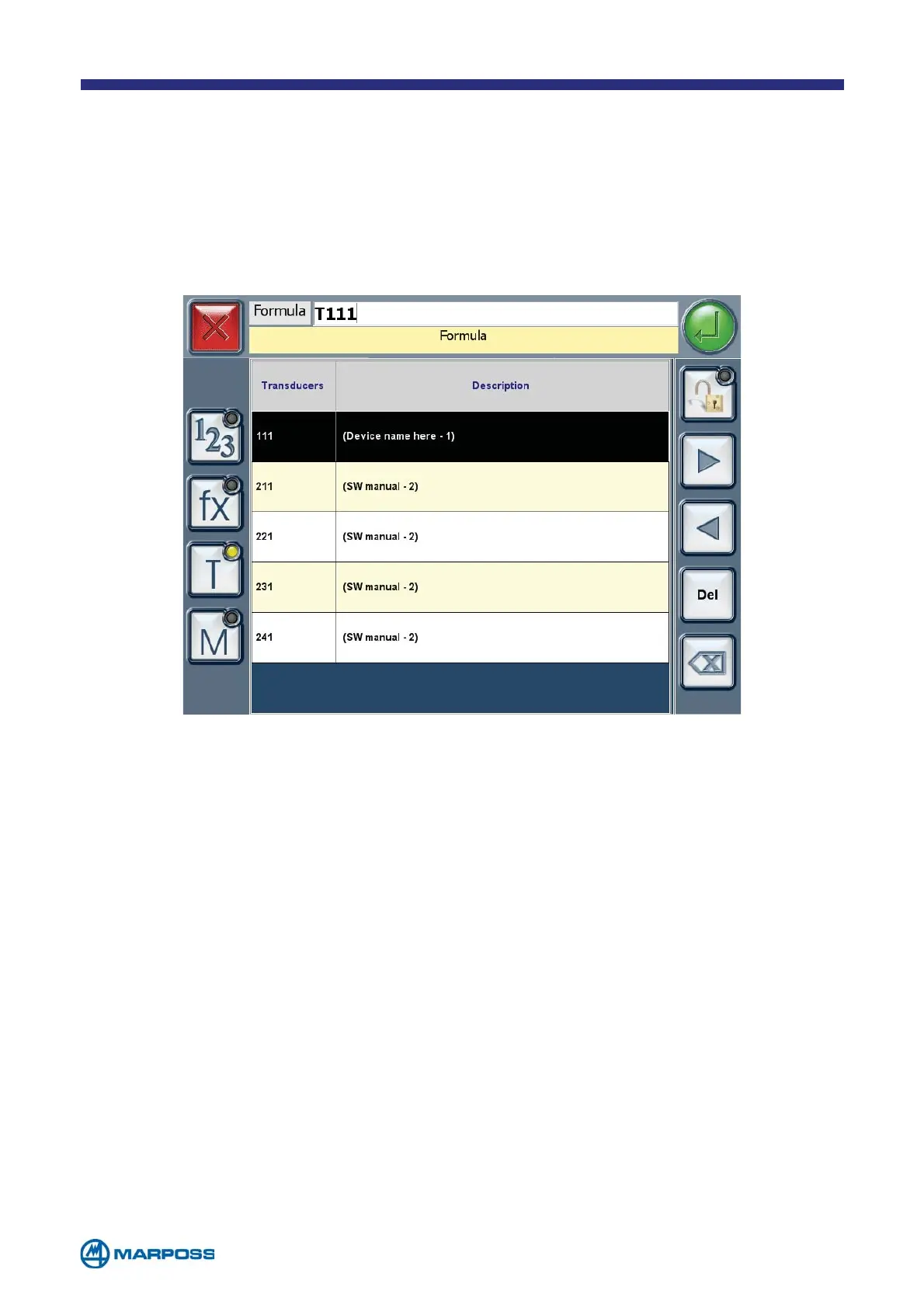
• FORMULA: The FORMULA may include TRANSDUCERS, mathematical functions or
previously acquired measurements, up to a maximum of 60 characters. Tap
the “T” button to select the transducer list. Tap a line to add the correspon-
ding T
RANSDUCER to the FORMULA. Tap the “M” button to select the CHARACTE-
RISTIC list. Tap a line to ADD the corresponding CHARACTERISTIC to the FORMULA.
• ABSOLUTE MEASURE: it defines whether the measurement detected in the FOR-
MULA is absolute, or not. If so, the system subtracts the NOMINAL VALUE from the
processed value, whereas in the second case it adds the two values together.
• A
UXILIARY: very often applications use intermediate Characteristics to elaborate
another C
HARACTERISTIC. These “auxiliary characteristics” are not involved in the
part status evaluation, not stored in the batch and it is possible to exclude them
from the display too. It is possible to configure the measuring steps with auxi-
liary characteristics only (visible or not visible); the only limitation is that a P
ART
P
ROGRAM must contain at least one not-auxiliary CHARACTERISTIC (ok/ng).
• X/R T
YPE: it can be used to enable or disable the X/R control chart.
• T
OLERANCE LIMITS: to set up the tolerance limit type and the corresponding
values based on the part technical specifications, it is possible to enable the
prescrap (or “yellow”) limits by using the T
REND “+” and “-“ parameters. The
P
RECISION parameter defines the number of decimal figures to be used for the
C
HARACTERISTIC.



 To Next Page