WRS – Installation Manual
4.13.1 Modes for programming
The receiver WRI can be programmed in two ways:
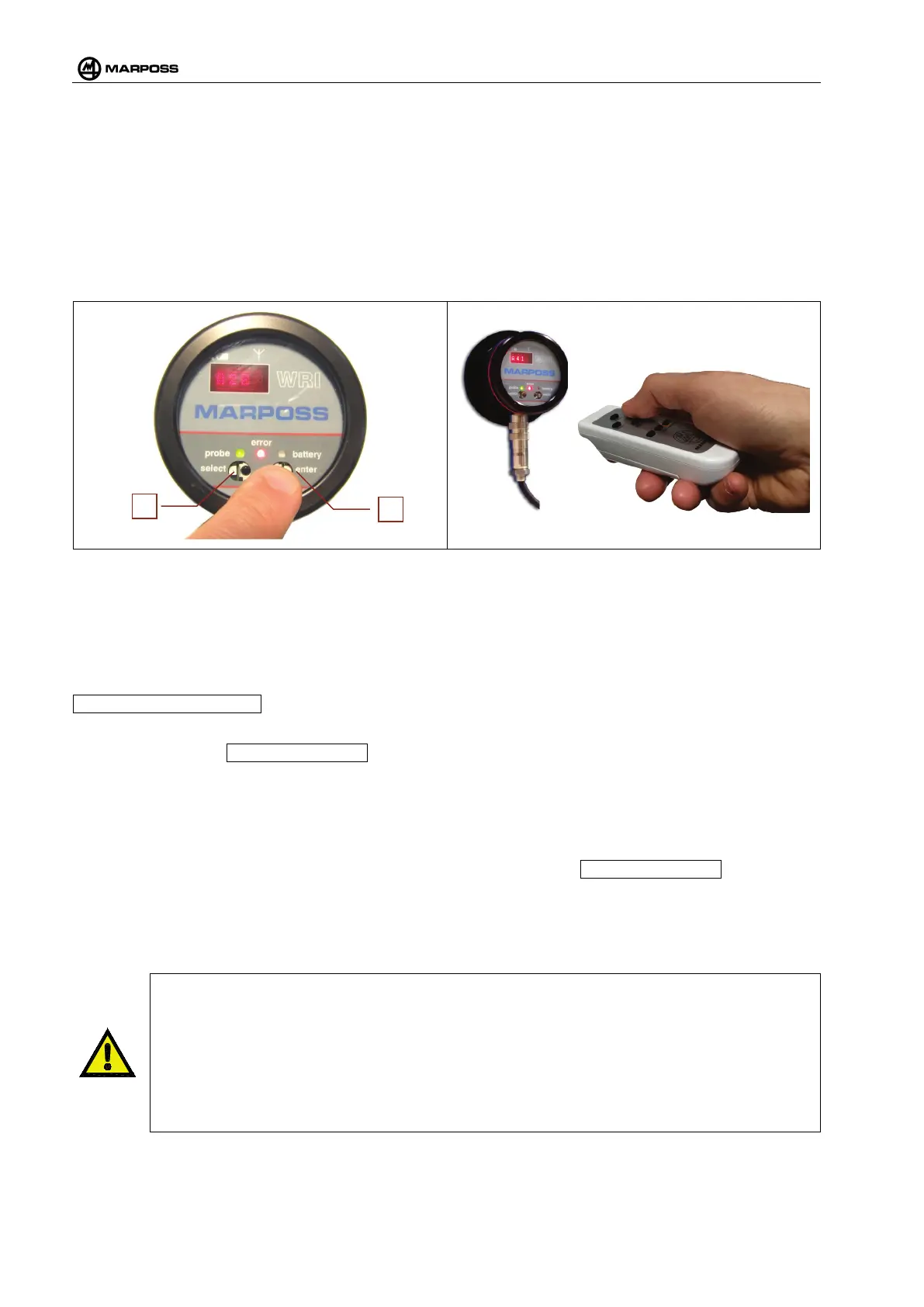
1. From panel through optical switches (E) and (F) (see Figure 4-54): optical buttons that detect the
presence of the operator’s fingers nearby. To help the user the LED on the optical button pressed
will emit flashes at very short intervals. The optical buttons may be disabled (see para. 4.15.3).
2. Through remote control (Figure 4-55): conventional, infrared, remote control (type Phillips
®
RC5).
The modes described above are enabled only when the system is not in probing cycle. A programming
action started through optical buttons or remote control shall be ended with the same method.
Figure 4-54. Programming from panel. Figure 4-55. Programming through remote control.
4.13.2 Calibration of optical buttons
We recommend calibrating the optical buttons (E) and (F) (see para.Figure 4-54) when the system is
installed.
Whenever the receiver is switched on, after the message on display reporting the serial number, e.g.
..MARPOSS 08FE1234.., it will be possible to perform a calibration by following the procedure described
below:
• The message ..CALIBRATING.. appears on display;
• When the yellow “battery” LED flashes put a finger on the ENTER optical button found under the
flashing LED, while holding free the other optical button. Keep your finger on the ENTER button until
the green Probe LED starts flashing.
• When the Green Probe LED starts flashing, put your finger on the Select optical button and hold it
that position.
• When the Green Probe LED stops flashing and the message ..CALIBRATING.. is not shown
anymore on display, the calibration is completed.
If this procedure is not performed, the system will keep the data of the last valid calibration. Should the
receiver detect a non-valid calibration, due to anomalies, this will be scrapped and the last valid calibration
performed will be kept.
WARNING
If you notice anomalous behaviors of the interface and
the Yellow or the Green LED flash
rapidly, switch the WRI receiver off and on again to perform a new calibration; this could happen
if there are substantial variations in the intensity of the light inside the machine tool. Should such
variations be inevita
ble, it is advisable to disable the optical buttons and use the remote control
only. Afterwards the optical buttons can be enabled again through either the remote control or
by repeating the calibration procedure after switching the system off and on again.
4.15.3. for the recovery procedure.



 To Next Page