WRS – Installation Manual
4.15 Programming of the WRS System
The programming menu of the WRS system is resident in the WRI receiver and is shown on the digital
display. The following paragraphs describe all the functions of the menu. An HELP was provided to facilitate
the comprehension of the menu: stay for a few seconds on the parameter or press the HELP key on the
remote control and the description of that function scrolls on the display in English.
In the
following figures only the SELECT+ and ENTER+ keys are used, however it is always
possible to scroll backwards too when using the remote control
4.15.1 Main Menu
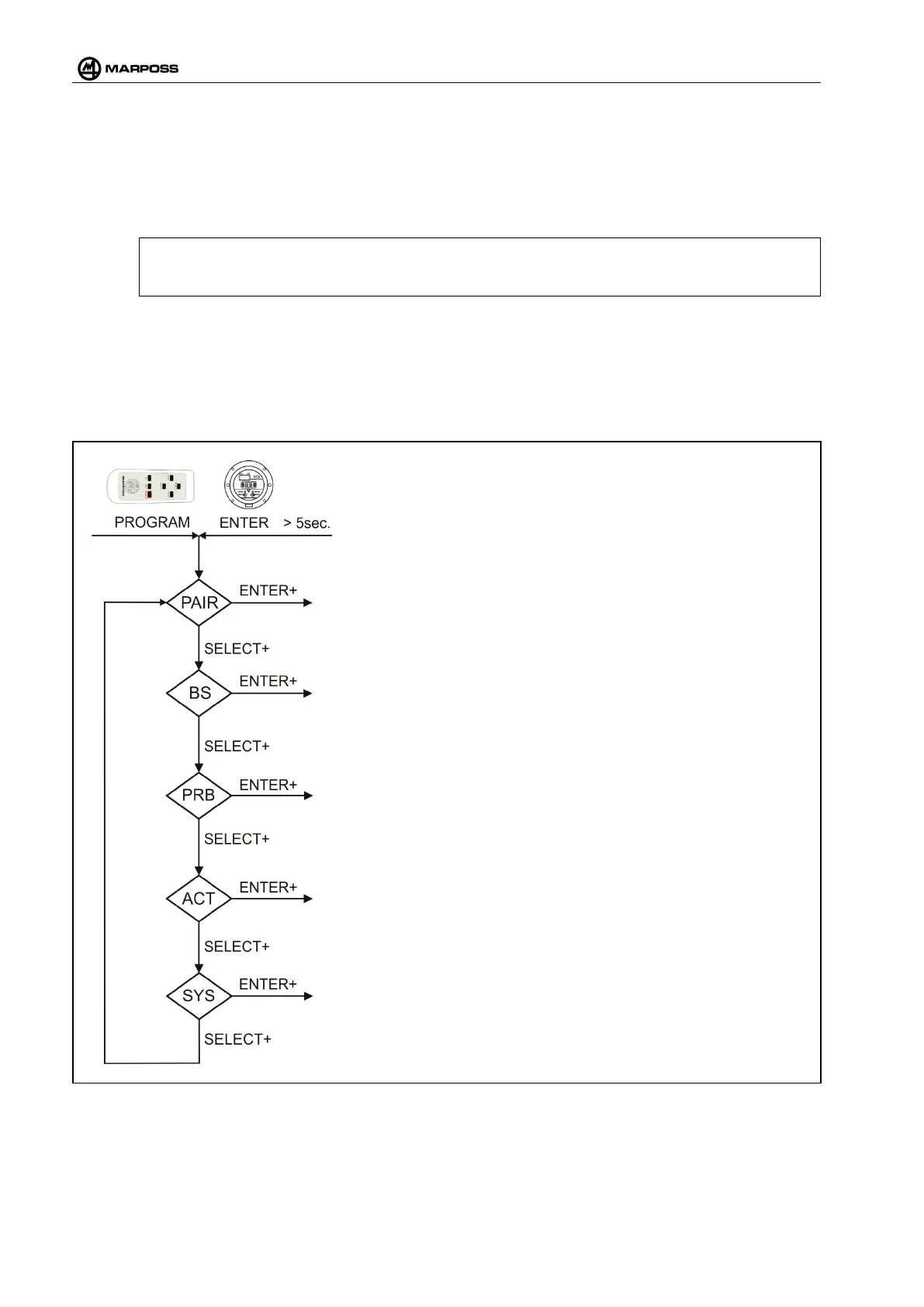
To have access to the programming menu press either the ENTER optical key for more than 5 seconds or
the PROGRAM key of the remote control.
Figure 4-58. Main menu.
Allows programming all the functions of the WRI receiver.
Allows access to the setting of the WRP -
programmed.
MENU ATTIVAZIONE MANUALE SONDA (ACT)
Allows activating the paired WRP -
Pairing verification, the outputs are in safe condition.
Allows pairing or unpairing a probe WRP -
receiver base station.
When this function is activated it is possible to have access to
the system maintenance menu.



 To Next Page