WRS – Installation Manual
4.14 Infrared remote control
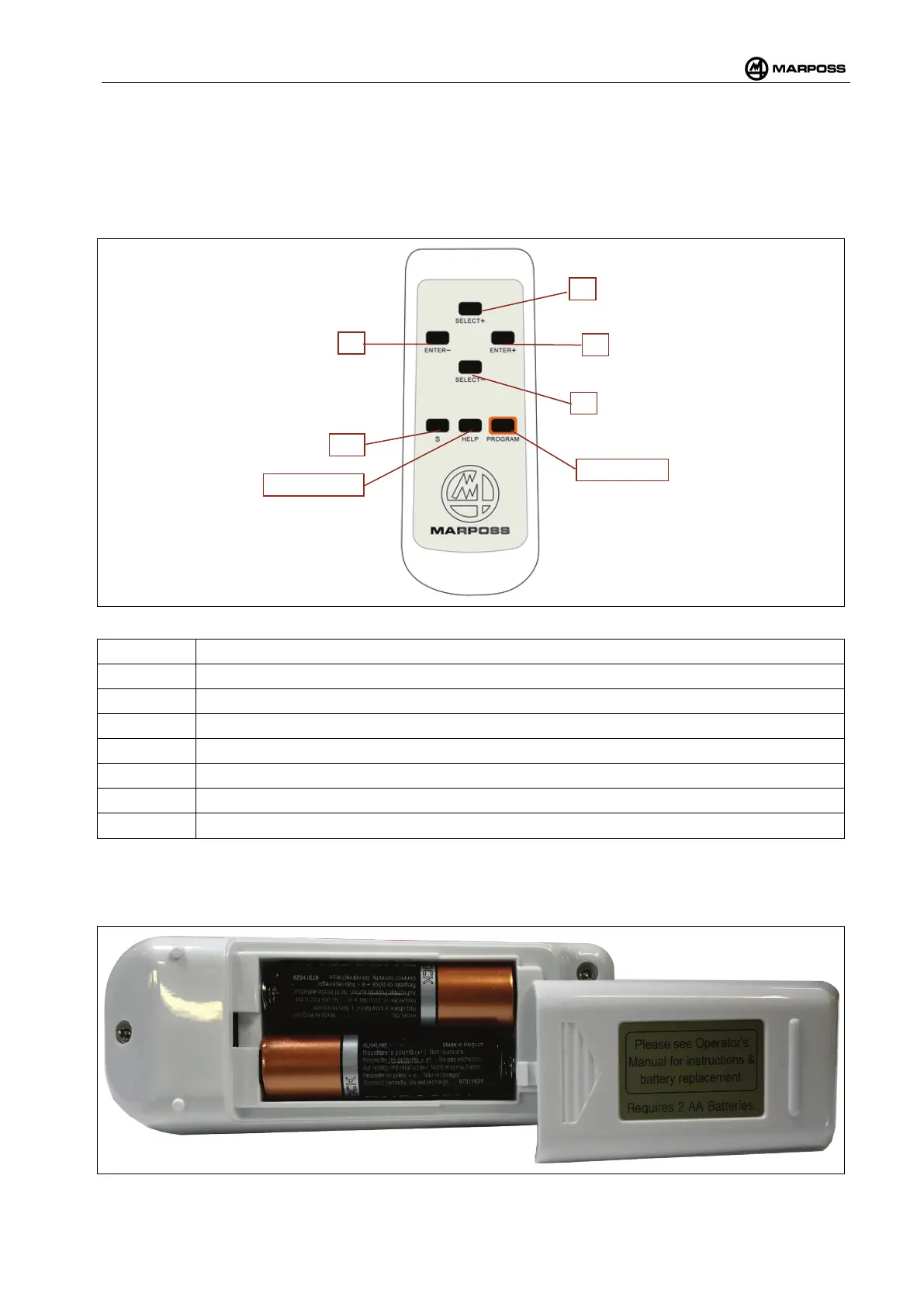
The remote control unit is used to program the WRS system. Before using the remote control it is necessary
to insert the batteries.
4.14.1 Buttons and functions
Figure 4-56. Remote control.
Use this key to scroll forward through the possible selections for the current parameter.
Use this key to scroll backward through the possible selections for the current parameter.
Use this key to confirm the selection and advance to the next parameter.
Use this key to cancel the selection and return to the previous parameter.
Not used.
Key to display the online help on the display of WRI receiver
Key for access to the WRI receiver programming
4.14.2 Inserting the batteries
The remote control unit requires 2 AA/LR06 batteries that are inserted as illustrated in Figure 4-57.
Figure 4-57. Inserting the batteries.



 To Next Page