WRS – Installation Manual
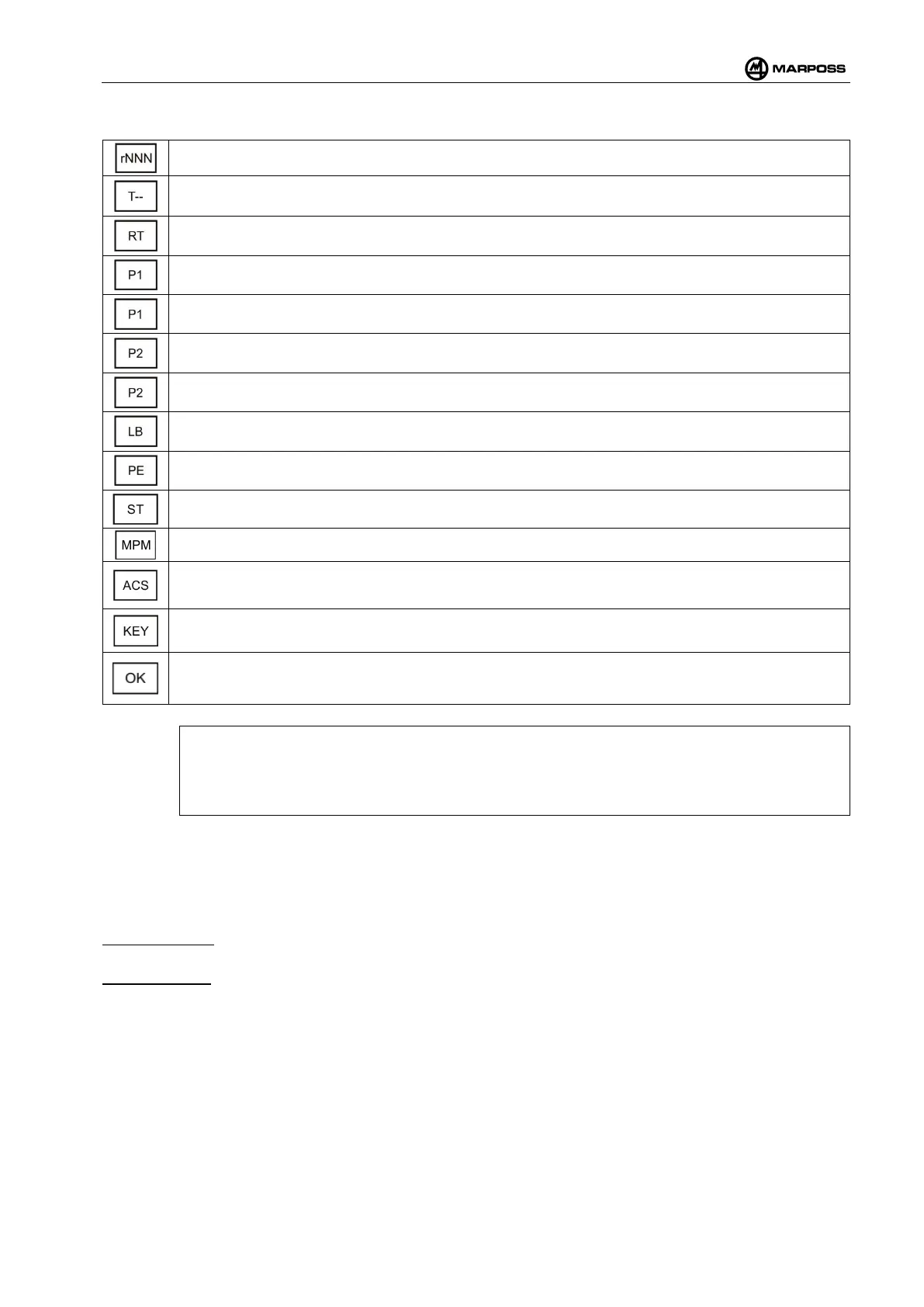
1. Described the programming data of the WRI receiver
Firmware version of WRI receiver.
Operating timeout: May be set to values between 4" and 16', up to an infinite length of time (--).
See para. 4.12.4.
Retrigger of timer T. See para. 4.12.4.
Polarity of the PROBE1 output. See para. 4.12.6.
Functionality of the PROBE1 output. See para. 4.12.6.
Polarity of the PROBE2 output. See para. 4.12.6..
Functionality of the PROBE2 output. See para. 4.12.6.
Polarity of the LOW_BAT output. See para. 4.12.7.
Probe output status when out of cycle. See para. 4.12.8.
Operation modality of the Start signal. See para. 4.12
Multiprobe. See para. 4.12.5.
Automatic channel selection. See para. 4.10.11.
Enable of the optical buttons.
Confirmation request of the value set: select OK “y” to confirm them, or OK “n” to annul them.
[
N.B.
It is not possible to program during the measuring cycle. To prevent this, the base station does
neither recognize the commands of the optical keys nor the ones of the Remote Control during
the whole cycle.
2. Enable optical buttons
It is possible to enable “y” or disable “n” the optical buttons. The Remote Control will go on running whether
they are enabled or disabled.
The optical buttons can be activated again both with the remote control and the buttons themselves.
Remote Control: ENTER programming in the BS menu. Enable the buttons by selecting “y” in the KEY
option. The buttons will restart working with the last valid calibration performed.
Optical Buttons: whenever the supply to WRI receiver is switched off and on again, the receiver itself
proposes the execution of a new calibration. If calibration is performed, the receiver will ask whether you
want to re-enable the optical buttons after it has been completed.
To switch the WRI receiver off and on again either act physically on the cable by detaching the power supply,
or through the RST system command menu (Reset).



 To Next Page