4-7
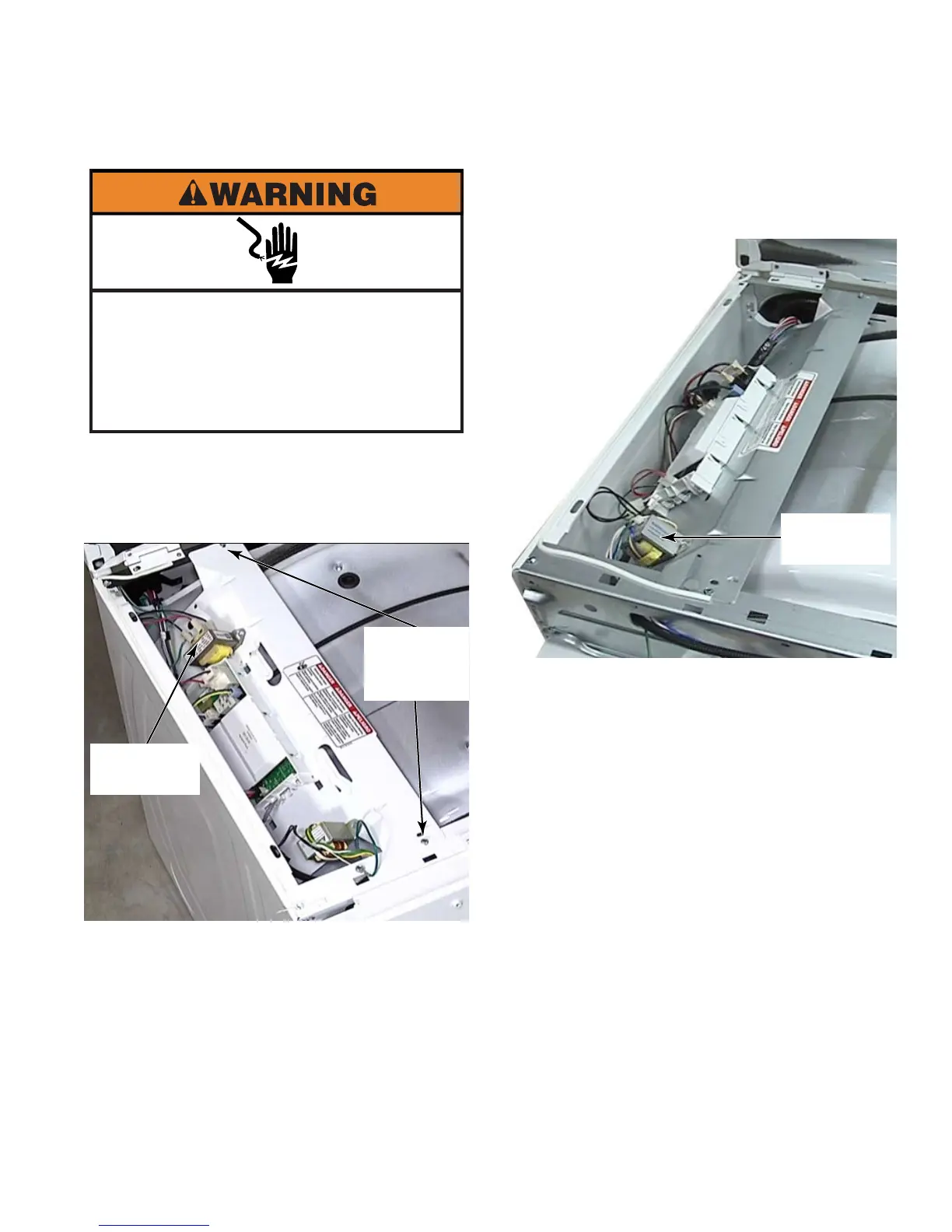
On Model 25 dryers, there is no step-down
transformer. Remove the UIC transformer
(See page 4-8).
Remove the CCU (See page 4-9).
5.
6.
Open dryer top (See page 4-3).
Remove the 1/4” hex head screw from each
end of bracket.
Set bracket on the top of the drum.
On Model 22 dryers, remove the UIC
transformer and the step-down transformer.
(See page 4-8).
1.
2.
3.
4.
Electrical Shock Hazard
Disconnect power before servicing.
Failure to do so can result in death or
electrical shock.
Replace all parts and panels before
operating.
Two 1/4”
Hex Head
Screws
Step-down
Transformer
UIC
Transformer





 To Next Page