4-17
Electrical Shock Hazard
Disconnect power before servicing.
Replace all parts and panels before
operating.
Failure to do so can result in death or
electrical shock.
Open dryer top (See page 4-3).
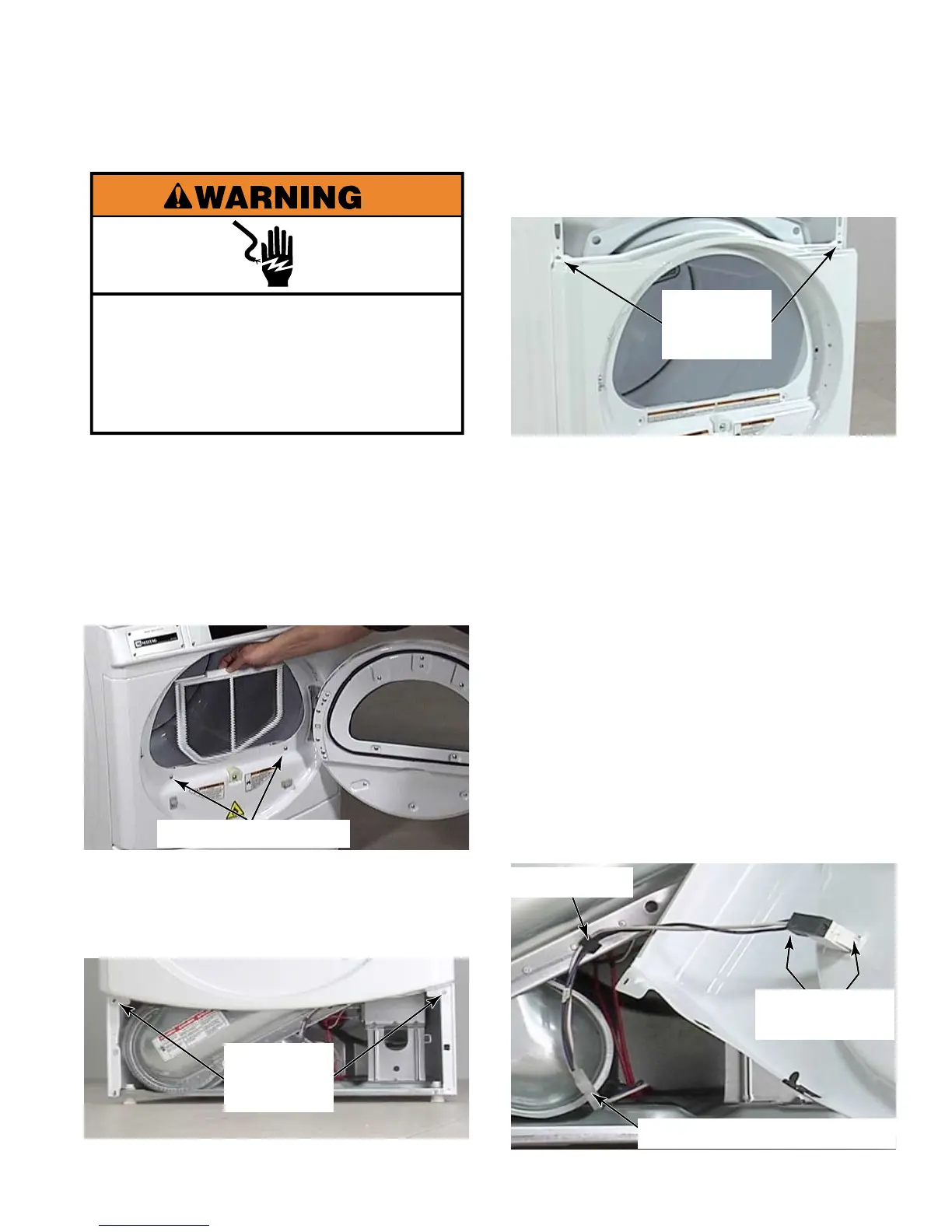
Open dryer door and remove lint filter.
Remove 2 star head screws below door
opening that secure the front panel to the
lint filter housing. These screws are large
pan head screws. Close dryer door.
Remove service panel (See page 4-16).
Remove two 1/4” hex head screws that
secure bottom of front panel to the dryer.
1.
2.
3.
4.
5.
Remove two 1/4” hex head screws that
secure the top of the front panel to the dryer.
Pull front panel away from dryer and rotate it
to access the door switch wire connectors.
On Model 22 dryers, use a small flat blade
screwdriver to release the wire to the door
switch from strain relief on lint filter housing.
On model 25 dryers use a pair of
pliers to squeeze the Christmas tree clip to
release strain relief from lint filter housing.
Use a flat blade screwdriver to release the
locking tab and disconnect the door switch
wire connector.
Remove door switch by pressing locking
tabs on both sides of door switch from
inside the front panel and rotating the switch
out the front, pulling the wires out through
hole with switch.
6.
7.
8.
9.
10.
2 Star Head Screws
Two 1/4”
Hex Head
Screws
Two 1/4”
Hex Head
Screws
Strain Relief
Door Switch Wire Connector
Door Switch
Locking Tabs





 To Next Page