4-28
Remove motor (See page 4-27).
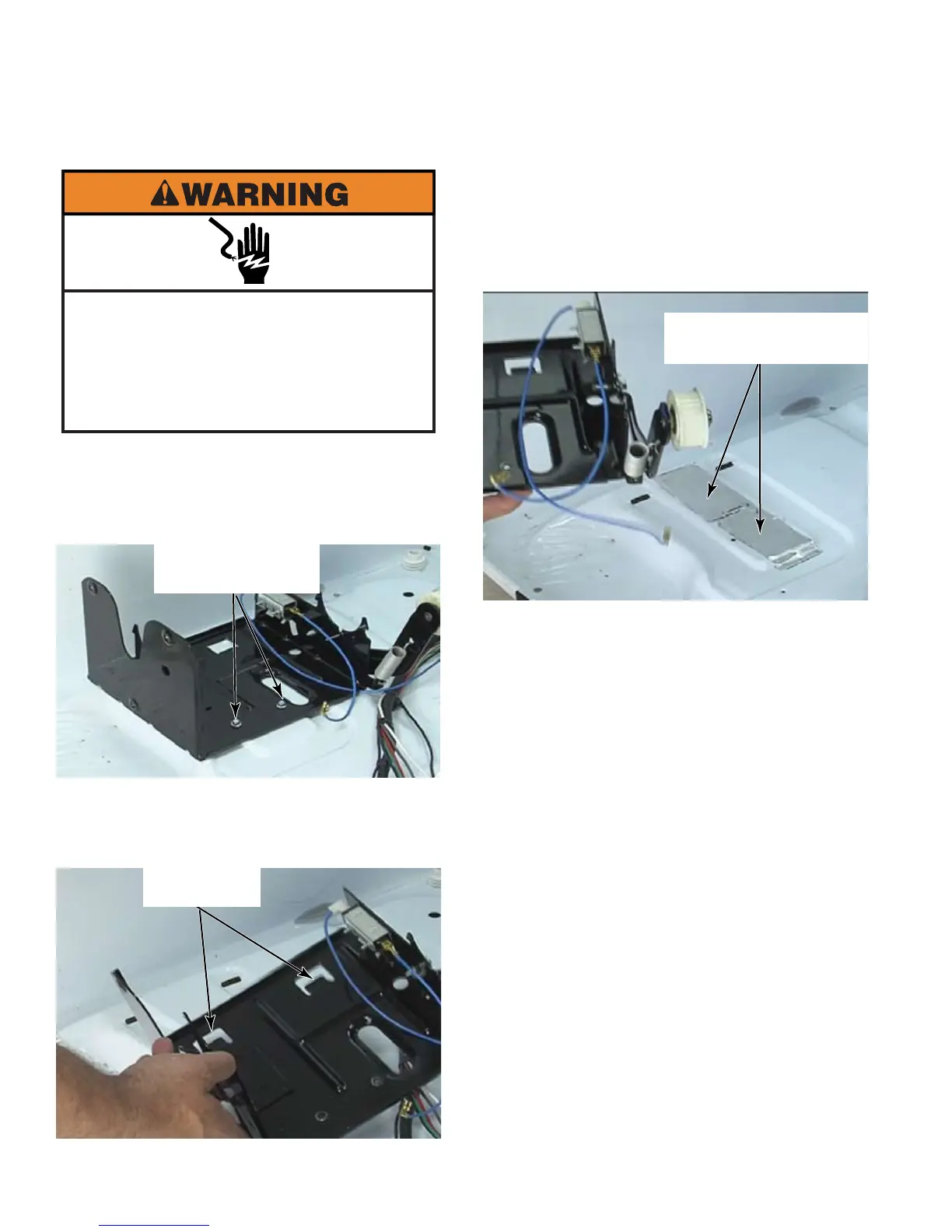
Remove two 1/4” hex head screws that
secure the bracket to base of dryer.
Lift bracket to remove two tabs that pass
through dryer base and remove bracket
from dryer.
1.
2.
3.
Two 1/4“ Hex Head
Screws
Two Tabs
To reduce excess vibration
transferred from the motor bracket to the
cabinet, place anti-vibration pads, if they
are missing, under the motor bracket.
Install two pads if possible, or if only one is
available then center it below the bracket.
Two Anti-Vibration
Pads Pt #W10212660
Electrical Shock Hazard
Disconnect power before servicing.
Failure to do so can result in death or
electrical shock.
Replace all parts and panels before
operating.




 To Next Page