5-11
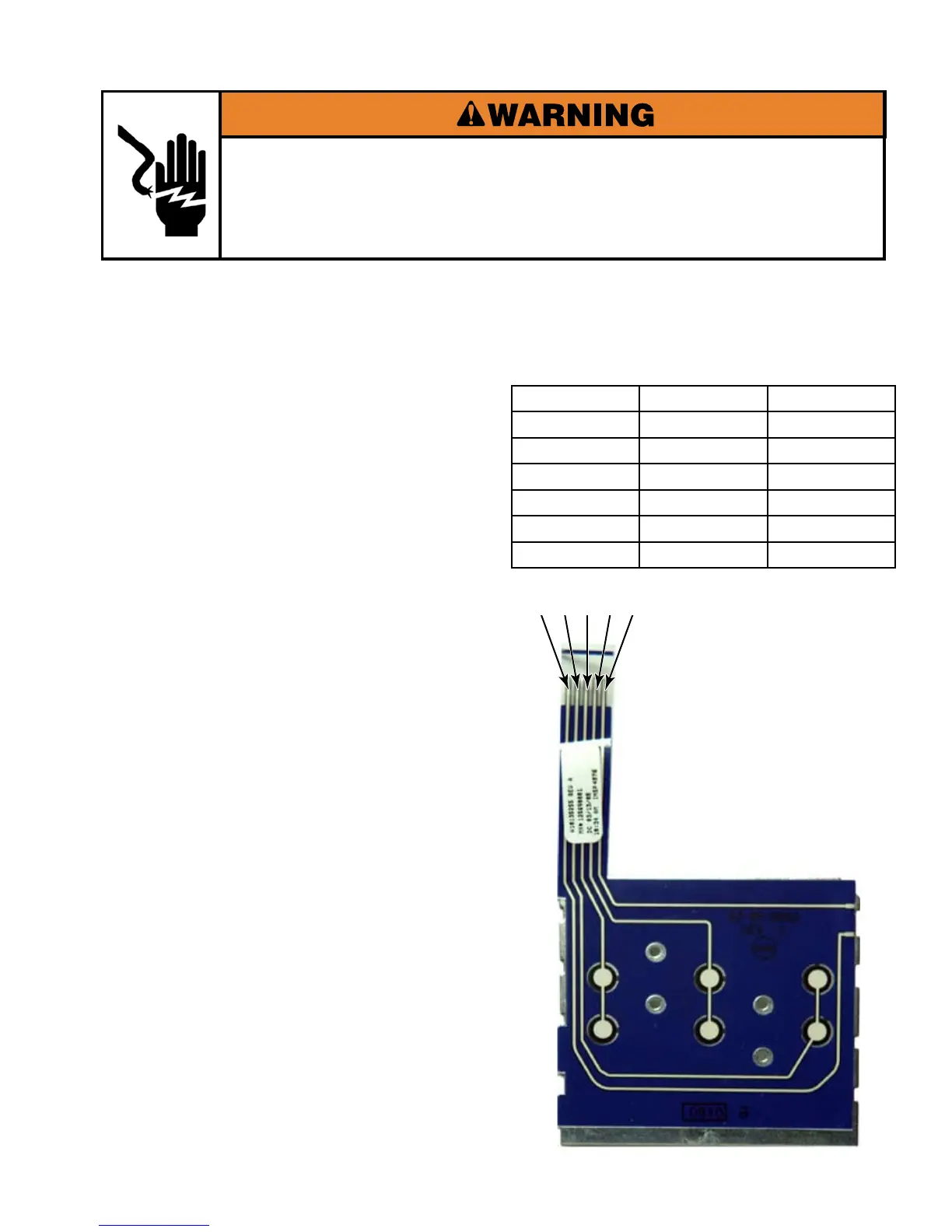
3 button user interface membrane switch
Contact Contact Button
4 5 A
2 5 B
3 5 C
4 1 D
2 1 E
3 1 F
Electrical Shock Hazard
Disconnect power before servicing.
Replace all parts and panels before operating.
Failure to do so can result in death or electrical shock.
Unplug dryer or disconnect power.
Turn off gas supply to dryer.
Remove user interface membrane switch
(See page 4-5).
Set the ohmmeter to the R X 1 scale.
Set digital ohmmeters to lowest scale.
Touch the ohmmeter test leads to the
contacts listed. Press the button listed for
each pair of contacts. The meter should
indicate continuity (0Ω). If the meter
indicates an open circuit (infinite Ω), replace
the membrane switch.
Only the lower row of membrane
pads (A, B & C) are used on this model
dryer.
1.
2.
3.
4.
5.
234 15
EF
C
B





 To Next Page