4-26
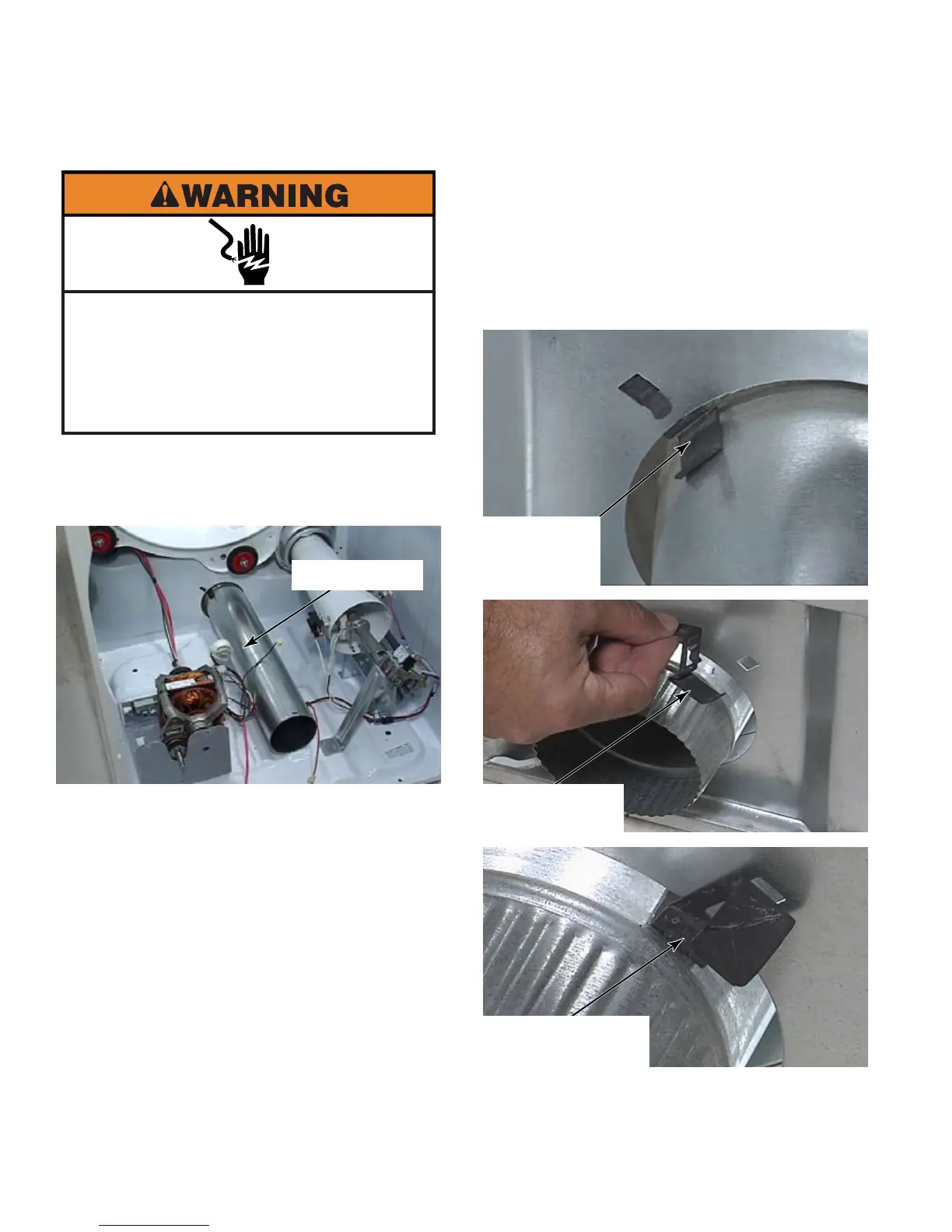
Remove blower housing (See page 4-25).
Slide exhaust duct out the front of the dryer.
If blower housing and drum have
yet to be removed, remove the short 1/4”
hex head screw that secures exhaust duct
to blower housing. Pull exhaust duct out the
rear of the dryer.
1.
2.
When reinstalling exhaust duct,
or for new dryer installations, make sure
the anti-vibration clip for the exhaust duct is
installed on back panel of dryer. To install
clip, slide long leg of clip into dryer along the
exhaust duct. Insert tab of clip in square
hole above exhaust duct and press handle
of clip down until it clicks into place.
Exhaust Duct
Clip Viewed
From Inside
Dryer
Clip Removed
From Back
Clip Viewed From
Back Of Dryer
Electrical Shock Hazard
Disconnect power before servicing.
Failure to do so can result in death or
electrical shock.
Replace all parts and panels before
operating.





 To Next Page