71
WARNING Ensure the correct parameter set is selected for the type of endoscope to be processed.
An endoscope is not disinfected and should not be used on a patient if the incorrect parameter
set is used during a cycle.
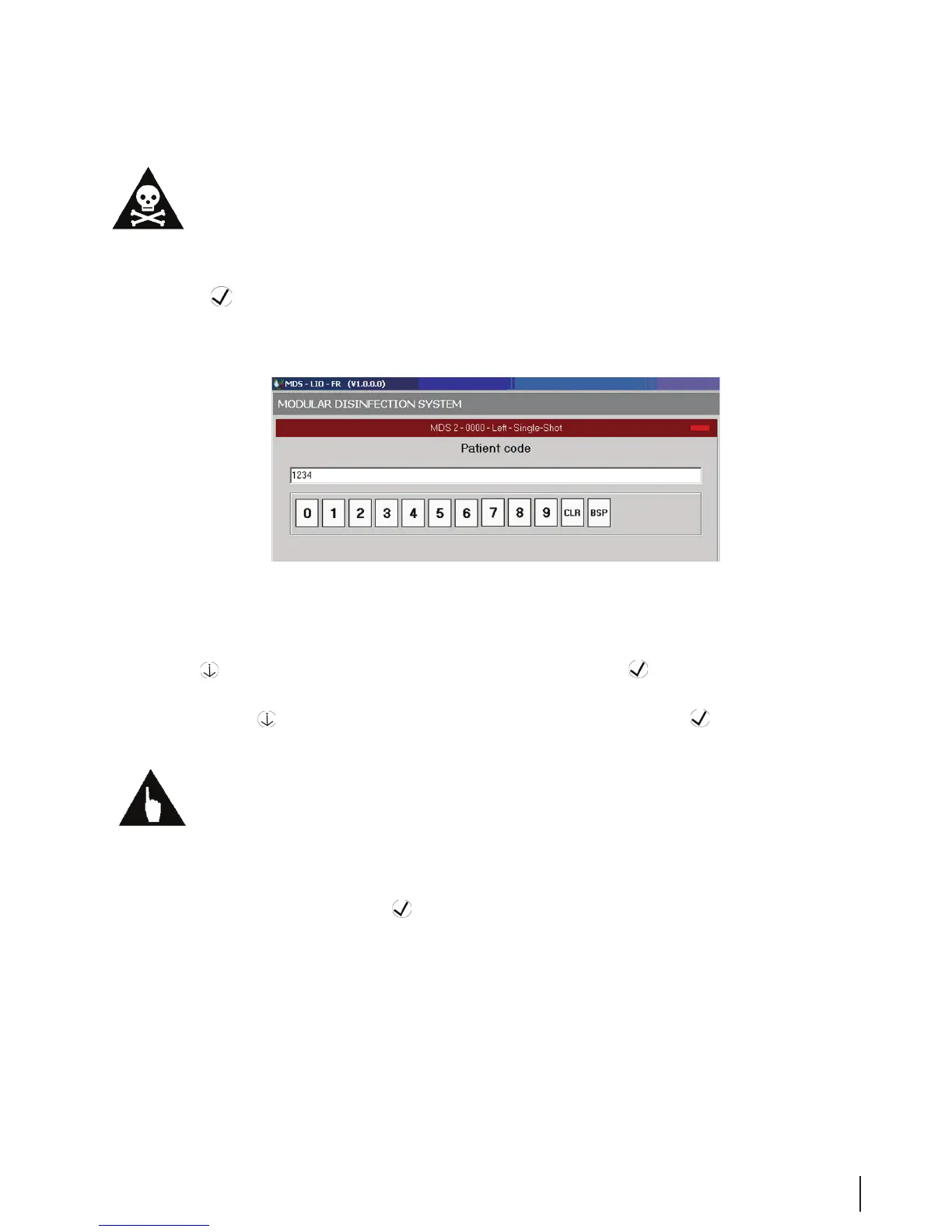
8. The Patient Code window opens. Enter the patient ID with the touchpad or bar code reader and click
the OK
button.
Figure 23 Patient Code
9. When the Physician Selection window opens, select the desired name by scrolling with the Scroll
Down
button, or use the bar code reader. Then click the OK button.
10. When the Physician Assistant Selection window opens, select the desired name by scrolling with the
Scroll Down button, or use the bar code reader. Then click the OK button.
Note: The patient code, physician code, and assistant code on your MEDIVATORS
®
ADVANTAGE PLUS
®
Automated Endoscope Reprocessor are congurable. If your system administrator has determined that
these items do not have to be tracked, the screens will not be shown.
11. If the system is congured to automatically start the operator needs to do nothing more and the cycle
will start. If not congured the Start Program window opens. Verify that the Start data on the screen
is correct, and then click the OK
button. The process LED indicator light should turn green.
12. A system check is carried out. If a red error report appears at the bottom of the screen, attempt to
correct the error by consulting Chapter 5: Troubleshooting.
13. The Program Screen opens and allows you to follow the progress of the disinfection process.



 To Next Page