98 of 271
Needle Case Calibration
This procedure is required whenever the needle case has been removed and re-installed. Calibrating
the needle case requires a rough calibration and a ne calibration. The ne calibration is done with the
Needle Plate removed and the needle is aligned to the Rotary Hook Center Post. The rough calibration is
performed with the Needle Plate installed and the needle is aligned to the center of the needle hole.
Fine calibration procedure:
1. Make sure the Bravo OS is up on your computer screen and your machine is ON.
2. Remove the Bobbin Case Assembly and the Needle Plate.
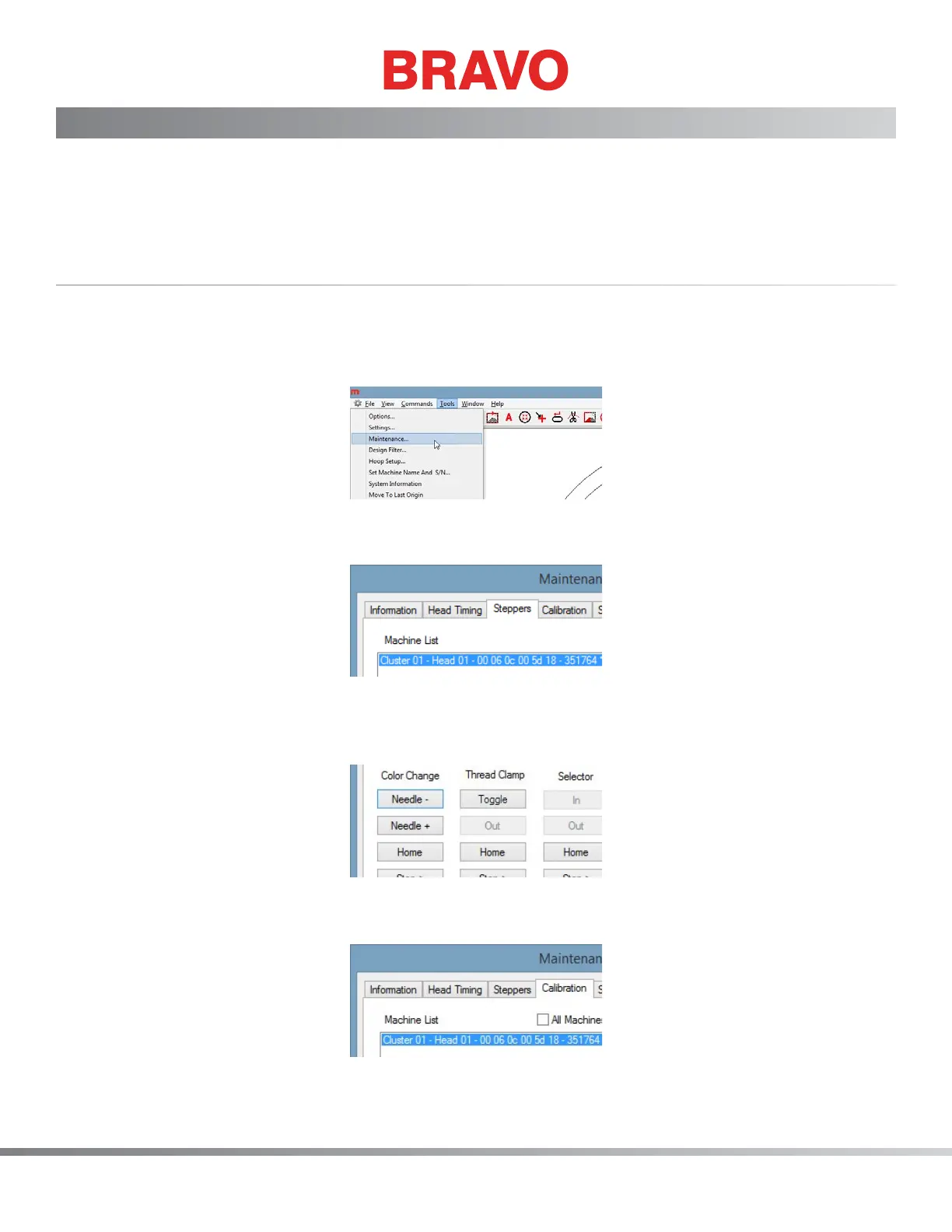
3. In the Bravo OS, got to Tools>Maintenance as shown below.
Figure 1: Maintenance Window
4. Next, click on the Steppers tab as shown below
Figure 2: Steppers Tab
5. Next, click on the Color Change - Home button as shown below. This will move the needle case to
the home position and nally come to rest at needle position 1.
Figure 3: Color Change Home
6. Next, click on the Calibration tab as shown below.
Figure 4: Calibration Tab



 To Next Page