Microtronix Access User Guide
4.2 Ethernet
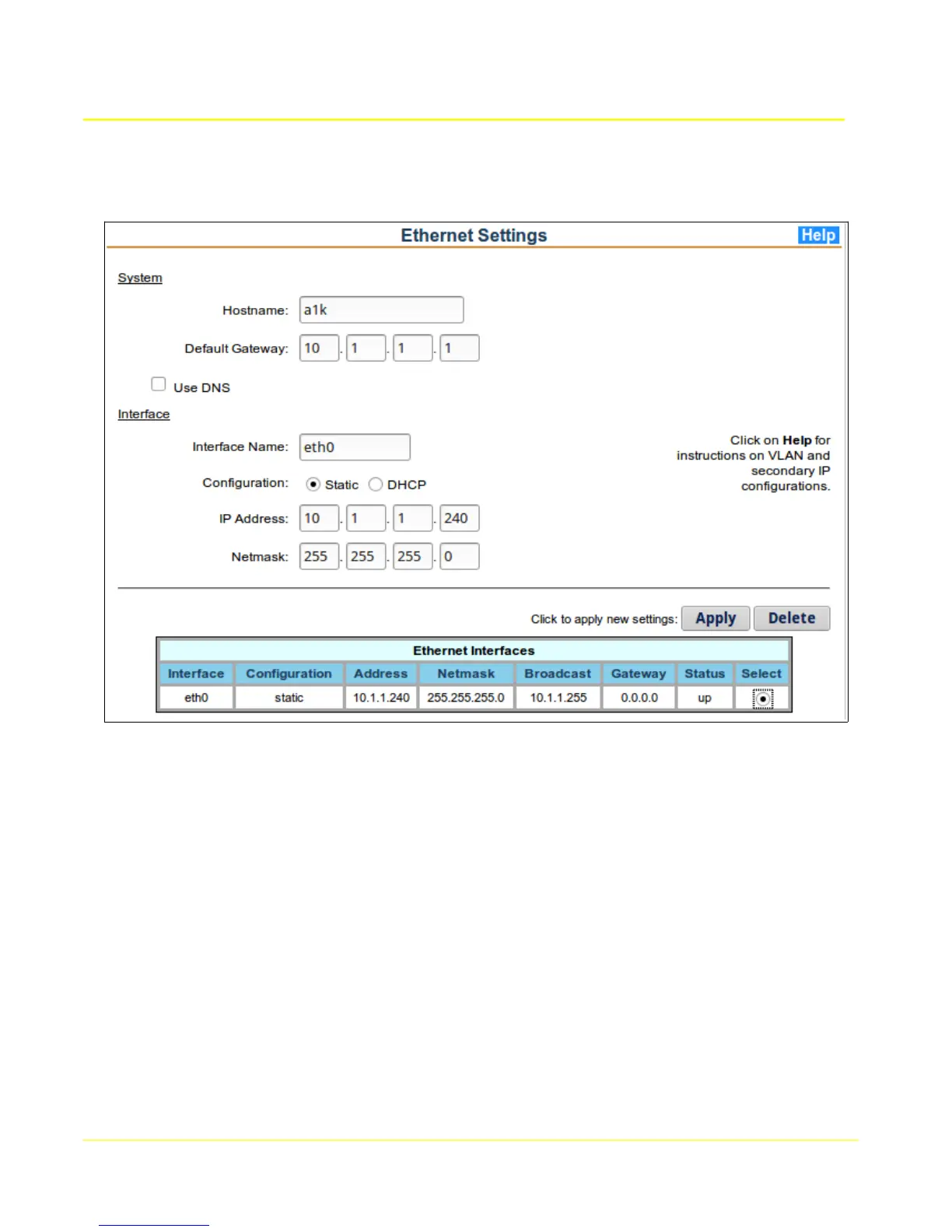
The Ethernet page displays the status of the current interfaces configured. The form allows changes to
the interfaces and the addition of VLAN interfaces.
4.2.1 Network Setup
To modify the IP network settings, fill in the provided configuration fields. If the desired interface has
previously been configured, the interface may be selected from the Ethernet Interfaces table which will
populate the fields with its current settings.
To configure a VLAN interface, enter “eth0.x” in the “Interface Name” field, where ‘x’ is an integer from 0
to 255.
To configure a secondary IP address, enter “eth0:x” in the “Interface Name” field, where ‘x’ is an integer
from 0 to 255.
To delete a previously configured interface, enter “0.0.0.0” as the IP address for the interface before
clicking the Apply button.
To apply changes, click the Apply button. Only the interface corresponding to the Interface Name field
will be updated.
Note: Upon updating the primary Ethernet adapter configuration, the web interface will automatically
redirect the browser to its updated location, if reachable.
24



 To Next Page