Microtronix Access User Guide
9.4.3.3 TCP/IP Direct to PBX
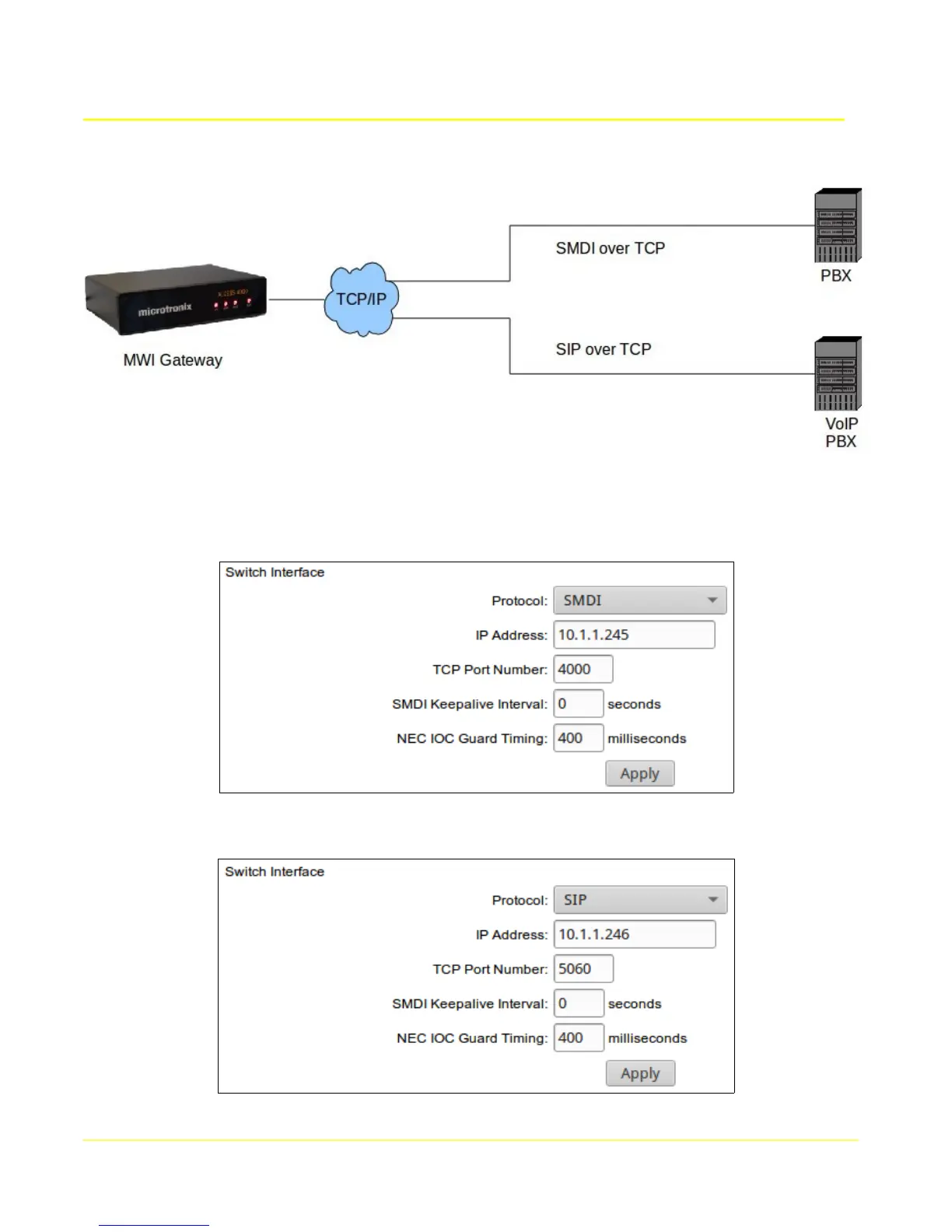
Select an interface number by clicking it's Select to edit button to display it's configuration in the form.
Choose Protocol SMDI if the PBX supports SMDI over TCP, and set the PBX's IP address and TCP port
number if the PBX is accepting connections. Set IP address to 0.0.0.0 to accept a connection.
Choose Protocol SIP if the PBX supports it, and set the PBX's IP address and TCP port number if the
PBX is accepting connections.
84



 To Next Page