Microtronix Access User Guide
10.2 System Logs
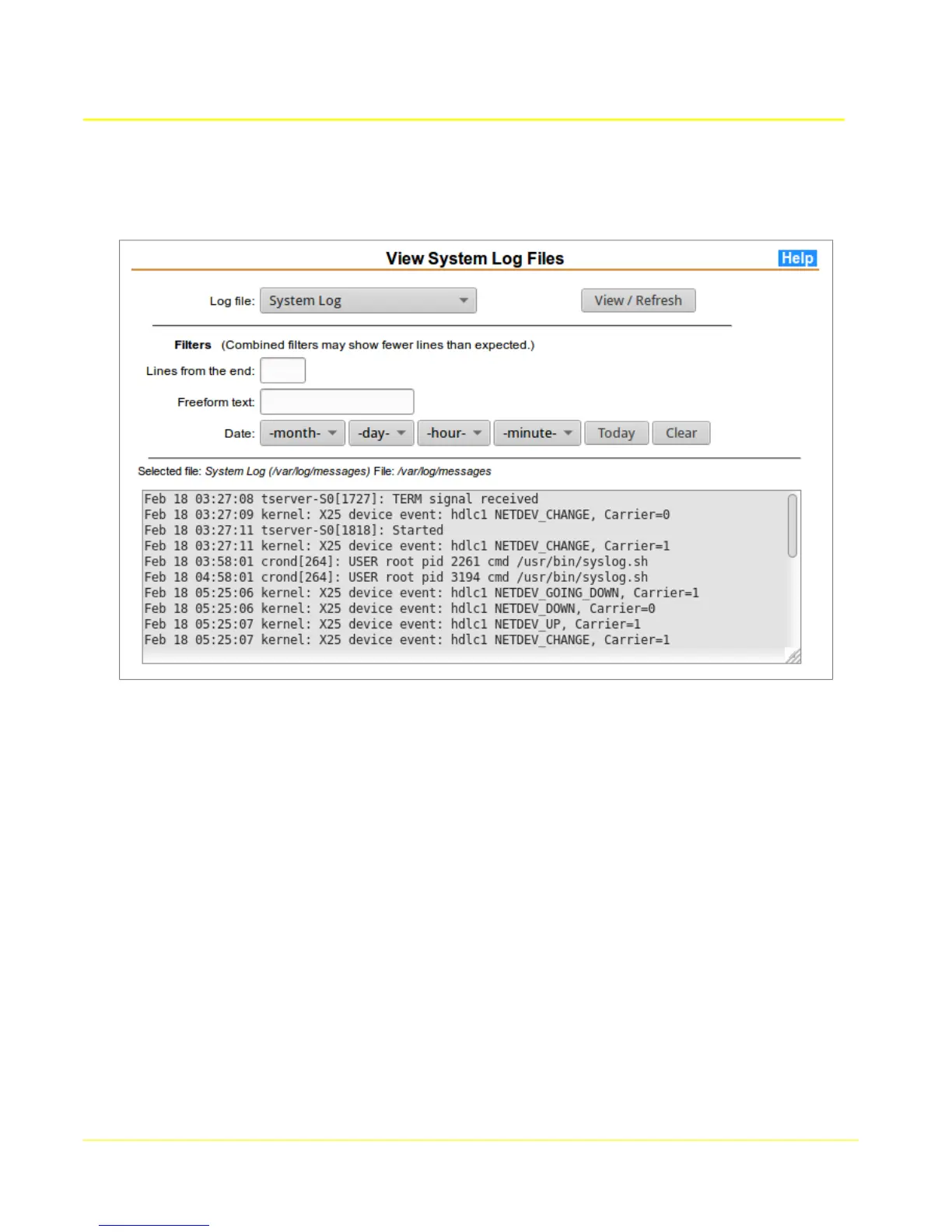
This page provides an interface for viewing kernel ring buffer and system log.
10.2.1 Log View Parameters
Log file: The file to view. To view or refresh the display of a log file, select the desired file from
the list provided and click the “View / Refresh” button.
Lines from the end: To restrict the output to a certain number of lines, enter the desired
number of lines and click “View / Refresh”. If other filters are also in effect or there fewer lines
available than entered, then the total number of displayed lines may be less.
Date: To restrict the log output to a specific month, day, hour or minute, select the desired value
and click “View / Refresh”. If the button labeled “Today” is clicked, then the month and day
selections will be changed to the values for that day. To clear a date filter, select the first option
in the list, which will consist of a string with a dash on each end. To clear all date selections,
click the button labeled “Clear”.
Freeform text: To restrict output to lines containing a specific string, enter a string in this field.
Some basic regular expressions are supported.
90



 To Next Page