Microtronix Access User Guide
9.4.2 VMS SMDI Interface
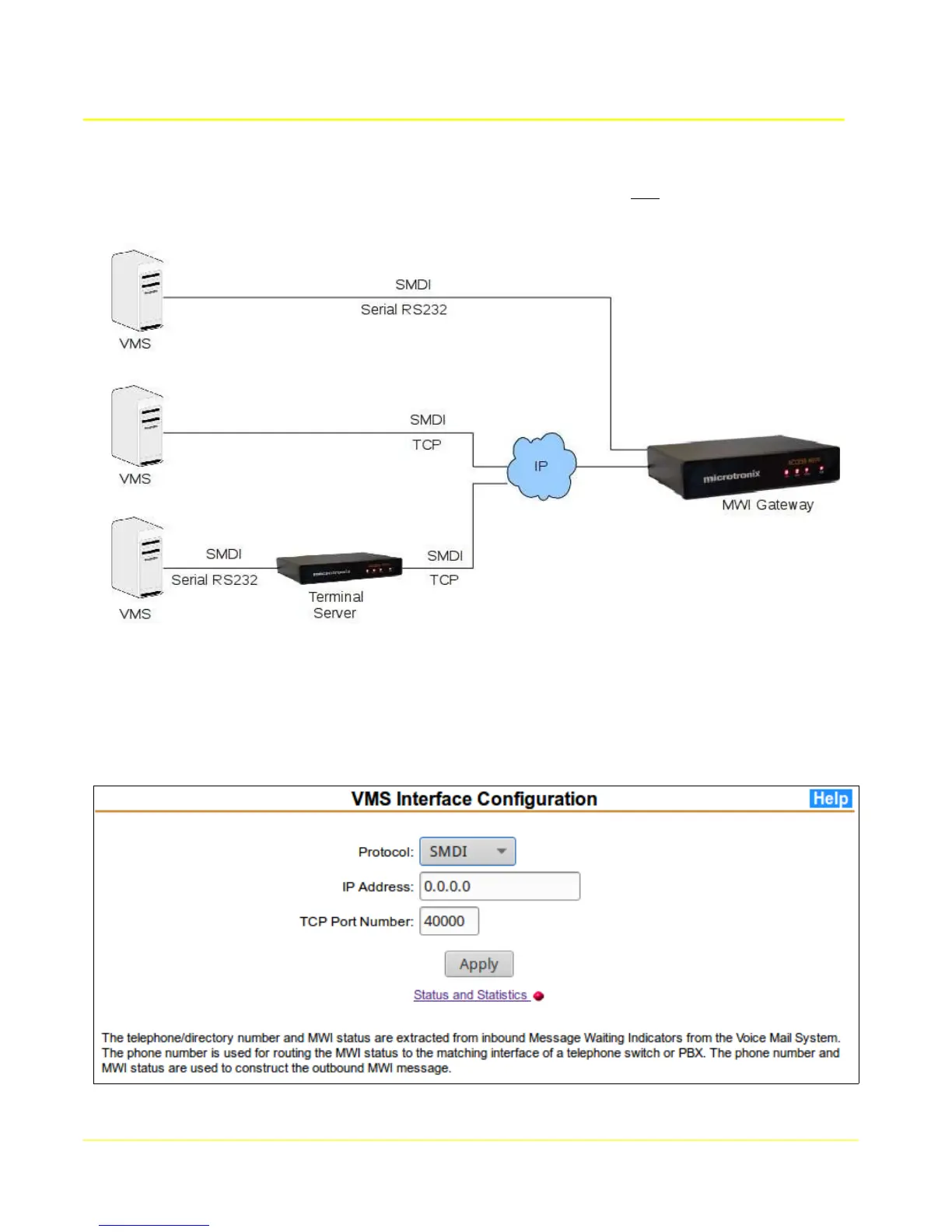
The VMS connects to the MWI Gateway via an SMDI link which may be one of the following as
depicted in the diagram below:
If connecting directly using a serial port, the SMDI interface connects to the built-in TCP Terminal
Server at the local IP address, 127.0.0.1. If connecting remotely via TCP/IP, the IP address of the re-
mote terminal server or of the VMS itself will be used for initiating the connection. Leave the IP ad-
dress blank if accepting a connection from any source.
From the main menu MWI Gateway section, select VMS SMDI Interface to display the configuration
form.
77



 To Next Page