Microtronix Access User Guide
5.1.2.2 Conversion Settings
Conversion Type: Specify the method of passing data between the TCP socket and the serial
interface.
RAW: Data is passed transparently as received (byte stream).
LINE: Data from the serial interface is passed transparently to the TCP socket. Data
from TCP is forwarded when a CR is received. LF following CR is stripped.
IAC-ESC: Data from the TCP socket is scanned for Telnet commands which are stripped
and ignored. Escaped IAC characters have the escape removed. Data from the
interface is scanned for IAC characters, and an IAC escape is inserted. This ensures
binary data integrity in the data stream.
5.1.2.3 Network Settings
Authentication Required: If this option is enabled, a login session is initiated upon incoming
connections from a TCP/IP client. If RADIUS support is enabled, the RADIUS server is queried
for authentication.
TCP Port: If the IP Address is set to 0.0.0.0, the terminal server will accept connections from a
remote TCP/IP client on this TCP port number. If the IP Address is set to a valid destination, the
terminal server will connect to a remote TCP/IP server at the Specified TCP port number.
Remote IP Address: If the Remote IP address is set to 0.0.0.0, then the terminal server will
listen on the specified TCP Port for connections from a remote TCP/IP client. If the IP address
is set to a valid destination, then the terminal server will initiate a connection to a remote TCP/IP
server.
Binding IP Address: If the Remote IP address is set to listen (0.0.0.0), then the terminal server
will bind the specified TCP Port to a local interface.
5.2 Status
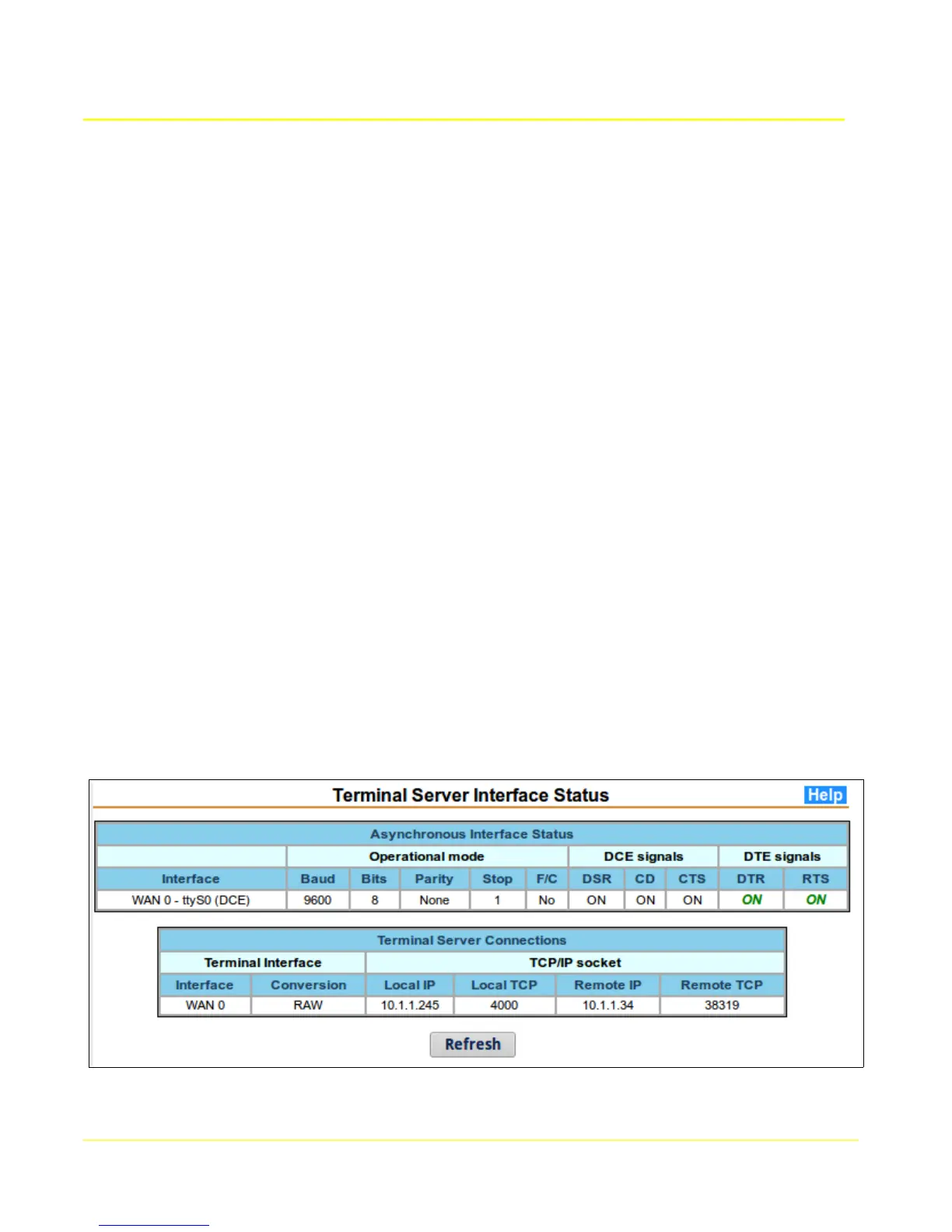
This page provides status information for serial interfaces configured for asynchronous operation.
The table below shows that a connection from a remote TCP client/server has been established.
The values in the status display are provided by the running application, and may not necessarily reflect
the configured values. If they do not match, then the Terminal Server may need to be restarted.
38



 To Next Page