Microtronix Access User Guide
7 X.25 WAN Interfaces Configuration
This section allows for configuration and administration of the WAN (Wide Area Network) interfaces for
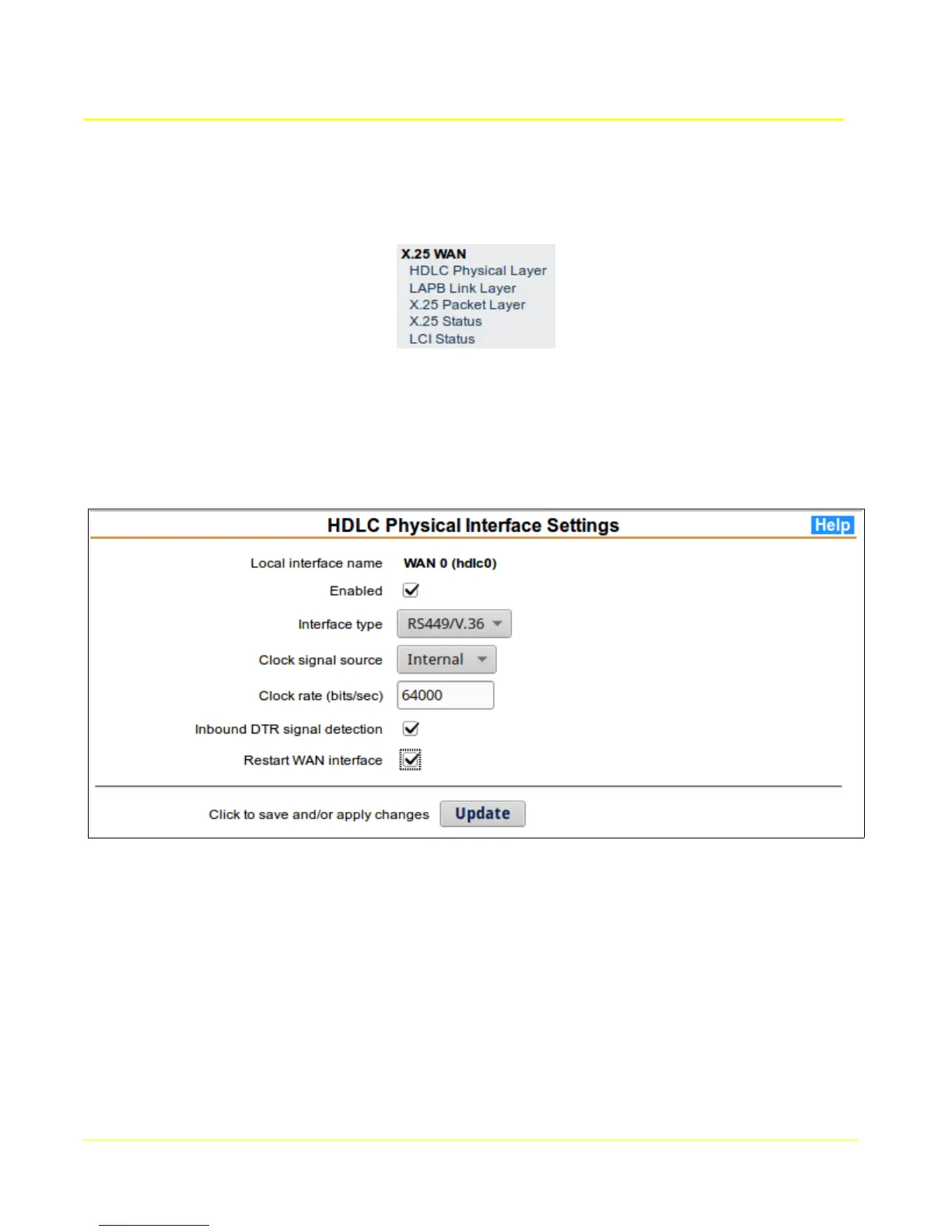
X.25. Click on each item in the X.25 WAN section of the main menu to invoke the configuration forms
and status displays.
7.1 HDLC Physical Layer
This form allows any of the X.25 physical layer parameters to be set. The interface type MUST match
the attached equipment, and the clock source MUST be compatible. If an internal clock source is
selected, the clock rate must not exceed the attached peer's capability.
7.1.1 Physical Layer (HDLC) Setup
1. Choose the Local Interface name column for the WAN interface to configure.
2. Modify the parameters to be compatible with the attached device.
3. In order for the configuration to take effect, the Restart WAN interface box must be checked.
Otherwise the configuration will be saved, but will not take effect until the next time the interface is
restarted.
4. Click the Update button to save changes, and restart the interface if selected.
49



 To Next Page