Microtronix Access User Guide
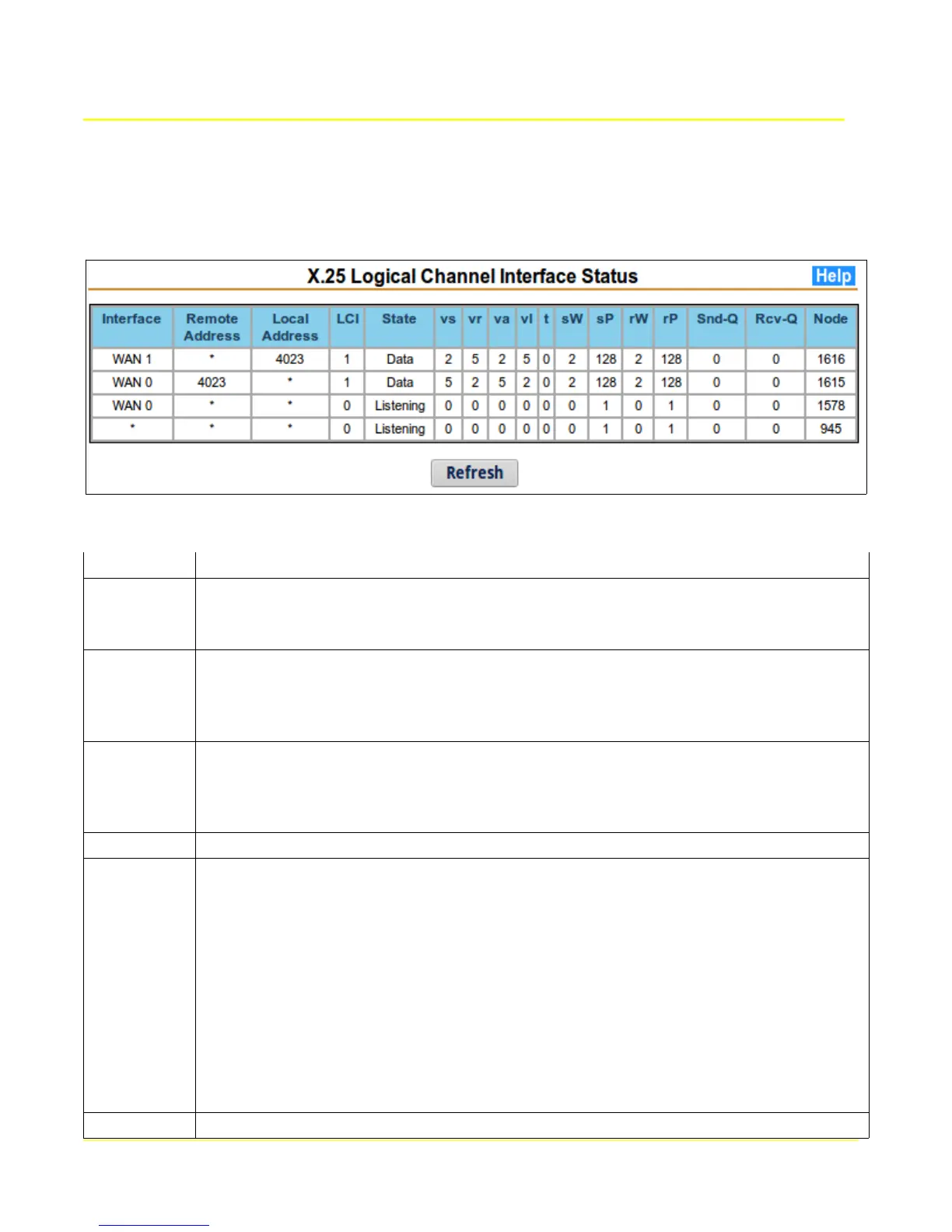
7.5 LCI Status
This page displays the current status of active X.25 Logical Channel Interfaces (LCI) on the X.25 WAN
interfaces. Logical channel 0 in Listening state means that the gateway is expecting calls to be
received on the interface.
The following table describes each column of the status table:
Parameter Description
Interface Local interface associated with the X.25 logical channel
WAN 0 (hdlc0)
WAN 1 (hdlc1)
Remote
Address
X.25 to TCP/IP: address displayed here will be the Calling X.25 Address.
TCP/IP to X.25: address displayed here will be the Called X.25 Address.
PVC Connection: address displayed here will be “PVC” with the logical channel
number of the PVC
Local
Address
X.25 to TCP/IP: address displayed here will be the Calling X.25 Address.
TCP/IP to X.25: address displayed here will be the Called X.25 Address.
PVC Connection: address displayed here will be “PVC” with the logical channel
number of the PVC
LCI Logical channel identifier (SVC or PVC number)
State Current state of the logical channel.
p1 – Channel Ready or “Listening”
p2 – DTE Call Request
p3 – DCE Incoming Call
p4 – Data Transfer
d1 – Flow Control Ready
d2 – DTE Reset Request
d3 – DCE Reset Indication
p5 – Call Collision
p6 – DTE Clear Request
p7 – DCE Clear Indication
v(s) Sequence number of the next data packet to be transmitted.
60



 To Next Page