Microtronix Access User Guide
4.3 Web Server
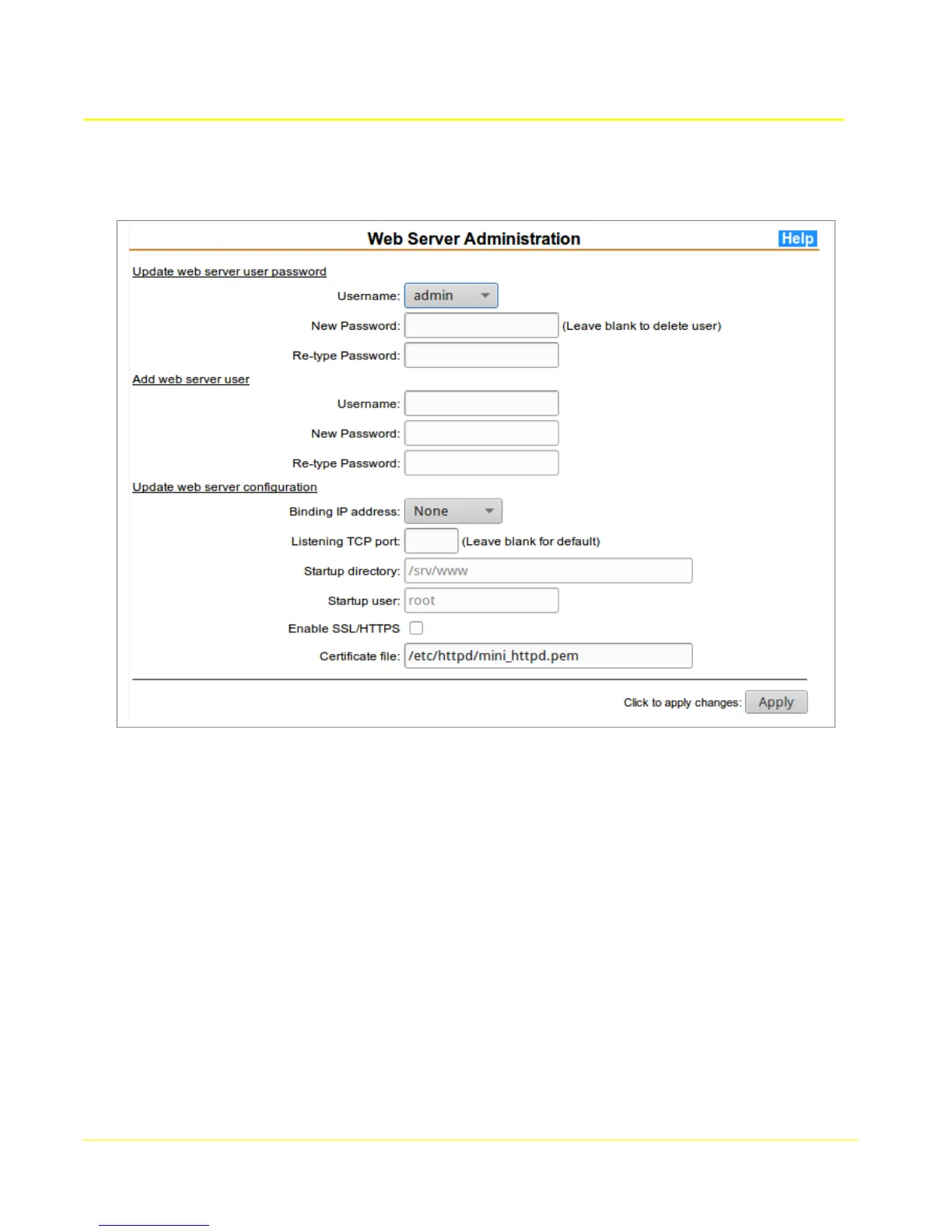
4.3.1 Update web server user password
Select a name from the drop-down list of configured web users, then enter a password to be used for
authentication for the selected user. Enter the new password a second time for validation.
4.3.2 Add web server user
Enter a new web user name in the Username field, then enter a password to be used for authentication
for the user. Enter the new password a second time for validation.
4.3.3 Update web server configuration
4.3.3.1 Web Server Parameters
Binding IP address: Choose the local IP interface to which the TCP listening port should be
bound to prevent unauthorized external access from other IP interfaces. If 127.0.0.1 is selected,
then a secure ssh tunnels should be defined to allow specific clients to connect using public key
authentication.
Listening TCP port: Enter the TCP port number that should be used for the web werver. Port
80 is assumed if non-secore HTTP is configured, and 443 if SSL/HTTPS is enabled.
26



 To Next Page