10-10 DICOM
10.3.1 DICOM Storage
DICOM Storage is used to send image(s) to DICOM storage server for storage.
◼ Send image in iStation/Review/main screens
(1) Select image(s)
⚫ Press <iStation> to enter the iStation screen, click to select an exam record in the list,
where thumbnails are displayed in the thumbnail area in the lower part of the screen,
and then click to select a thumbnail or several thumbnails. Or,
⚫ Press <Review> to enter the Review screen, click to select an image or several
images. Or,
⚫ On the main screen, select a thumbnail or several thumbnails.
(2) Select a saved image in the iStaion, Review or main screen, and click Send To
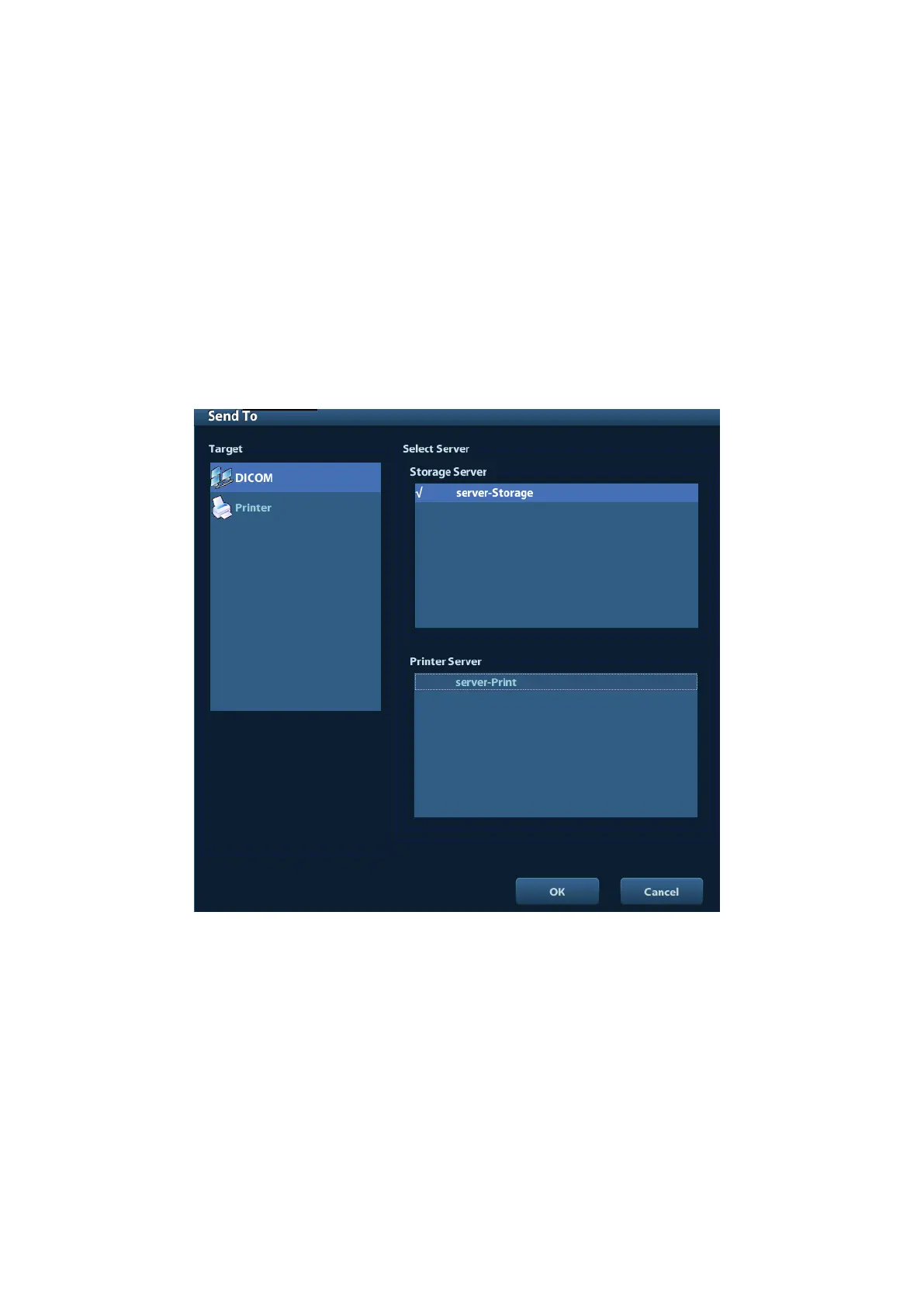
arrowon the right side of the image. The following dialogue box pops up:
(3) Select DICOM in the “Target” list, select a server in the “Storage Server” list.
(4) Click [OK] to start the sending.
◼ Send images by shortcut key
You can save image to DICOM server while saving it to hard drive by shortcut key.
(1) Define the key:
a) Enter “[Setup] → [System Preset] → [Key Config]”.
b) Assign functions to the desired keys: in [Key Config] page, select a free key or
footswitch at the left side, then select the corresponding function on the right
side.
c) Click [Save] to confirm the preset and exit.



 To Next Page