Probes and Biopsy 12-27
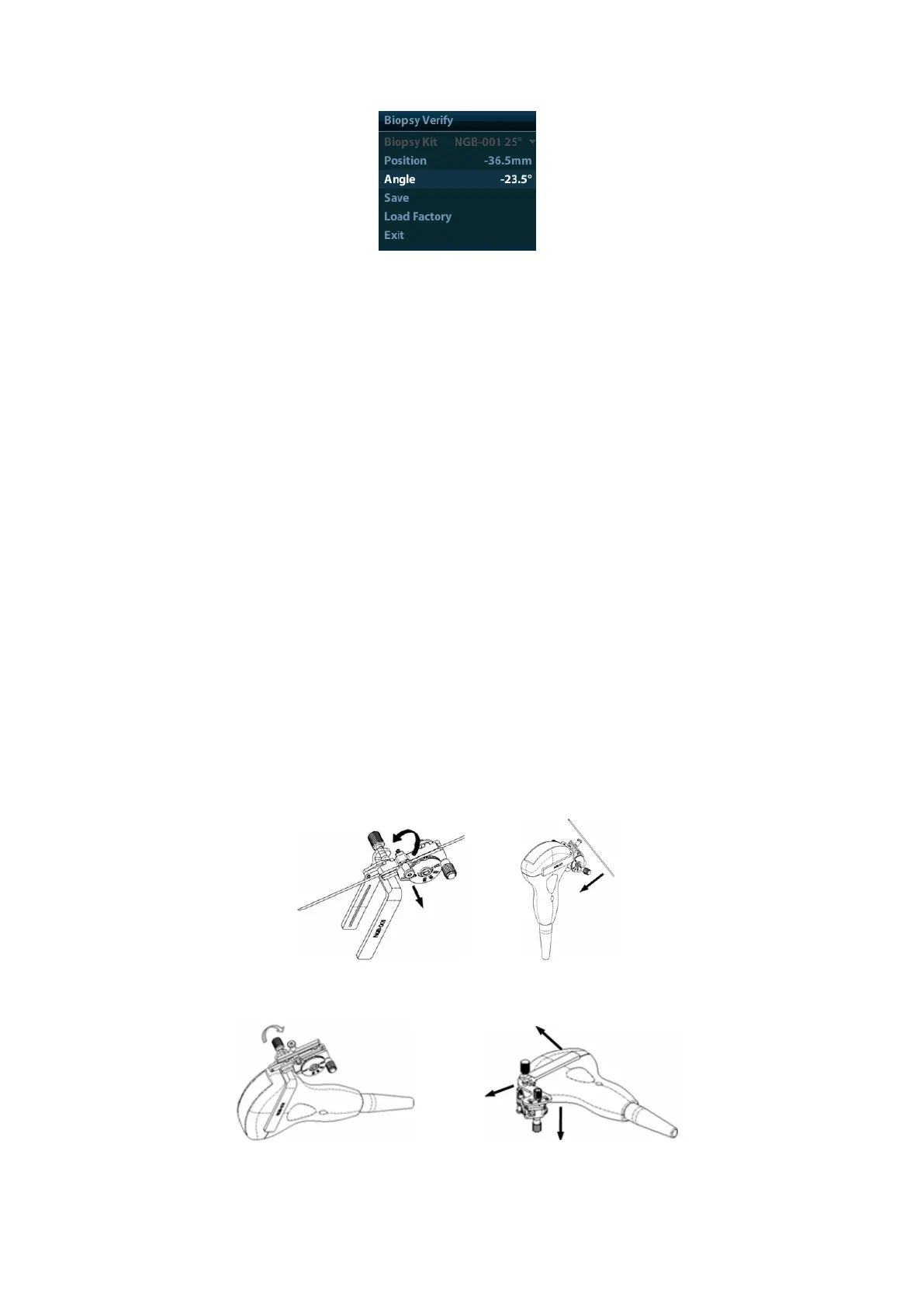
⚫ Adjust guide line position
Move the cursor onto [Position], press <Set> key or <Back> key to move it linearly.
This is operative when there is only one guide line displayed.
⚫ Adjust angle
Move the cursor onto [Angle], press <Set> key or <Back> key to change the guide
line angle. This is operative when there is only one guide line displayed.
⚫ Save verified settings
After the position and angle of the guide line are adjusted, click [Save], and the
system will save the current settings of the guide line. When enter biopsy again, the
displayed Position and Angle are the verified value.
⚫ Restore the factory default settings
Click [Load Factory], and the position and angle of the guide line will be restored to
the factory default settings.
⚫ Exit the biopsy verify status
Click [Exit], and the system will exit the verification status of the guide line.
12.2.6 Removing the Needle-guided Bracket
◼ NGB-001/ NGB-002/ NGB-003/ NGB-005 metal/needle un-detachable needle-guided
bracket:
While holding the transducer and the needle-guided bracket, open the Grip knob of the
needle-guided bracket.
◼ NGB-001 Metal-needle detachable
1. Pull the lock pin and open up the V-shaped cover to expose the needle.
2. Separate the bracket and the transducer from the needle.
3. Screw the pinch nut to release the needle-guided bracket.
4. Separate the bracket and the transducer.



 To Next Page