Setup 11-7
Procedures:
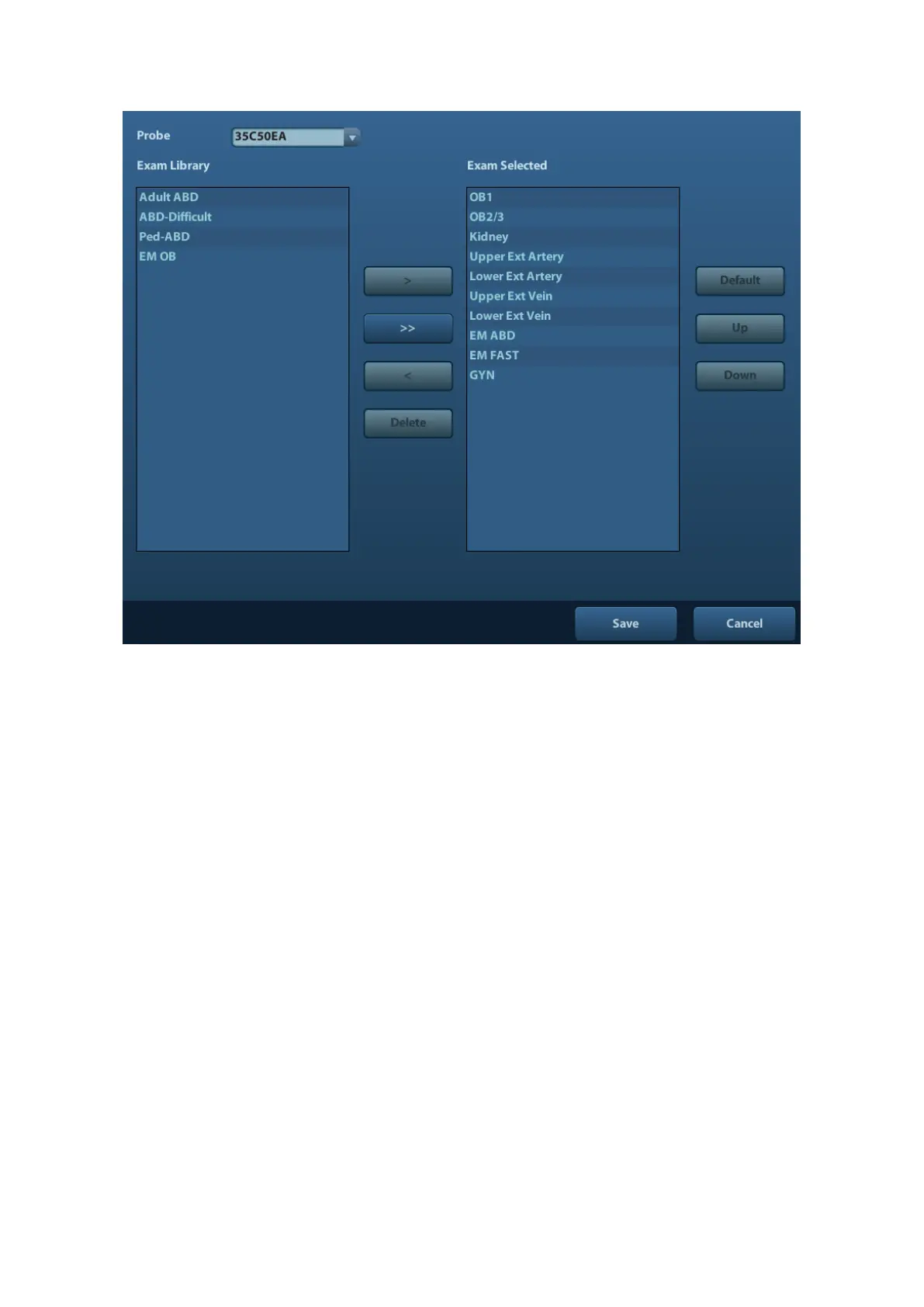
1. To select a probe:
Move the cursor to [Probe], and select a probe from the drop-down list.
2. Selecting/delete exam modes
On the right side of the screen, you can view the exam types supported by the current
probe. On the left side, you can view all the exam modes supported by the system, i.e.,
Exam Library.
⚫ [>]: add a selected exam mode in the [Exam Library] to the [Exam Selected] list.
⚫ [>>]: add all exam modes in the library to the [Exam Selected] list.
⚫ [<]: remove an exam mode selected from the [Exam Selected] list.
⚫ Click [Up] and [Down] to adjust the sequence of the items in Selected Items.
⚫ Click [Default] to set a selected exam mode as the default exam mode.
3. Click [Save] to confirm the modified setup; or click [Cancel] to cancel the modified
setting.
11.3 Measure Preset
For measurements details, please refer to the Advanced Volume.



 To Next Page