Patient Data Management 9-9
◼ Printing report
Use a connected graph/text printer to print a report. Please refer to “11.4 Print Preset”
for details about default report printer setting.
For details on report relevant operations, please refer to [Advanced Volume].
9.4 Patient Data Management (iStation)
The patient data include basic patient information, exam information, image files and reports.
You can search, view, backup, send, restore or delete patient data in iStation.
◼ To Enter iStation
⚫ Press <iStation> key on the control panel; or
⚫ Click [iStation] in the Patient Info screen; or
⚫ Click [iStation] in the Review screen.
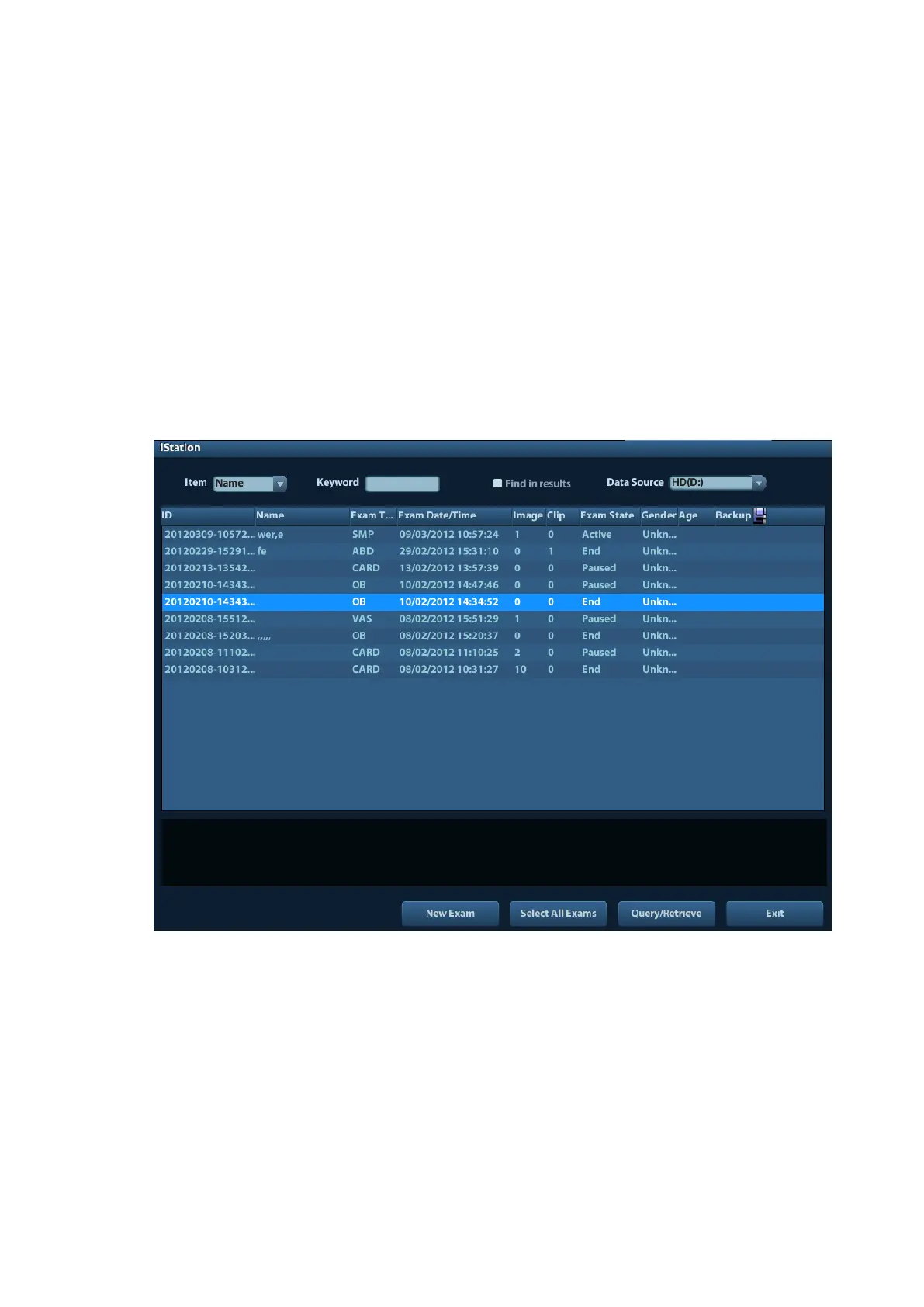
The iStation screen is shown as follows:
Viewing Patient Information
◼ Data Source
Select the data source of patient data, the system patient database is default.
◼ Patient List
Display patient information, exam mode, number of images and cines, exam state,
backed up or not.
◼ New Exam:
After you select a patient data or exam in the iStation screen, click the [New Exam] to
enter the Patient Info screen, where you can select a new exam mode and click [OK] to
begin a new exam.



 To Next Page