EasyManua.ls Logo

Mindray uMEC10 - User Manual

Mindray uMEC10
288 pages
Print Icon
To Next Page IconTo Next Page
Loading...
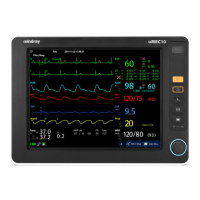
uMEC10/uMEC12/uMEC15
Patient Monitor
Operators Manual

Table of Contents

Other manuals for Mindray uMEC10

Questions and Answers

  • P
    Phillip HammondAug 14, 2025
    Why are my Mindray uMEC10 ECG traces noisy?
    • K
      kthomasAug 14, 2025
      Noisy ECG traces on your Mindray Medical Equipment may be due to several factors. Check for loose or dry electrodes and apply fresh, moist electrodes. Defective electrode wires can also cause interference, so replace them if necessary. Additionally, ensure the patient cable or leads are not routed too close to other electrical devices; move them away if they are.
  • L
    Linda LeeAug 17, 2025
    What to do if my Mindray uMEC10 shows excessive alarms for heart rate or lead fault?
    • C
      Cheryl NunezAug 18, 2025
      Excessive heart rate or lead fault alarms on your Mindray Medical Equipment can occur if the electrodes are dry. Prepare the skin again and apply fresh, moist electrodes. Excessive patient movement or muscle tremor can also trigger these alarms, so reposition the electrodes and replace them with fresh, moist ones if needed.
  • D
    David McmahonAug 21, 2025
    How to fix intermittent signal on Mindray uMEC10?
    • B
      Brittany PopeAug 21, 2025
      An intermittent signal on your Mindray Medical Equipment may be due to connections that are not tight or properly secured; therefore, check that the cables are correctly connected. Also, electrodes that are dry or loose can cause this issue; repeat the skin preparation and apply fresh and moist electrodes.
  • J
    Jessica MoyerAug 25, 2025
    Why is there baseline wander on my Mindray uMEC10 Medical Equipment?
    • S
      seanmaddoxAug 26, 2025
      Baseline wander on your Mindray Medical Equipment can be attributed to a few causes. If the patient is moving excessively, secure the leadwires and cable to the patient. Also, check if the electrodes are dry or loose; if so, repeat skin preparation and apply fresh and moist electrodes. Finally, ensure the ECG Filter is set to "Monitor" mode, not ST or Diagnostic mode.
  • A
    Alexandra SkinnerAug 28, 2025
    What causes low amplitude ECG signal on Mindray uMEC10 Medical Equipment?
    • J
      jennifer99Aug 28, 2025
      A low amplitude ECG signal on your Mindray Medical Equipment could be due to several reasons. First, check if the gain is set too low and adjust it as required. Ensure that you apply fresh and moist electrodes. Improper skin preparation can also cause this, so repeat the skin preparation. To be sure, verify with another well-functioning monitor. The electrode could be positioned over a bone or muscle mass, move ECG patches away from the bone or muscle mass.
  • S
    Samuel SmithSep 1, 2025
    How do I troubleshoot muscle noise on my Mindray uMEC10?
    • B
      brooksteresaSep 1, 2025
      Muscle noise in your Mindray Medical Equipment readings can be due to inadequate skin preparation before applying the electrode, tremors, a tense subject, or poor electrode placement. Repeat the skin preparation, replace the electrodes, and apply fresh, moist electrodes, avoiding muscular areas.
  • P
    Patricia MontgomerySep 5, 2025
    What causes no ECG waveform on Mindray Medical Equipment?
    • J
      Juan DavisSep 5, 2025
      If there is no ECG waveform on your Mindray Medical Equipment, first ensure that the gain is not set too low and adjust it as needed. Also, verify that the lead wires and patient cable are fully and properly inserted. If the problem persists, the cable or lead wires may be damaged, and you should replace them.
  • B
    Bradley ElliottSep 9, 2025
    What causes excessive electro-surgical interference on Mindray uMEC10 Medical Equipment?
    • A
      Ariana HarrisSep 9, 2025
      Excessive electro-surgical interference with your Mindray Medical Equipment may be due to using the wrong ECG cable. Use ESU-proof ECG cables.

Summary

Safety Information and Symbols

Understanding Safety Information

Explains hazard symbols (Warning, Caution, Note) and general safety precautions.

Equipment Symbols

Lists and defines various symbols used on the equipment and in the manual.

Monitor Basics and Interface

Monitor Description and Applied Parts

Overview of the patient monitor's intended use and applied parts.

Display Screen Layout

Detailed explanation of the patient monitor's display screen layout and areas.

QuickKeys Functionality

Describes the function and usage of configurable quick access keys on the screen.

Basic Operations and Setup

Installation Procedures

Procedures for installing the patient monitor, including unpacking and environmental requirements.

Getting Started with Monitoring

Steps for powering on the monitor and starting patient monitoring procedures.

Using the Main Menu

Navigation guide for accessing and using the monitor's main menu system.

Alarms Management

Alarm Categories and Levels

Classification of patient monitor alarms into categories and severity levels.

Understanding Alarm Setup Menu

Guide to configuring various alarm properties, limits, and settings for parameters.

Pausing and Switching Off Alarms

Procedures for temporarily pausing or completely switching off all monitor alarms.

Monitoring Parameters and Troubleshooting

ECG Monitoring Introduction and Settings

Basic introduction to ECG monitoring, safety, and how to change settings.

SpO2 Monitoring Introduction

Overview of SpO2 monitoring, its principles, and displayed parameters.

NIBP Monitoring Introduction

Explanation of NIBP monitoring, its method, and usage for different patient categories.

ECG Troubleshooting

Common issues encountered during ECG monitoring and their solutions.

Maintenance and Electrical Safety

Regular Inspection Guidelines

Guidelines for periodic inspection of the patient monitor and its accessories by qualified personnel.

Maintenance and Testing Schedule

Schedule outlining recommended maintenance and testing procedures for the monitor.

Power Cord Plug Safety Check

Criteria for inspecting the power cord plug and its strain relief for safety.

Mindray uMEC10 Specifications

General IconGeneral
Resolution800 x 600
ECG3/5-lead ECG
EtCO2Optional
BatteryRechargeable lithium-ion
Battery Life4 hours
Dimensions110 mm
AlarmAudible and visual alarms
Power SupplyAC 100-240V, 50/60Hz
AgentNo
O2No

Related product manuals