PRELIMINARY
miniDSP Ltd, Hong Kong / www.minidsp.com / Features and specifications subject to change without prior notice 15
2.3 FRONT PANEL CONTROLS AND DISPLAY
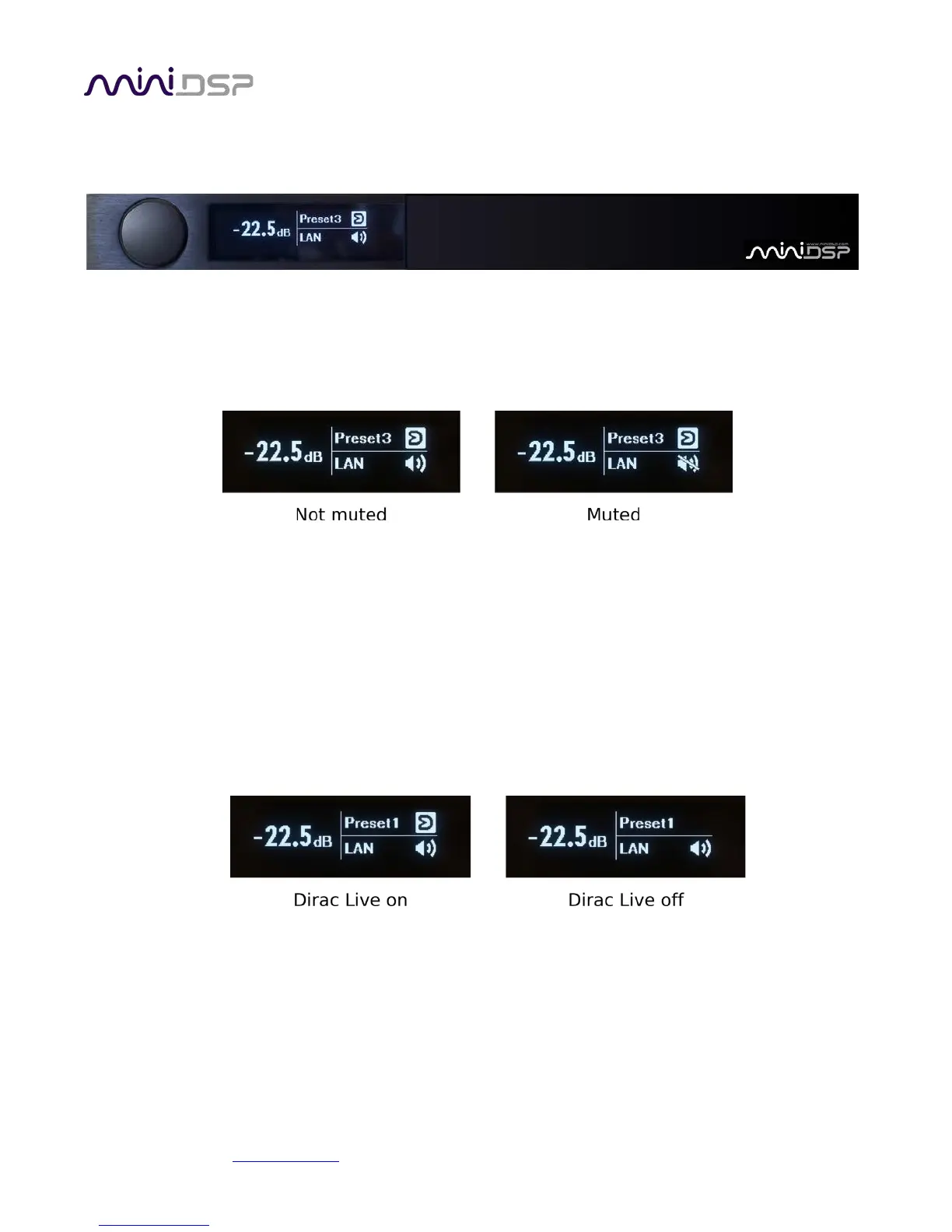
The front panel display shows current volume, present, source, mute, and Dirac Live status.
• To change the volume, rotate the encoder knob. Volume changes in 0.5 dB steps. Minimum volume is -127.5
dB and maximum volume is 0.0 dB.
• To mute output, press the encoder briefly. The speaker icon changes to have a line through it. To unmute,
press briefly again.
• To change preset selection, press and hold the encoder knob until the preset indicator inverts (becomes
black text on a bright background). Then release the encoder. Rotate the encoder knob until the desired
preset is displayed. Press the encoder knob to make the preset take effect (this takes a couple of seconds).
• To change input source, press and hold the encoder knob until the source selection indicator inverts
(becomes black text on a bright background). Release the encoder knob. Rotate the encoder knob until the
desired input source is displayed. To return to normal volume control operation, press the encoder knob
briefly.
• To turn Dirac Live filtering on and off, press and hold the encoder knob until the Dirac Live indicator starts
flashing. Release the encoder knob. Rotate the encoder knob until the Dirac Live icon indicates the desired
state. To return to normal volume control operation, press the encoder knob briefly.
(Note: preset and input selection, as well as turning Dirac Live on and off, is much faster with a remote control.)



 To Next Page