PRELIMINARY
miniDSP Ltd, Hong Kong / www.minidsp.com / Features and specifications subject to change without prior notice 49
Because the Dirac Live test signal originates in the Dirac Live blocks, it “sees” all of the processing configured by
the SHD plugin. Similarly, if one is using an external program such as REW (Room EQ Wizard) to set up the
plugin, its test signal will be passing through the Dirac Live blocks in addition to those set up by the plugin.
Therefore:
1. When performing a Dirac Live calibration, the correct preset must be selected. For example, if you have
set up preset 1 for subwoofer integration, preset 1 must be selected when running the Dirac Live
calibration. Selecting a preset with the default configuration will not give the right result. (It will be
obvious in this example, but it may not always be.)
2. If configuring the plugin with the aid of REW (Room EQ Wizard) or another measurement program, ensure
that there are no Dirac Live filters loaded for that preset. If necessary, use DLCT to unload filter sets.
While the description of the signal processing flow is from inputs to outputs (left to right in the diagram), the
order in which you configure the processor is usually the reverse, for the above reasons.
8.2 PLUGIN USER INTERFACE
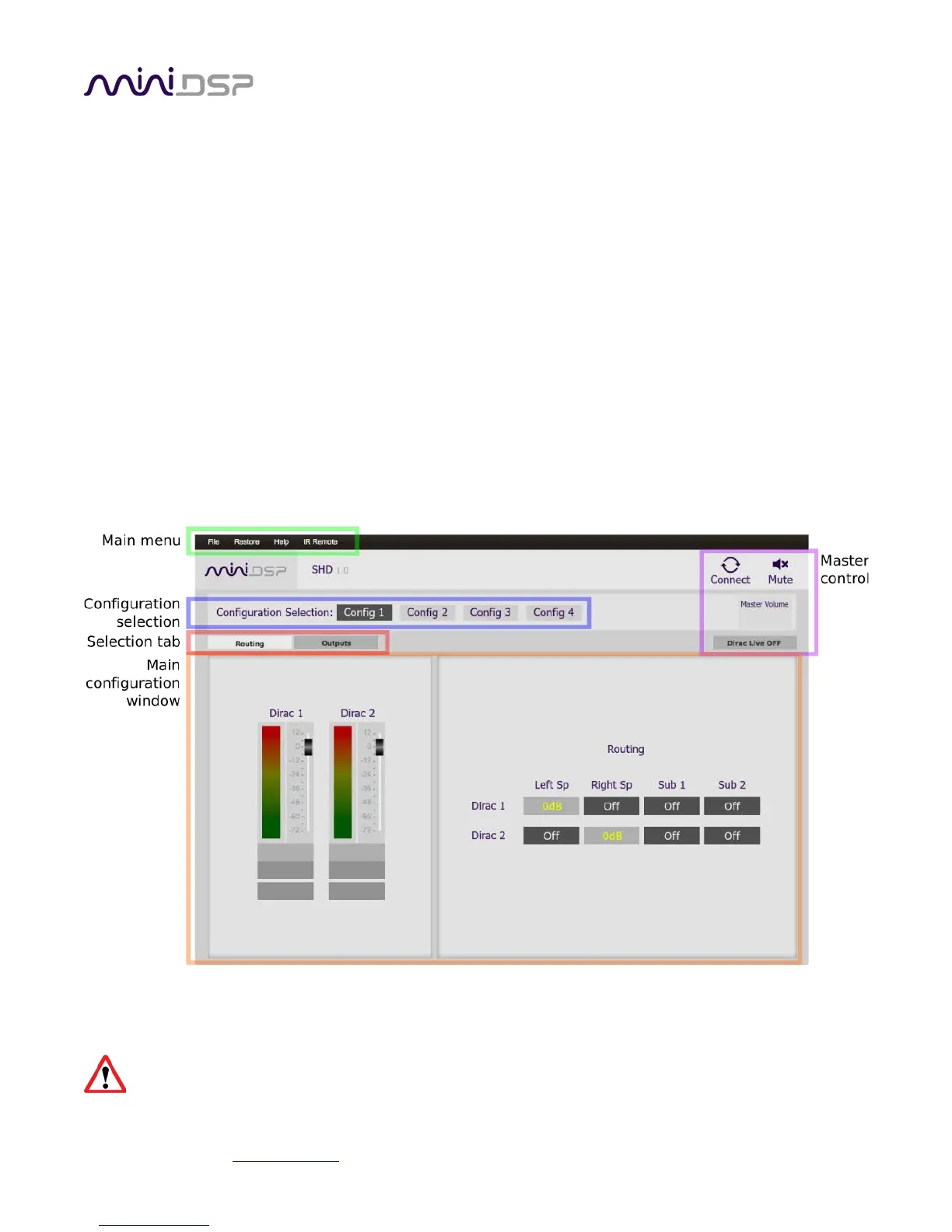
The main user interface of the plugin has several areas, indicated in this screenshot:
Note: Do not attempt to run the SHD plugin and DLCT at the same time. If you are running DLCT, quit before
starting the SHD plugin.
During initial configuration of the processor, it is strongly recommended that any connected
amplification be powered off.



 To Next Page