PRELIMINARY
miniDSP Ltd, Hong Kong / www.minidsp.com / Features and specifications subject to change without prior notice 53
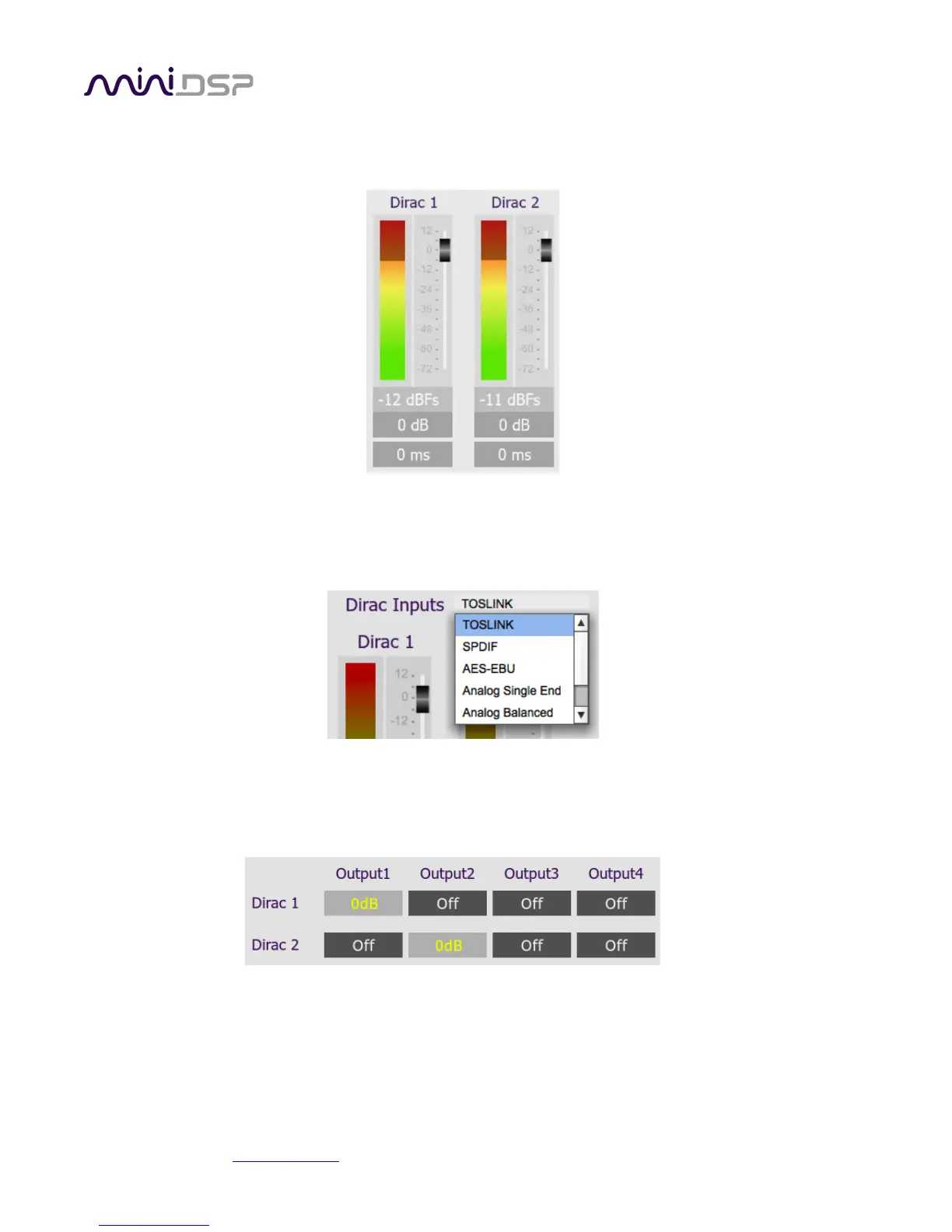
The Routing tab displays two input channel status strips. Note that these are status only – there are no user-
adjustable controls. They are active only when the plugin is online.
8.4.4 Input selection
When the plugin is online, the currently selected input appears next to the “Dirac Inputs” label. Click on the
current input name to drop down a selector menu, from which you can select a different input. The input can
also be selected from the front panel or with a remote control.
8.4.5 Matrix mixer
The matrix mixer on the Routing tab directs input channels (along the left) to output channels (along the top). To
turn on routing for a cross point, click on that cross point. Both inputs can be mixed to each output if desired,
and the mix level can be set individually for each input.
8.4.6 Outputs



 To Next Page