PRELIMINARY
miniDSP Ltd, Hong Kong / www.minidsp.com / Features and specifications subject to change without prior notice 43
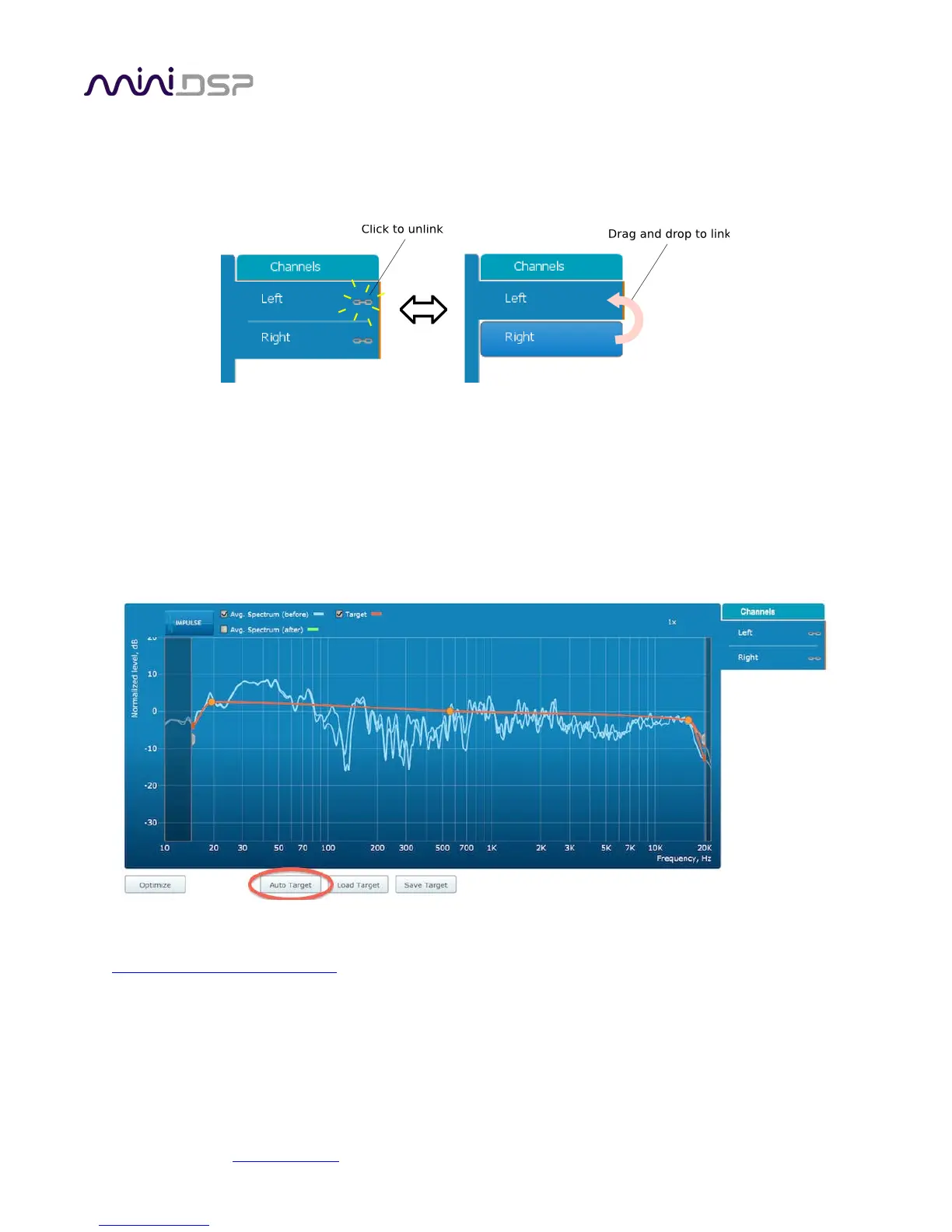
By default, graphs of both left and right channels are shown together. The left and right channels can be
unlinked by clicking on the small “chain” icon next to the channel name, at the right of the graphs. Then the
graphs of each channel can be viewed separately, by click on the “Left” or “Right” tab. To relink the two
channels, drag the “disconnected” channel tab over the top of the selected channel.
7.2 DESIGNING YOUR TARGET CURVE
The target curve is the desired in-room frequency response with the miniDSP SHD Series processor performing
digital room correction.
7.2.1 The Auto Target
When first viewing the Filter Design tab, an estimated target curve suitable for your speakers is shown as the
red curve. This calculated target curve can be restored at any time by clicking on the Auto Target button.
Note: restoring the auto target will erase the current target curve. If you wish to keep it, first save it to a file –
see Saving and loading target curves
.



 To Next Page