PRELIMINARY
miniDSP Ltd, Hong Kong / www.minidsp.com / Features and specifications subject to change without prior notice 30
5.3 SOFTWARE INSTALLATION ― MACOS / OS X
Possible Mac installation issues
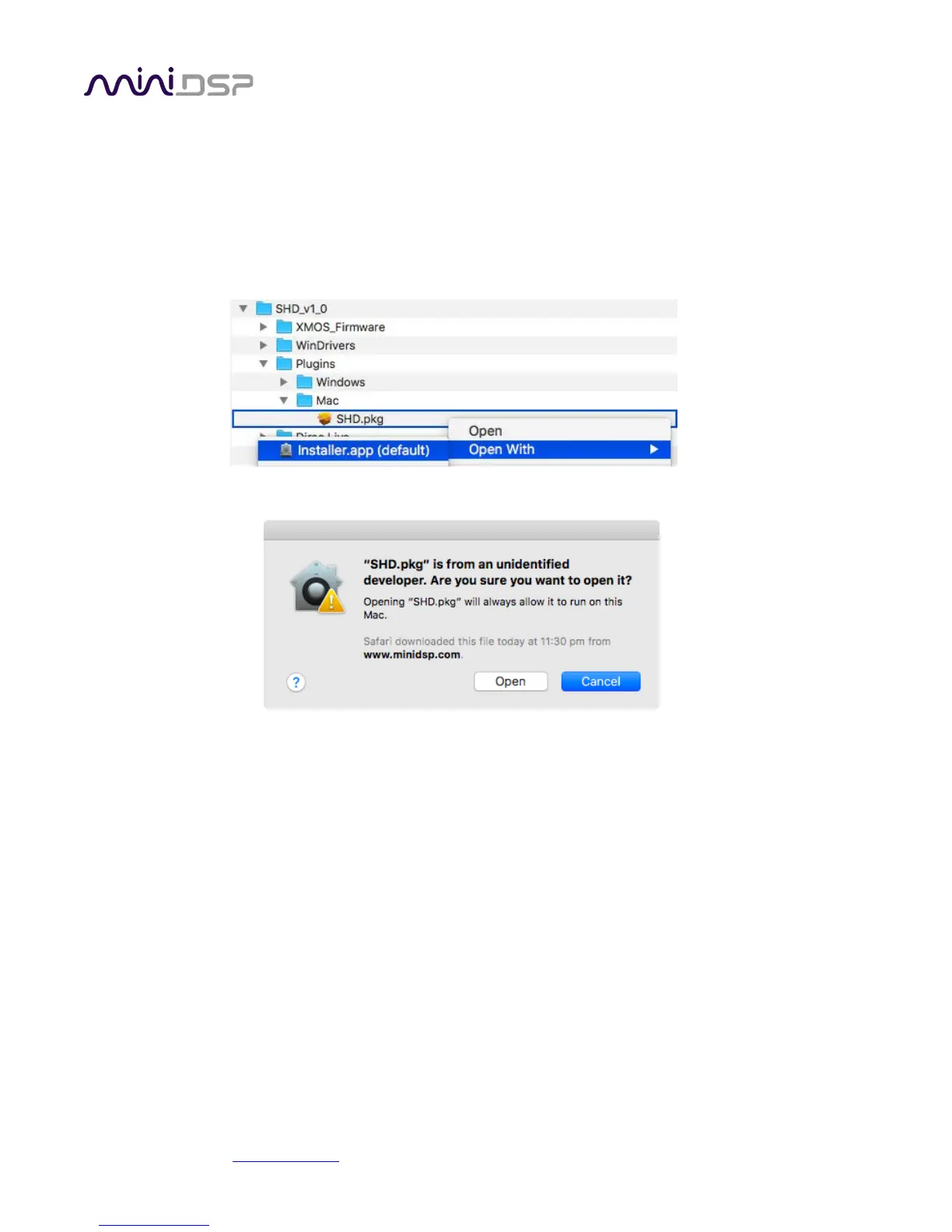
If double-clicking on an installer brings up a message that the installer cannot run, use this alternate method:
1. Right-click on the installer (or click while holding the Control key).
2. Move the mouse over the “Open With” item and then click on “Installer (default).”
3. The following window will appear. Click on “Open.”
SHD plugin installation
1. Navigate to the Plugins folder of the software download.
2. The installer program is named SHD.pkg. To run it, double-click on it, or right-click and open as described
above. We recommend that you accept the default installation settings.
3. To run the SHD plugin, locate SHD.app in the Applications -> miniDSP folder and double-click on it. To make
it easier to run in future, right-click on its dock icon and select Options -> Keep in Dock.
Dirac Live Calibration Tool for miniDSP (DLCT) installation
1. Navigate to the Dirac Live folder of the software download and then to the Mac folder.
2. The installer program will have a name similar to Dirac Live Calibration Tool (2 channels) v1.2.1.8426.mpkg
(the version number starting with v1.2... may be different). To run it, double-click on it, or right-click and
open as described above. You may need to double-click twice (the first time to extract it, the second time
will run it). We recommend that you accept the default installation settings.
3. To run DLCT, locate Dirac Live Calibration Tool.app in the Applications -> miniDSP folder and double-click
on it. To make it easier to run in future, right-click on its dock icon and select Options -> Keep in Dock.



 To Next Page