PRELIMINARY
miniDSP Ltd, Hong Kong / www.minidsp.com / Features and specifications subject to change without prior notice 36
6.3.4 Output & Levels tab
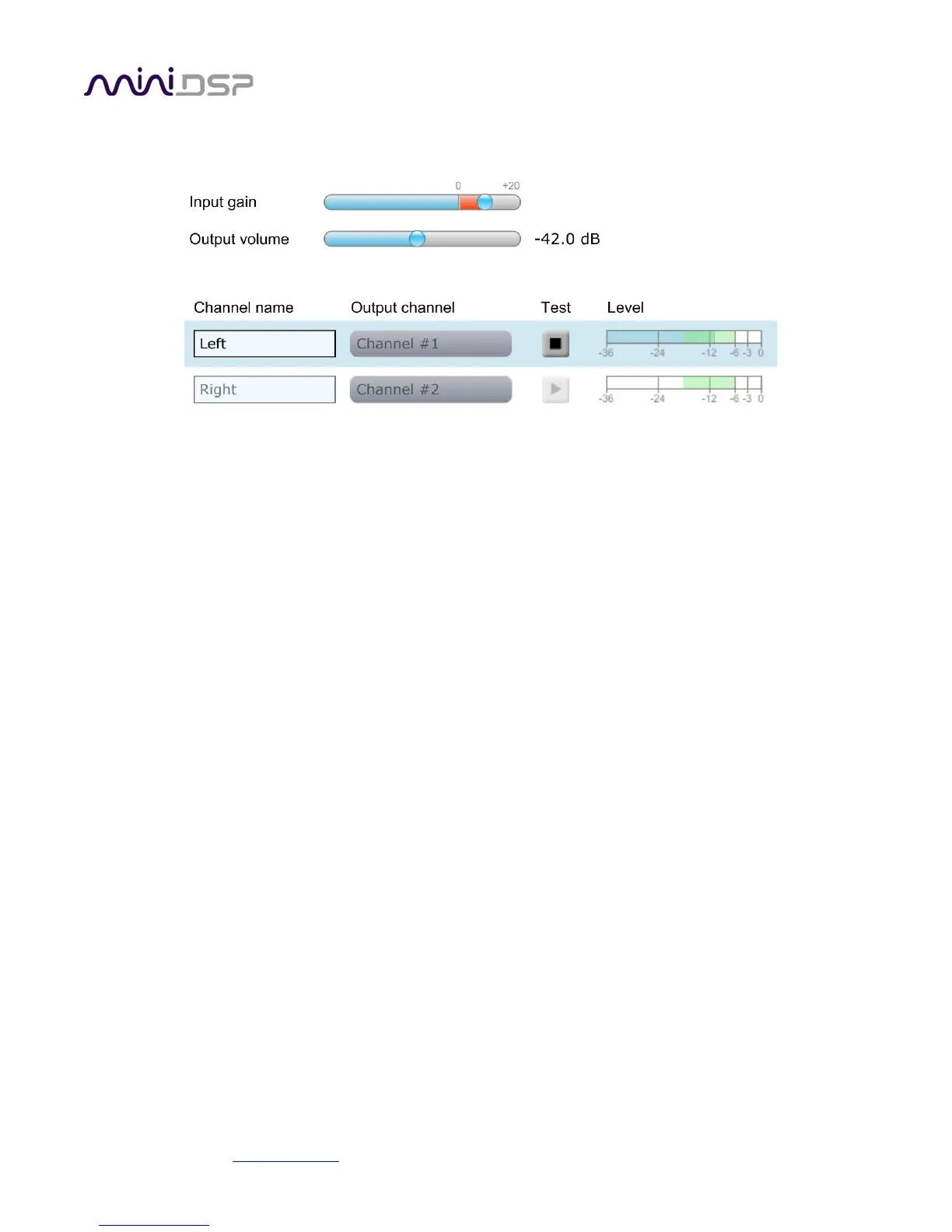
The Output & Levels tab is used to set the signal levels used in the subsequent measurements. We recommend
following this procedure:
1. Set the Output volume slider all the way down, at -80 dB.
2. Click on the Test button for the left channel and gradually increase the Output volume slider. You should
hear pink noise playing from the left speaker. Continue to increase volume until it is at a moderate level,
such that your voice would have to be raised to converse with someone sitting next to you.
3. Increase the Input gain slider so that the blue bar on the level meter is about in the middle of the green
section, or around −12 dB (as shown in the screenshot above).
4. Click again on the Test button for the left channel to stop the test signal.
5. Click on the Test button for the right channel and confirm that the level is reasonably close to −12 dB. If
necessary, adjust Input gain or Output volume so that both channels are in the green.
When done, click the Proceed button.



 To Next Page