PRELIMINARY
miniDSP Ltd, Hong Kong / www.minidsp.com / Features and specifications subject to change without prior notice 76
10.2 PROGRAMMING A THIRD-PARTY REMOTE
While each SHD Processor is supplied with a basic miniDSP remote, the processor can also “learn” the control
codes of your current remote if it supports one of the following remote control codes:
• Apple
• NEC
• Sony
• Philips RC6
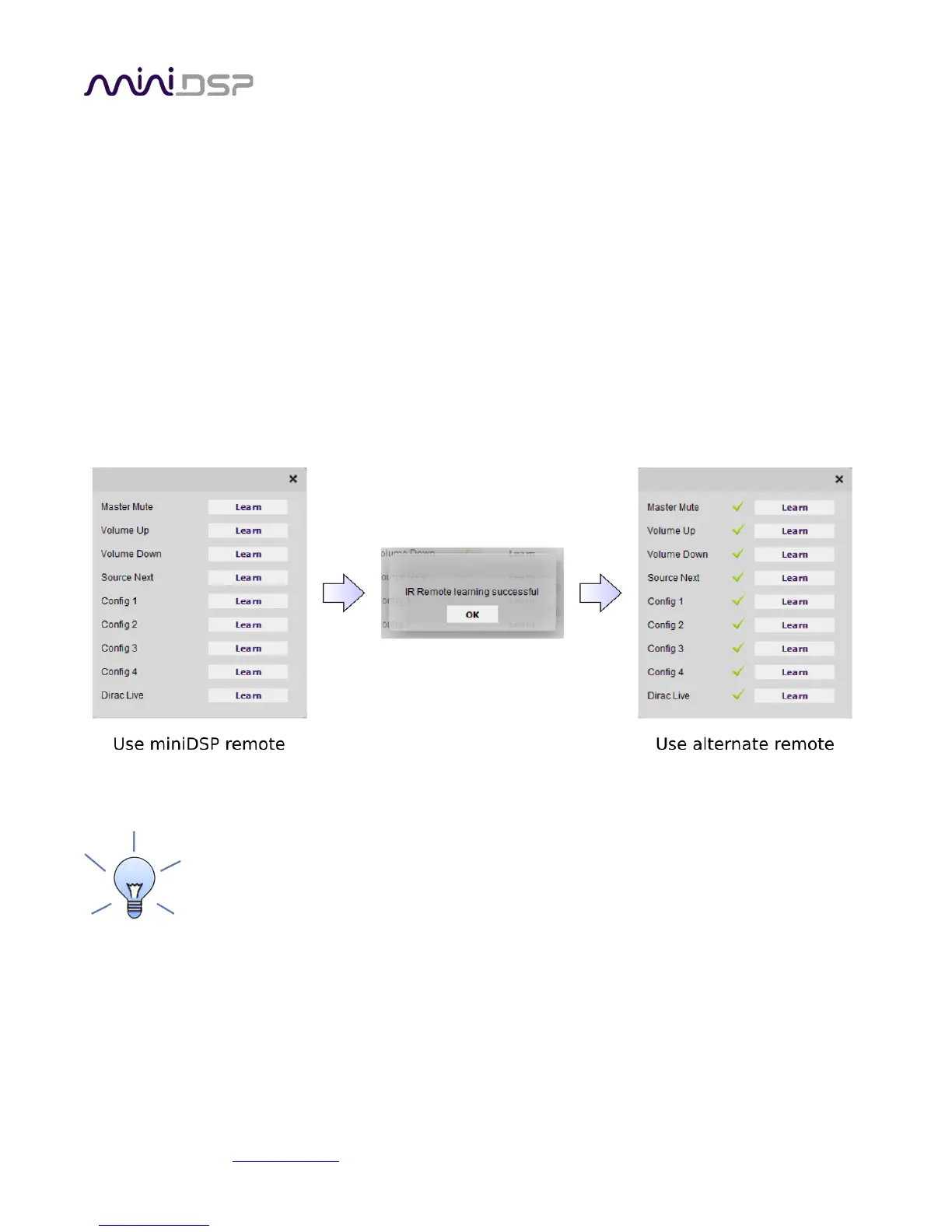
To initiate the learning process, start the SHD plugin and click on the Connect button. Once connected, drop
down the IR Remote menu and select IR learning. Click on the Learn button for an operation, and then press the
desired button on the remote control. If the code is accepted, the status will change to show a tick. Repeat for
all commands:
To "unlearn" a command, press the Learn button and wait for the plugin to time out. To return
to using the miniDSP remote, unlearn all commands. Note that you cannot “learn” the miniDSP
remote, just unlearn to return to the default.



 To Next Page