PRELIMINARY
miniDSP Ltd, Hong Kong / www.minidsp.com / Features and specifications subject to change without prior notice 26
4.4.4 Spotify streaming
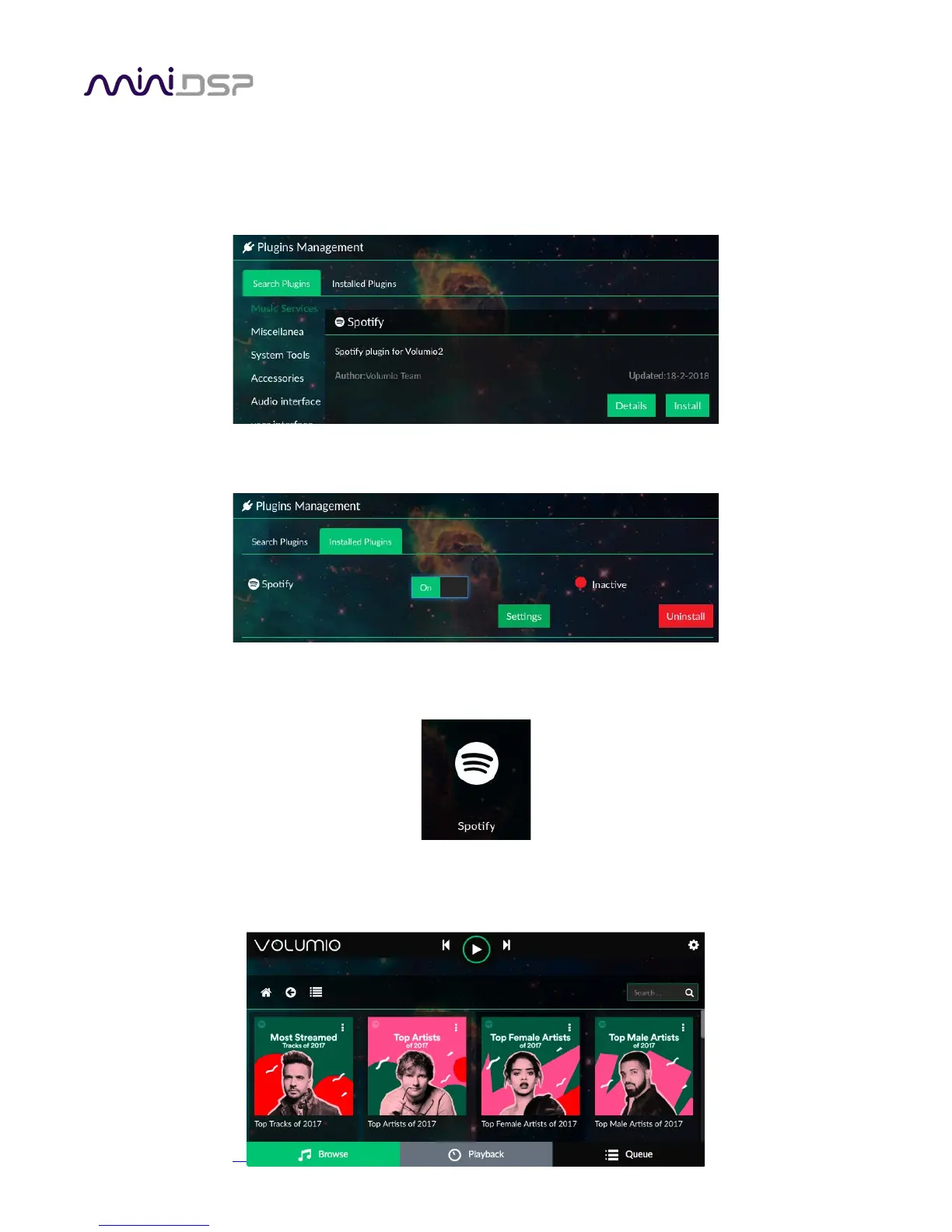
The web interface can be used to stream from Spotify. This requires a Spotify premium account, which you must
first obtain on the Spotify website. Once you have that, click on the gear icon in Volumio (top right) and go to
the Plugins menu. Locate the Spotify plugin and click Install.
Once installation is complete. Go to the Installed Plugins tab and click on Spotify. Click on the On/Off button to
enable it, then click Settings, where you will be able to enter your Spotify username and password.
Click on Browse at the lower left. You should see the Spotify icon:
Click on the Spotify icon and use it to browse or search the Spotify library.



 To Next Page