Operating the unit
28 Operating instructions
4.5 Equipment functions menu
Various functions or settings can be selected in the
Equipment
functions
menu.
All equipment functions can also be accessed from within a
cooking program by tapping the
blue
tab.
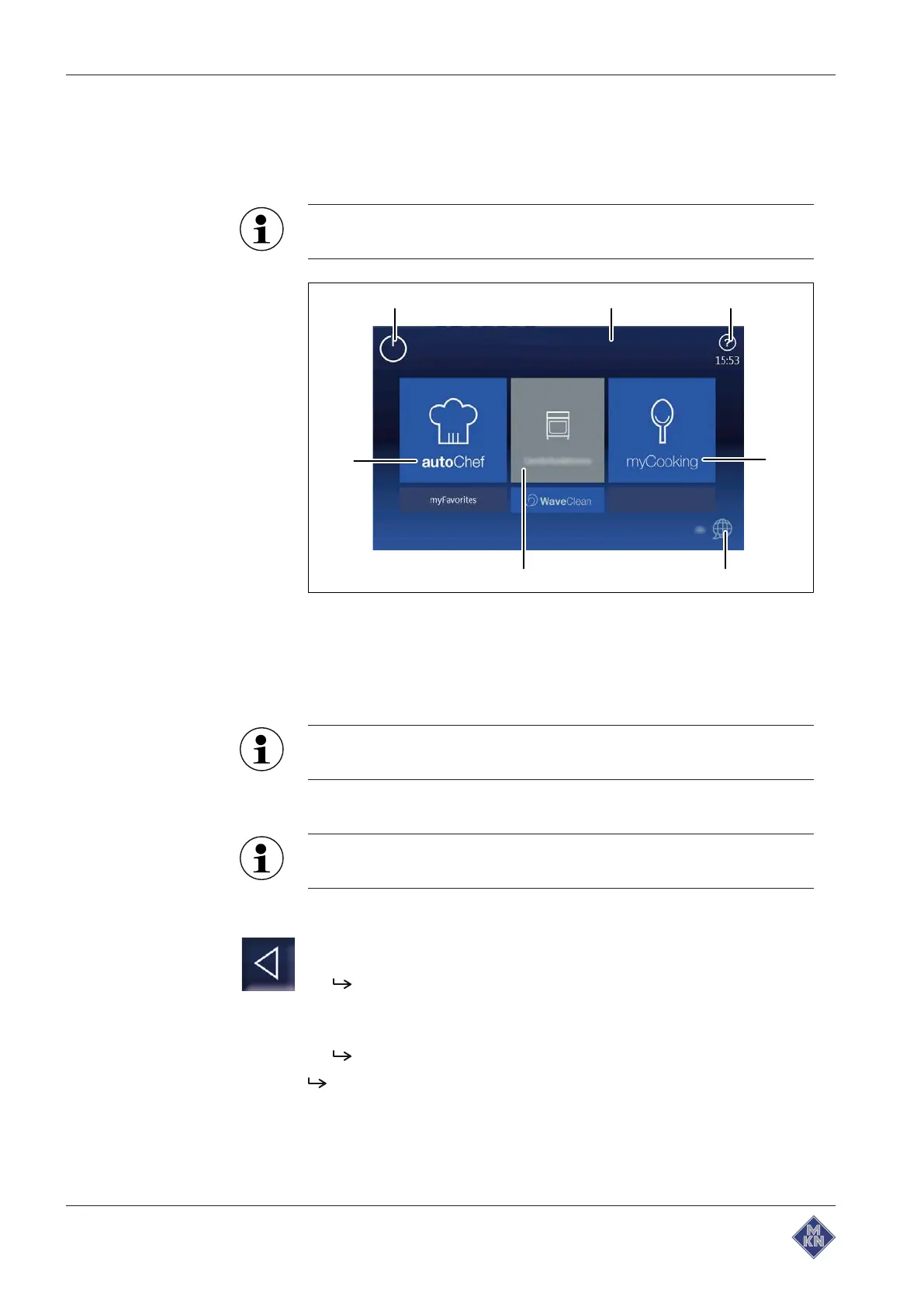
Image: Main menu
a
Stand-by
button e
Language selection
button
b Information bar f "Equipment functions" button
c
FlexiHelp
button g "autoChef" button
d "myCooking" button
The equipment information is displayed without entering a
password.
4.5.1 Controlling the main menu
The main menu can be directly controlled from each program
step.
Requirements
Cooking program
or
Settings
menu called up
1. Tap the
Back
button.
The previous menu or program step is displayed.
2. If necessary, repeat several times.
3. Tap the
Back
button twice.
All program steps are bypassed.
The display shows the main menu.
4127003--0ABBE-E



 To Next Page