Operating the unit
51Operating instructions
4.6.11 Setting Time2Serve
The cooking time can be set for up to 23 hours and 59 minutes
in 1-minute increments.
Continuous operation is stopped automatically after 23 hours
and 59 minutes.
The hours and minutes appear in the display.
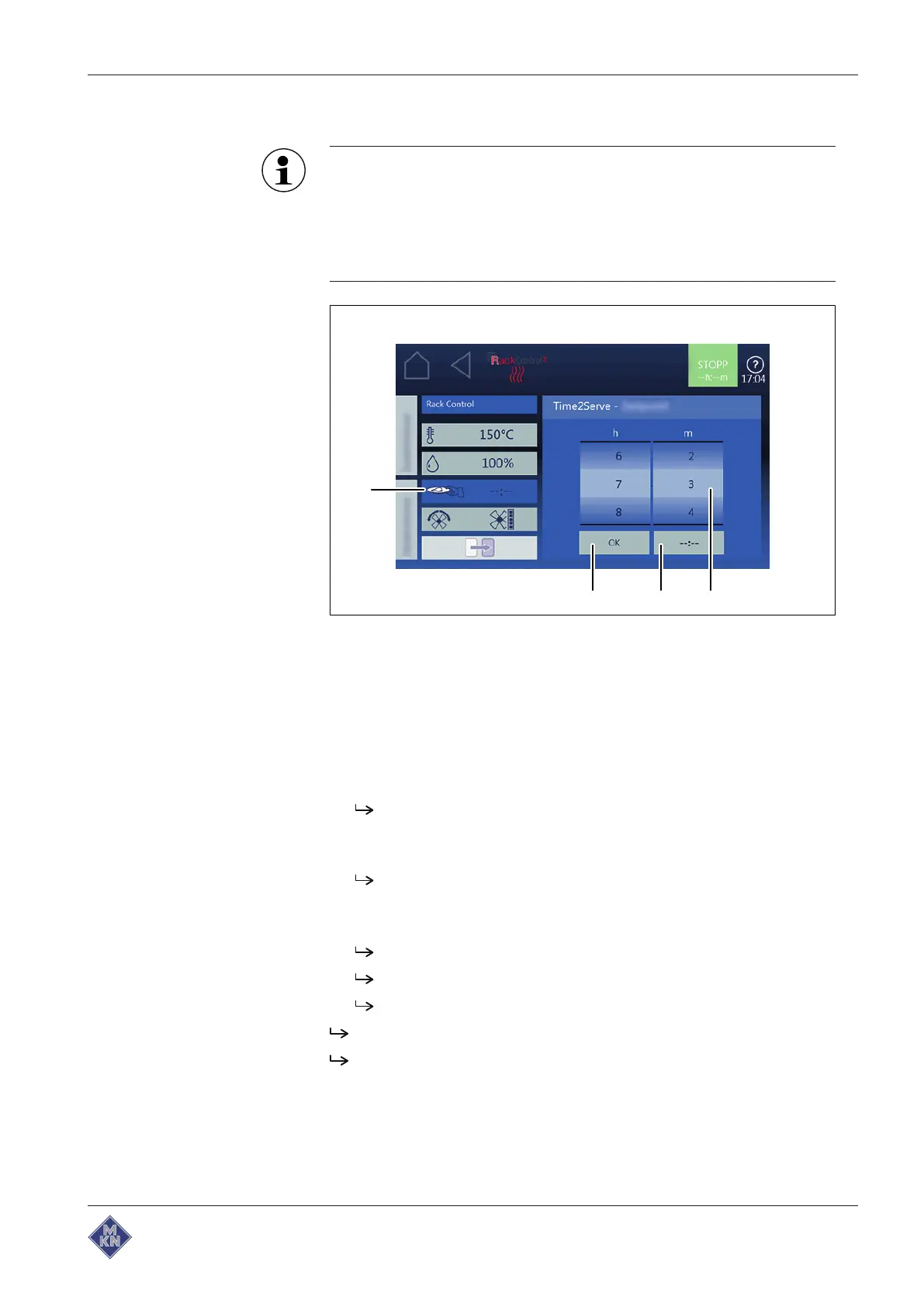
Image: Cooking time setting window Time2Serve
a Rollers c
OK
button
b
Continuous operation
button d
Time2Serve
field
1. Tap on
RackControl2
field.
2. Tap on
Cooking mode
field.
3. Tap on
Time2Serve
field.
4. Set the desired time with wiping gesture.
Time2Serve is set.
5. Make settings for RackTimer and confirm (see " using
RackControl2 ").
RackControl2 is set for selected slide-in unit.
6. If necessary, make settings for additional racks.
7. Tap on "Start" button in the information bar.
The display changes to "actual display".
Unit heats up.
"Start" button is replaced by "Stop" button.
Time2Serve has started.
RackControl2 has started.
4127003--0ABBE-E



 To Next Page