Operating the unit
52 Operating instructions
4.6.12 Using FamilyMix
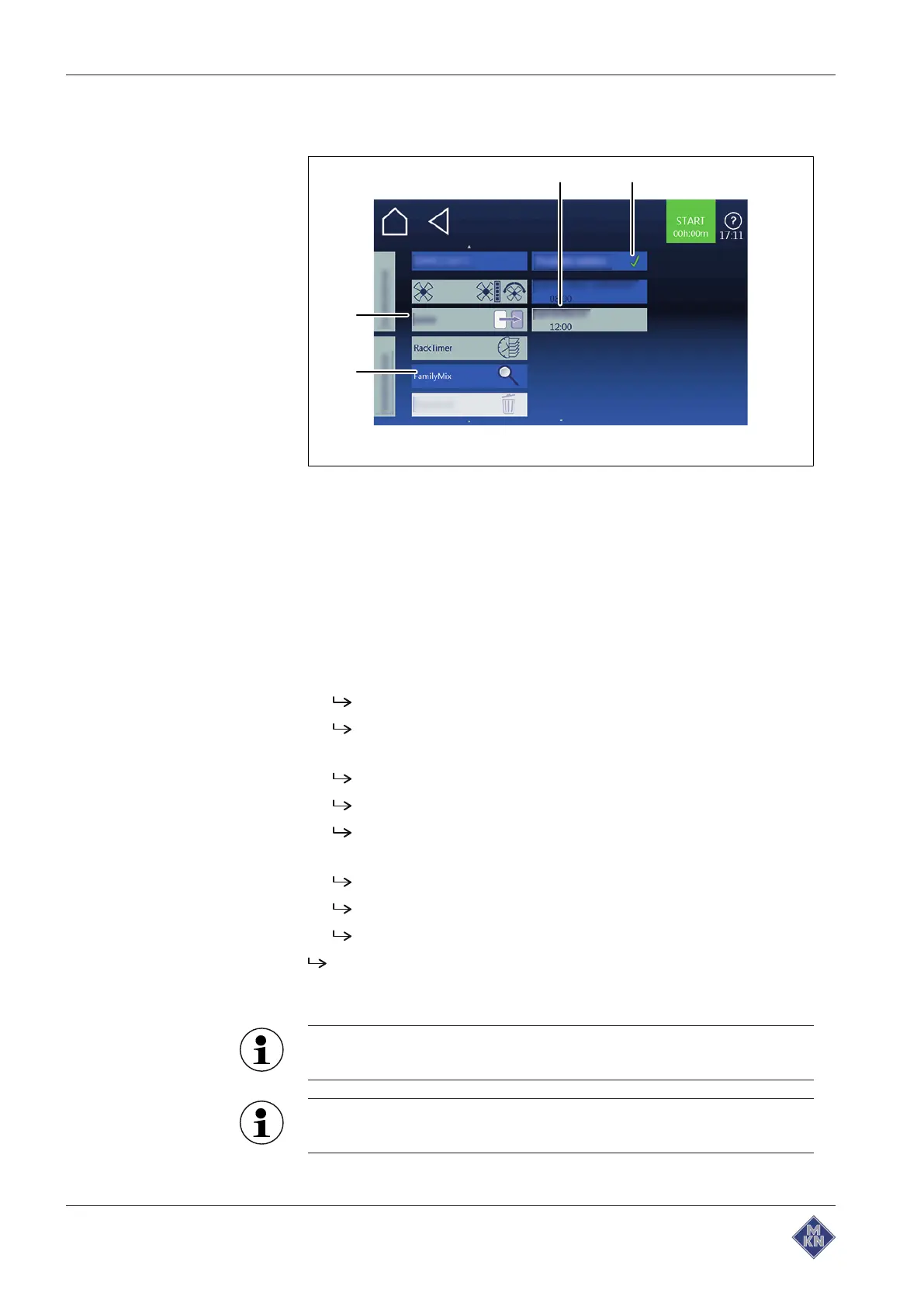
Image: FamilyMix selection window
a
Product overview
field c
FamilyMix
field
b
Product
field d
Equipment settings
field
Requirements
Manual cooking
field selected
Cooking program loaded
1. Tap the
Settings
field.
2. Tap the
FamilyMix
field.
3. Tap the
Product overview
field and select the product.
Tap the
Product
field: Product is selected.
Tap the
Product
field again: Product selection is cancelled.
4. Tap the "Start" button.
The display changes to "Ready2Cook".
The unit heats up.
The "Start" button is replaced with the "Stop" button.
5. Wait for the cooking time to end.
The heating of the unit is ended.
The "Stop" button is replaced with the "Start" button.
The cooking time is reset.
The
FamilyMix
function is set.
4.6.13 Using the Continue cooking function
If products with different preset cooking times are selected, the
cooking time for selected products can be individually extended.
The
Continue cooking
function can be set in 1-minute
increments up to a maximum of 5 minutes.
4127003--0ABBE-E



 To Next Page