Operating the unit
47Operating instructions
4.6.8 Setting Ready2Cook
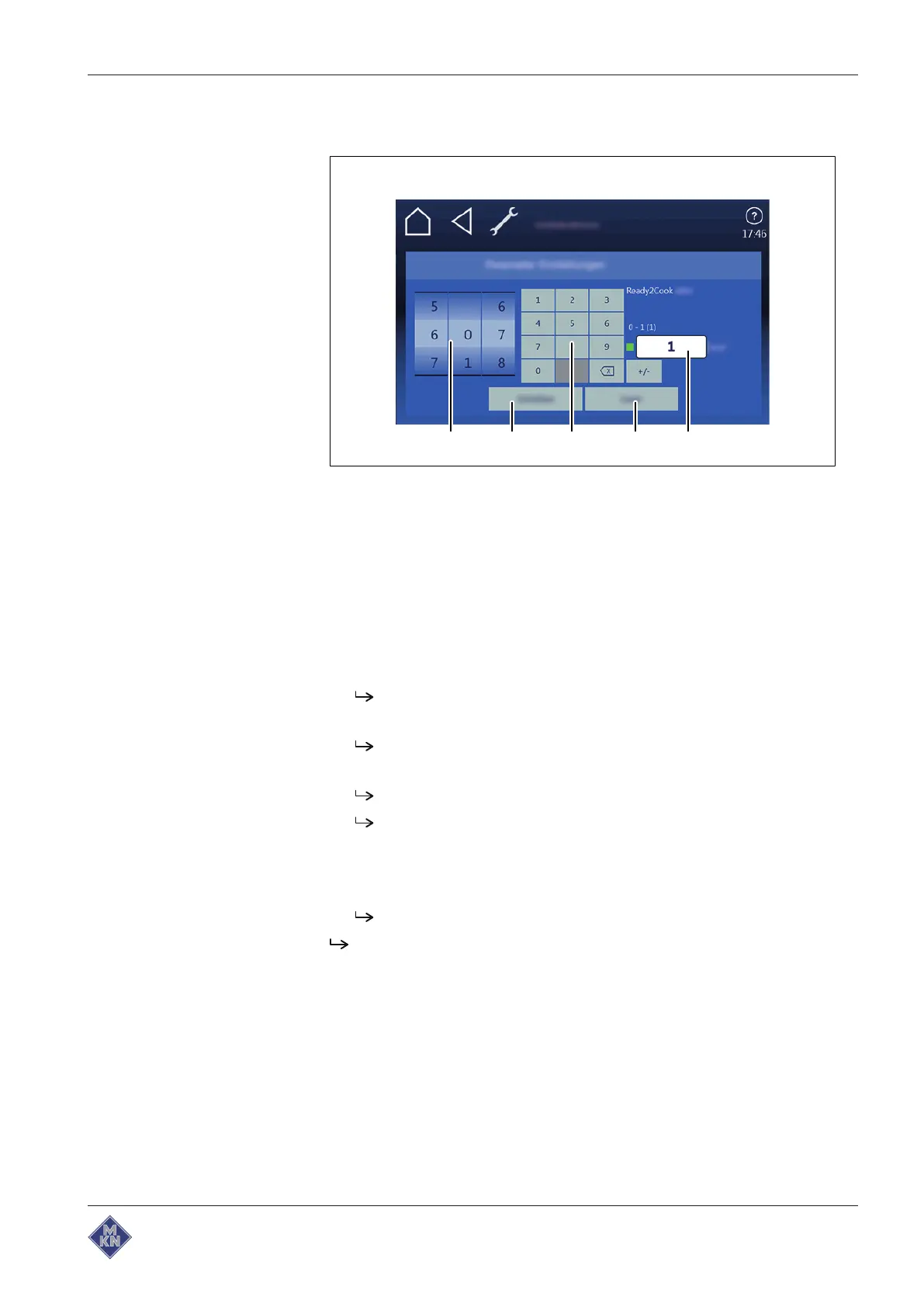
Image: Parameters window for "Ready2Cook" settings
a Rollers d
Read
button
b
Write
button e
Display
c
Keypad
button
Requirement
Equipment function
menu open
1. Tap on
"Equipment setting
s" field field.
2. Set PIN 111 and confirm.
3. Tap on
Parameter settings
field.
The
Parameter Settings
menu is displayed.
4. Set the rollers to the desired value with wiping gesture.
The name of the selected parameter is displayed.
5. Tap on
Read
button.
The current value is displayed.
Switch the function on or off if necessary.
6. Delete current value using the keypad.
7. Set new value using the keypad.
8. Tap on
Write
button.
The displayed value is accepted.
Ready2Cook
function is set.
4127003--0ABBE-E



 To Next Page