Operating the unit
42 Operating instructions
4.6.3 Using start-time preselection
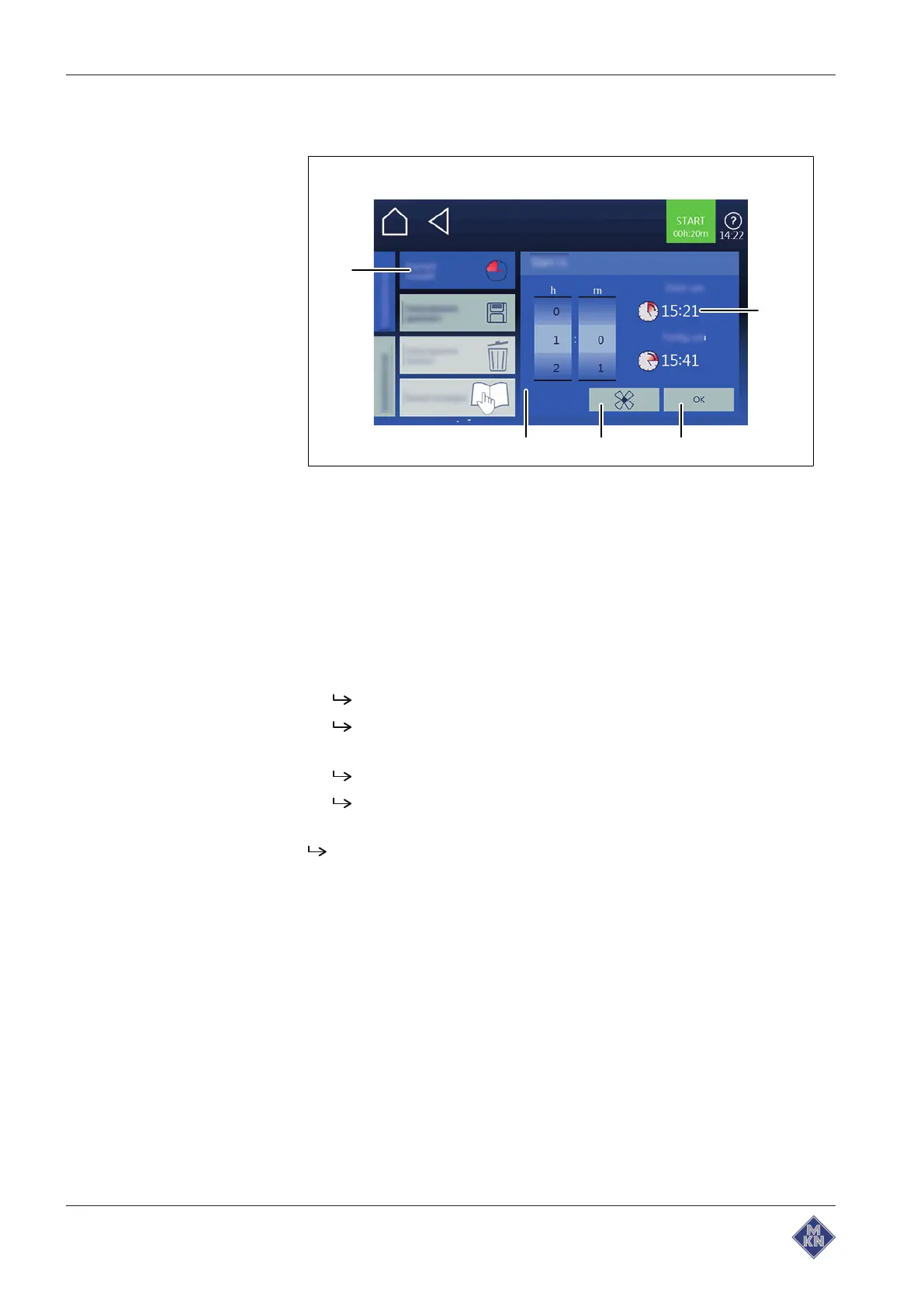
Image: Change start time preselection setting window
a
Start time preselection
field d
Confirmation
button
b
Start time preselection
window e
Start time
field
c
Fan
button
Requirement Cooking program selected
Auxiliary functions
menu open
1. Tap on the
Start-time preselection
field.
2. Using a wiping gesture, set the rollers to the desired value.
Swipe upwards or downwards.
The start time is set in minutes and seconds.
3. Tap on the
OK
button.
The
Start-time preselection
window displays the set start time.
The beginning and end of the start time is displayed in real
time.
The start-time preselection is set as time-controlled.
4127003--0ABBE-E



 To Next Page