Operating the unit
30 Operating instructions
Setting the background lighting
This setting reduces the brightness of the touchscreen.
Delete user's own cooking programs
Delete all the cooking programs created by the user.
Set the units
Set the units for temperature and liquid quantities.
The possibilities for temperature are °C and °F.
The possibilities for volume are ml, fl.oz (Imp.) and fl.oz (US)
Display the fault memory
Call up stored faults for forwarding to Service partners.
Import HansDampf programs
Import existing HansDampf programs.
Importing manufacturer's cookbook
Import the cookbooks provided by the manufacturer.
Select cookbook
Select the cookbooks typical of the country.
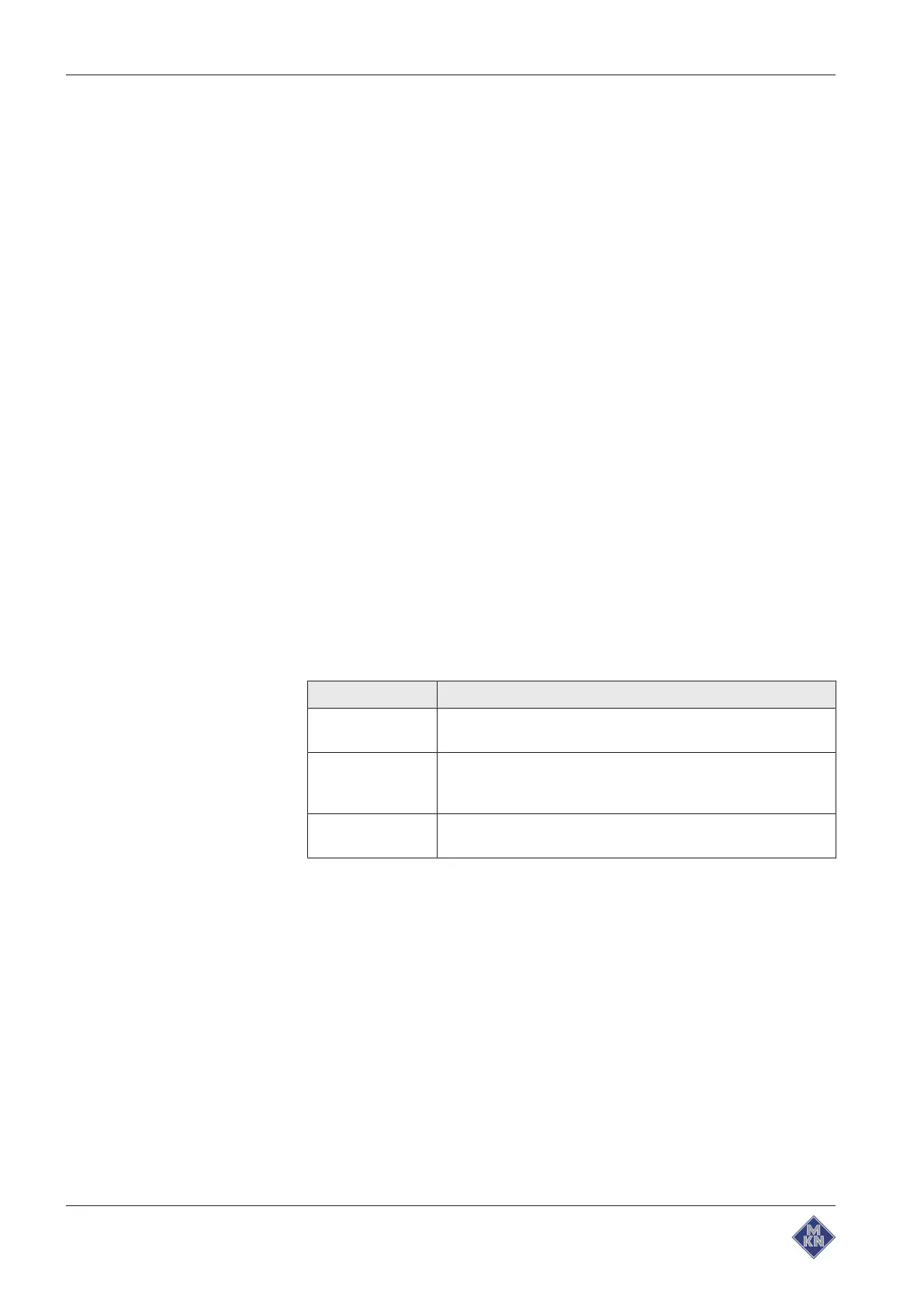
Cookbook lock
Lock function for the cooking programs in autoChef.
Setting Function
Unlocked Deleting, changing and overwriting the cooking programs is
possible
Locked Changes in the cooking steps, for example temperature
increases, are possible. The preset values apply again, when
the cooking program is next called up.
Fully locked The cooking program can only be used in the way it has
been stored. Changes in the cooking steps are not possible.
Export log data
Export of log data for forwarding to the service technician.
Load OEM settings
Special settings can be loaded.
Eco display On or Off
Set the Eco display function.
Select signal tones
Selection of one of the four possible signal tones.
Software update
Update of the software via a USB flash drive.
4127003--0ABBE-E



 To Next Page