Operating the unit
39Operating instructions
Image:
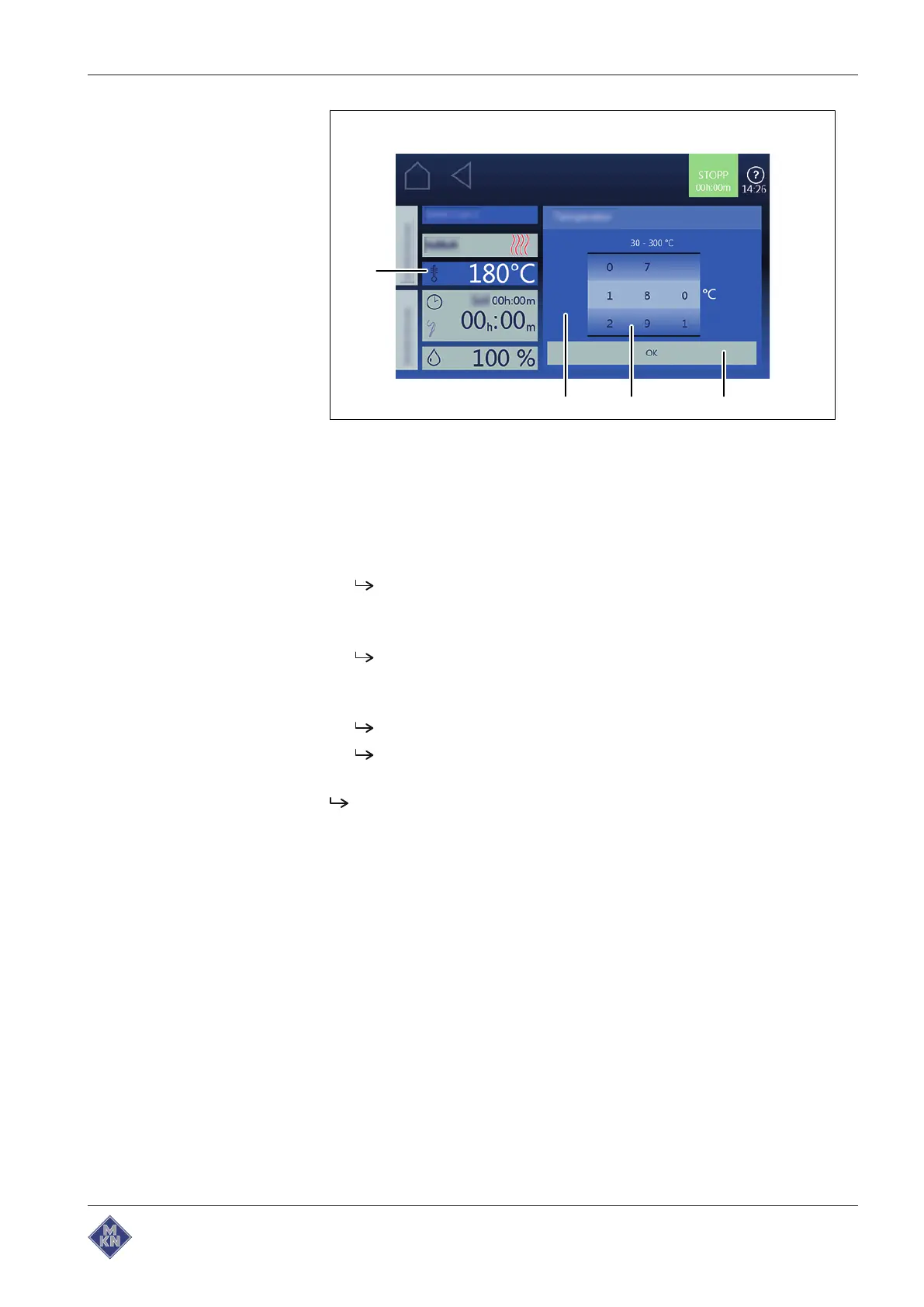
Cooking temperature setting
window
a
Confirmation
button c
Setting
window
b Rollers d
Temperature
field
Requirement Cooking program selected
1. Tap the
Cooking temperature
field.
The
Setting
window is displayed.
2. Tap the
Temperature
field.
3. Using a wiping gesture, set the rollers to the desired value.
Wipe up / down to increase / decrease the cooking
temperature.
4. Tap the
Confirm
button.
The
Setting
window closes.
The
Cooking mode
window displays the set cooking
temperature.
The cooking temperature is set.
4127003--0ABBE-E



 To Next Page