Digital Interface Input and Output Options Chapter Four: Analog and Digital Interfaces
35
DeviceNet Baud Rate and MAC ID Switches
The baud rate and MAC ID (node address) for your device can be set through software commands using
standard DeviceNet protocol over the network, or manually using the rotary switches located on the top panel
of the device. The baud rate and MAC ID switches allow you to easily configure units without an operational
network, or to network multiple units quickly.
The baud rate and MAC ID rotary switches support an assigned network position, labeled on the device as
“PGM” to indicate software operation.
If the rotary switch is in the network (PGM) position at power-up, the baud rate or address is read from the
non-volatile memory. Any changes to the values must be made over the network; any changes in the rotary
switch positions after power-up are ignored.
If the rotary switch is not in the network (PGM) position at power-up, the baud rate or address is read directly
from the switches.
Note
The DeviceNet General Error Codes are listed in the ODVA DeviceNet Specification,
Volume 1 [1].
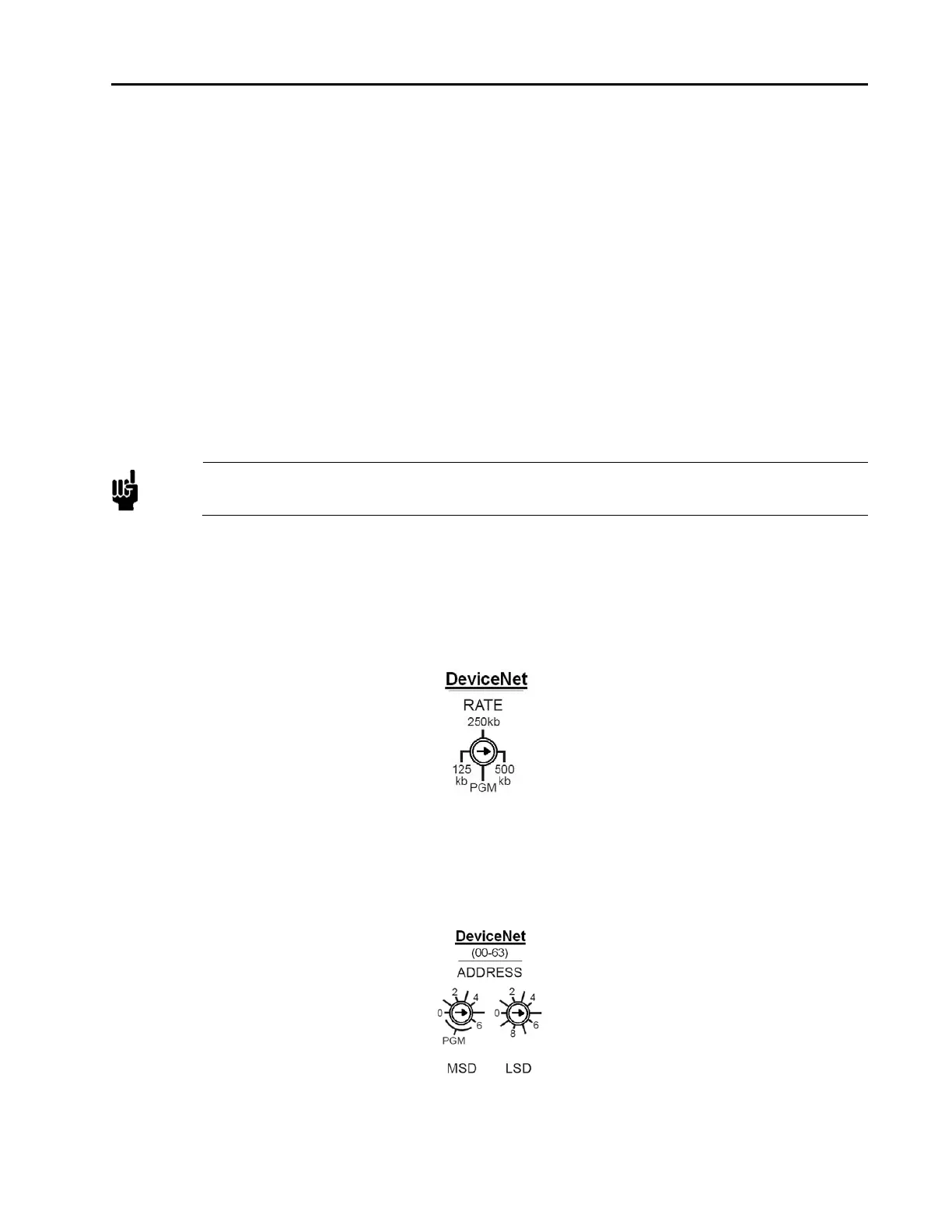
DeviceNet Baud Rate Switch
The 4-position rotary switch is used to select the DeviceNet baud rate. The choices are: PGM (the baud rate is
read from the non-volatile memory), 125, 250, and 500 Kb. (Factory Default is 500 Kb.)
The switch positions are numbered in a clockwise direction, to correspond to the increasing address values.
Figure 4: Devicenet Baud Rate Switch
DeviceNet MAC ID (Node Address) Switches
Two 10-position rotary switches, shown below, are used to set the MAC ID (node address).
The MAC ID is an integer identification value assigned to each node on the DeviceNet network.
Figure 5: Devicenet MAC ID Switches



 To Next Page