Chapter Six: Embedded Web-Based GUI and Diagnostics Setup Mode
66
Diagnostics Page – Setup Mode
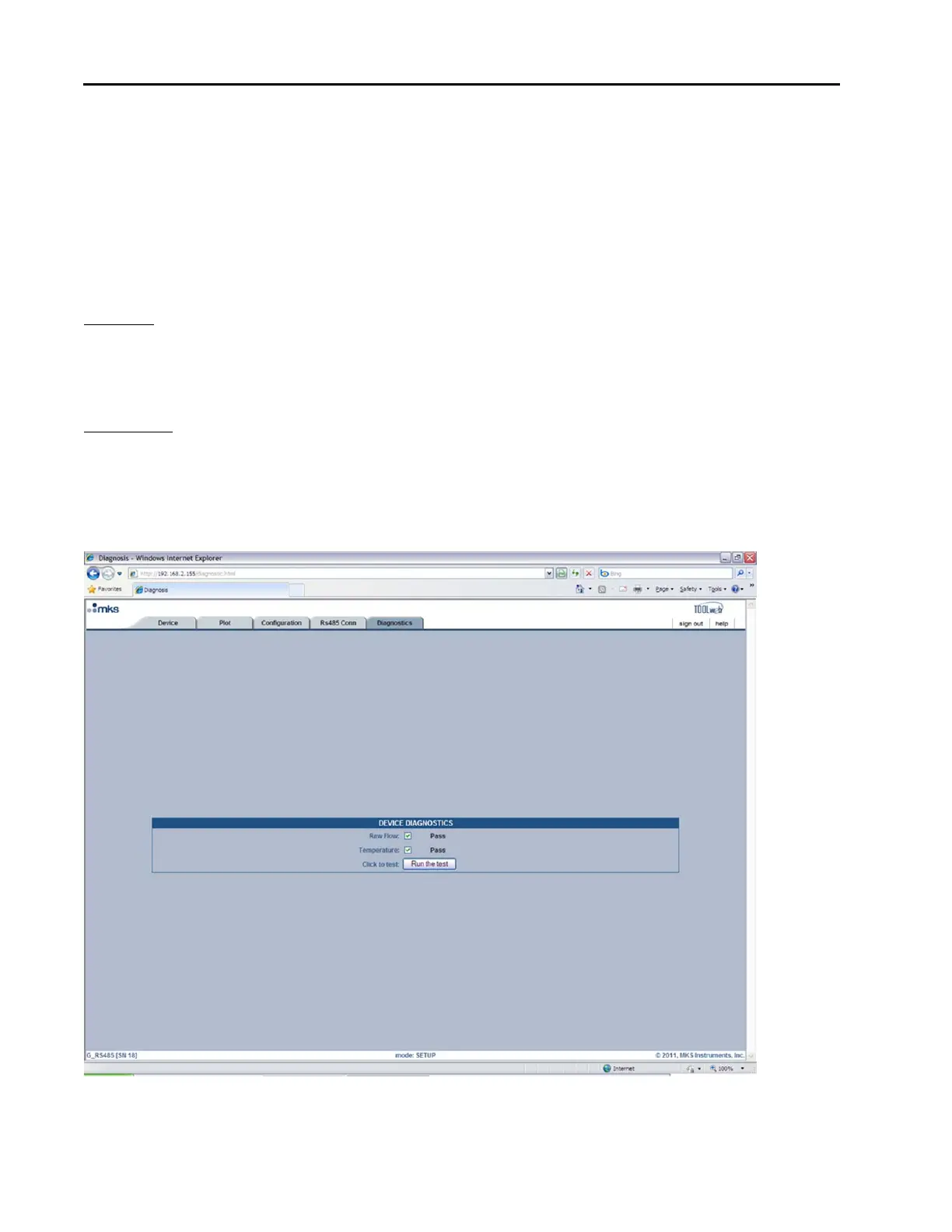
The Diagnostics Page consists of a few basic diagnostic tests. In this section the user is given the ability to run
basic diagnostic tests on the flow and temperature. These tests can be run individually or all at once. These
tests are explained in more detail below.
Device Diagnostics
The tests listed in this section are designed to insure that there are no major electrical problems and that the
sensors are working properly. These tests are described in detail below:
Raw Flow this basic test is a simple diagnostic check for the flow circuit to verify that the sensor and
the electronics are working properly. To run this test, select the checkbox next to where it
says “Raw Flow:” and then press the “Run the test” button. When the test finishes you will
either see the word “Pass” or “Fail” next to the checkbox. If the test passes, then the flow
circuit is good. If it fails, then there may be a problem.
Temperature this basic test is a simple diagnostic check for the temperature circuit to verify that the
sensor and the electronics are working properly. To run this test, select the checkbox next
to where it says “Temperature:” and then press the “Run the test” button. When the test
finishes you will either see the word “Pass” or “Fail” next to the checkbox. If the test
passes, then the temperature circuit is good. If it fails, then there may be a problem.
Figure 20: Embedded GUI, Diagnostics Page in Setup Mode



 To Next Page