Setup Mode Chapter Six: Embedded Web-Based GUI and Diagnostics
63
Configuration Page – Setup Mode
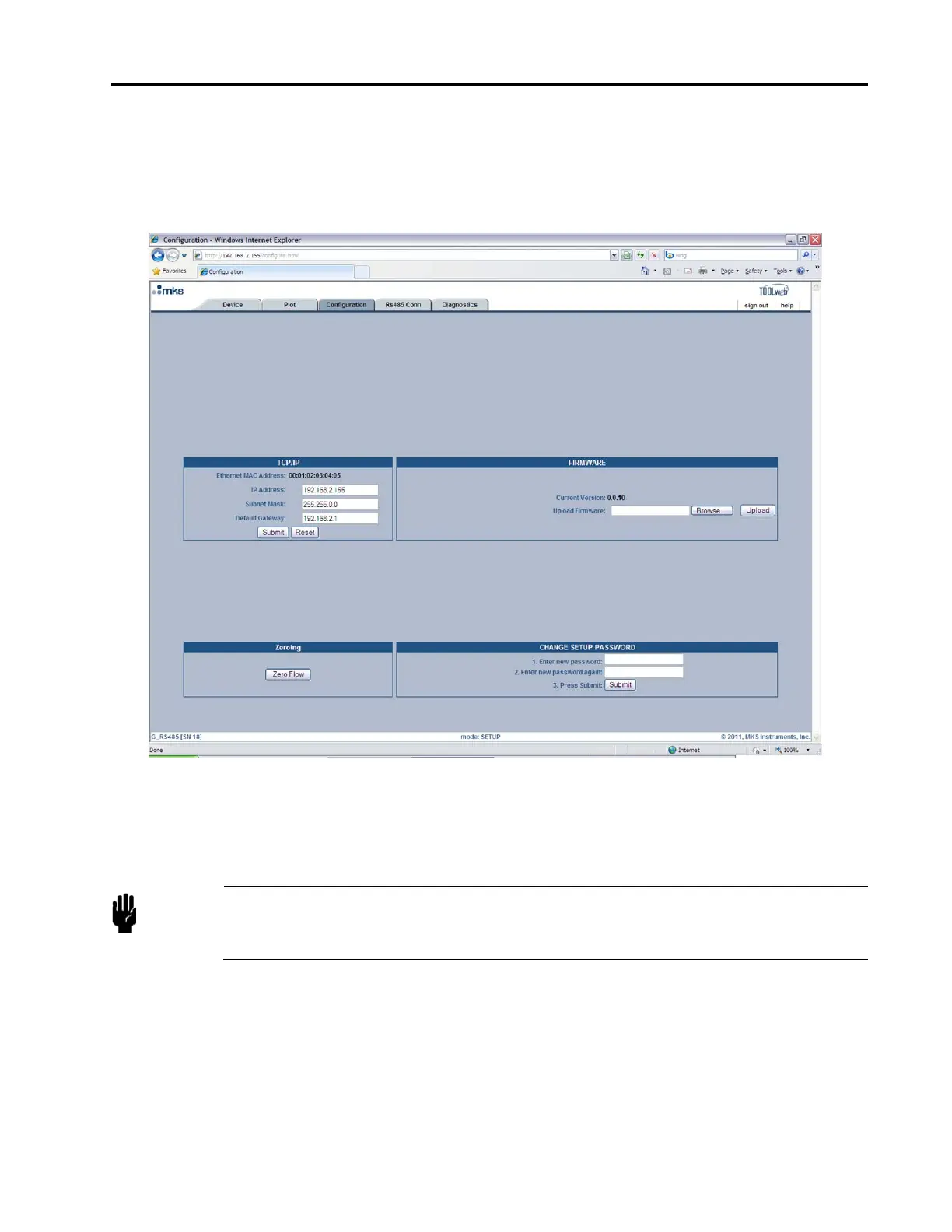
As was noted earlier, the Configuration Page is where you are initially directed once you’ve entered “Setup
Mode.” Here the MFC can be zeroed, the “Setup Mode” password can be changed, changes can be made to
the Ethernet settings and firmware can be updated.
Figure 18: Embedded GUI, Configuration Page in Setup Mode
Changing the Ethernet (TCP/IP) Settings
The TCP/IP section allows you to change the IP Address, Subnet Mask, and Default Gateway for the MFC.
Caution
If you are unfamiliar with setting TCP/IP settings for the MFC, please contact your
company’s IT personnel or local MKS representative for help. If settings are done
incorrectly, you may no longer be able to connect to the MFC over Ethernet.
To set a new IP Address, enter in the IP address and press the “Submit” button. Pressing the “Reset” button
will reset the entry fields to what was in them prior to you making any changes. For the new IP address to
take effect the power to the MFC must be cycled. To use the Embedded GUI, you must now change the URL
to reflect the new IP address, e.g. http://xx.xx.xx.xx, where xx.xx.xx.xx is the new IP address for the MFC.



 To Next Page