Monitor Mode Chapter Six: Embedded Web-Based GUI and Diagnostics
57
Rescaling X-Axis entering a value next to where it says “X scale (seconds):” adjusts the number of
seconds spanned across the X-Axis, e.g. entering a value of ten seconds sets the X-Axis
so that it will show ten second segments at a time. To use this feature, enter the value
and then click on the “Rescale X-Axis” button. This option can be used at anytime.
Save to File the “Save to file” option can be used at anytime once you’ve started the plot program.
The data stored consists of the data collected from the time the Start button was pressed
to the time the “Save to file” button is pressed. The file will be saved in a (.csv) format
which can be later imported into a spreadsheet for further analysis.
Configuration Page – Monitor Mode
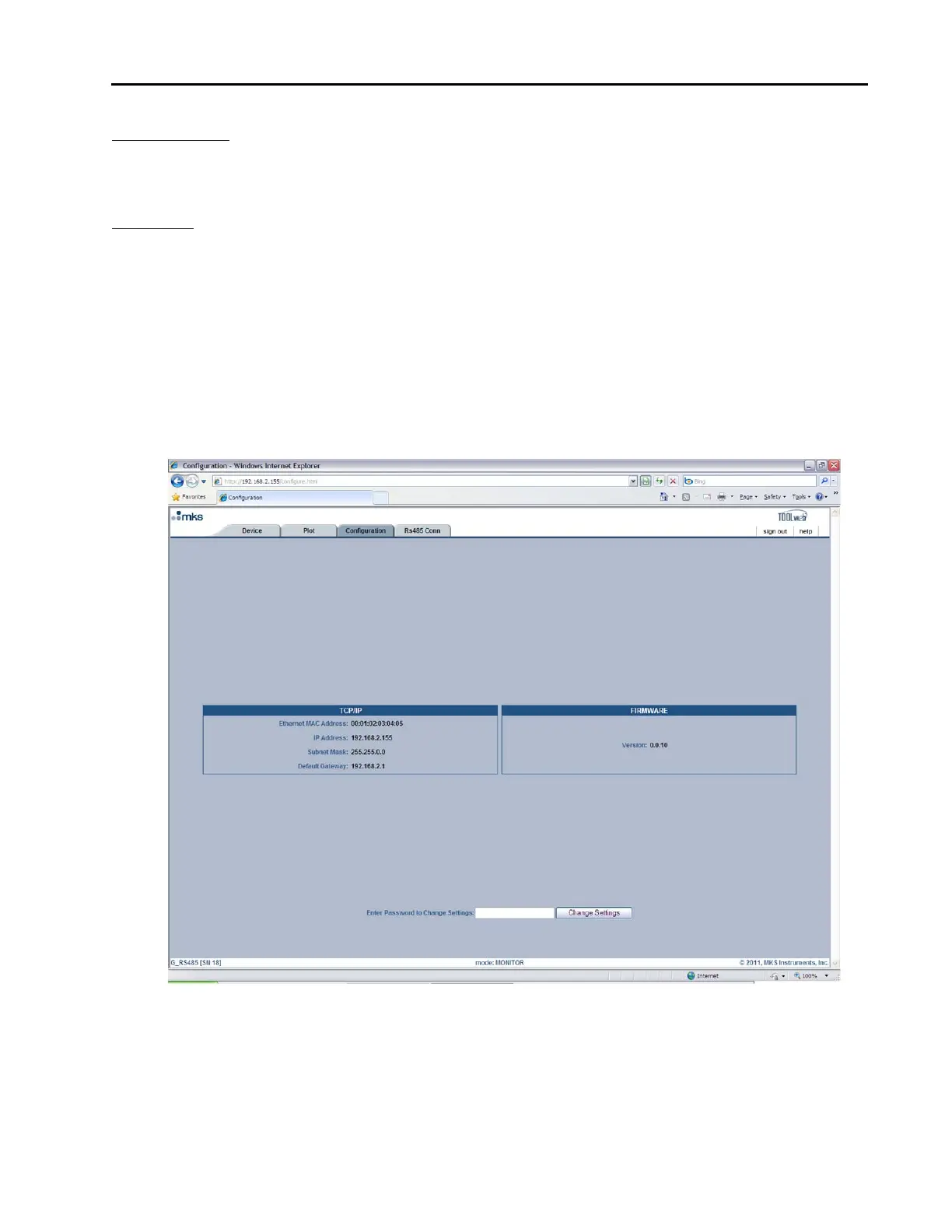
This page displays the TCP/IP settings and the current Firmware version for the MFC. In “Monitor Mode”
you are only able to view this information. At the bottom of this page you are able to enter the password to
change into “Setup Mode.” The Factory-shipped password is “config” (without the ““). Figure11, below,
shows a screen capture of the Configuration Page in “Monitor Mode.”
Figure 11: Embedded GUI, Configuration Page in Monitor Mode



 To Next Page