8 ADJUSTMENTS
102 Rev. 01/2015
8.6 Additional Functions
Outside the parameterization level, you can call the following additional functions, which are
explained in the following sections:
– Set ignition energy
– Information view (operating hours, software revision)
– Cylinder-to-cylinder alignment
– Self test
– Misfire detection
To return to the main view after having selected an additional function, press [Esc].
8.6.1 Set Ignition Energy
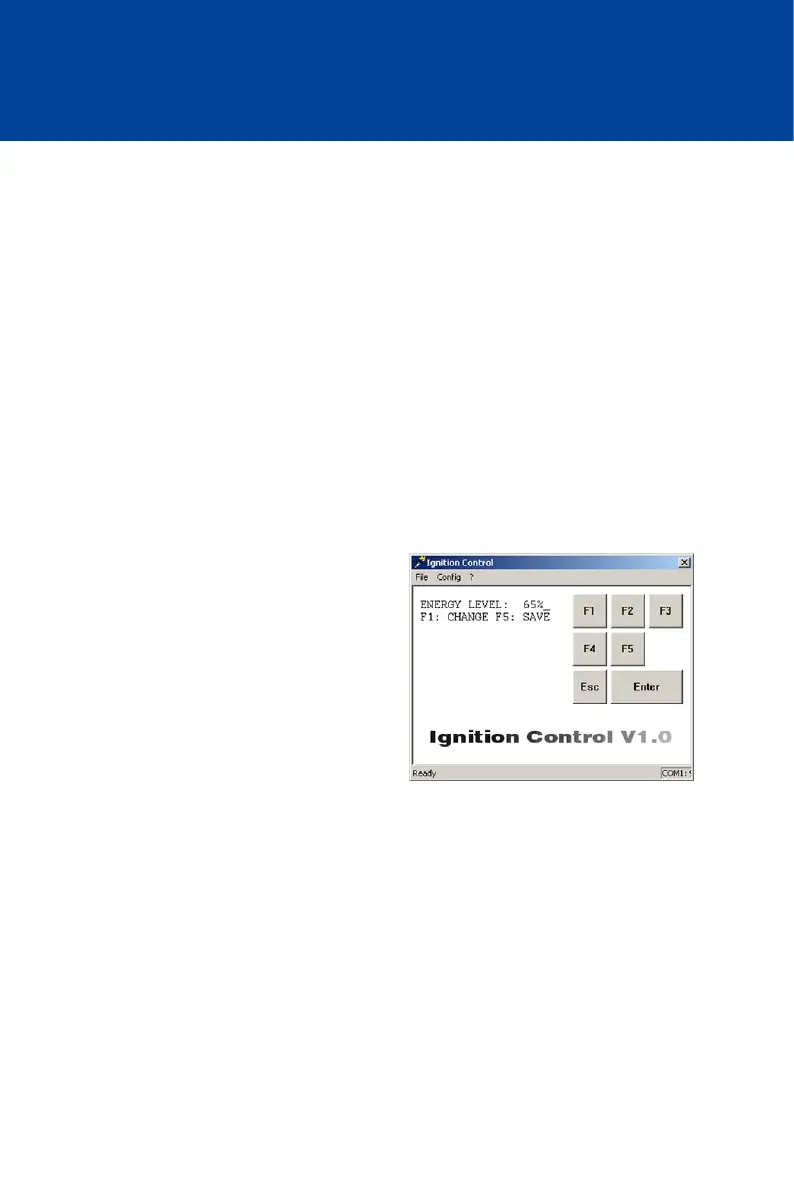
In this view, the current set ignition energy level is displayed, and can be changed if needed.
Value range:
– 15 % to 100 %, whole numbers
Activate View
– Computer: [Shift]+[E]
– Hand-held programmer: [E]
Displayed Value
– ENERGY LEVEL:
Level currently set for ignition energy as
percentage value
Change Ignition Energy
– [F1] -> Enter energy level ->
[ENTER] -> [F5]
Keep in mind that by pressing the [ENTER] key, the entered energy level will be taken over
immediately by the ignition control. The level is not permanently saved until [F5] is pressed.



 To Next Page