Rev. 01/2015 103
8.6.2 Information View
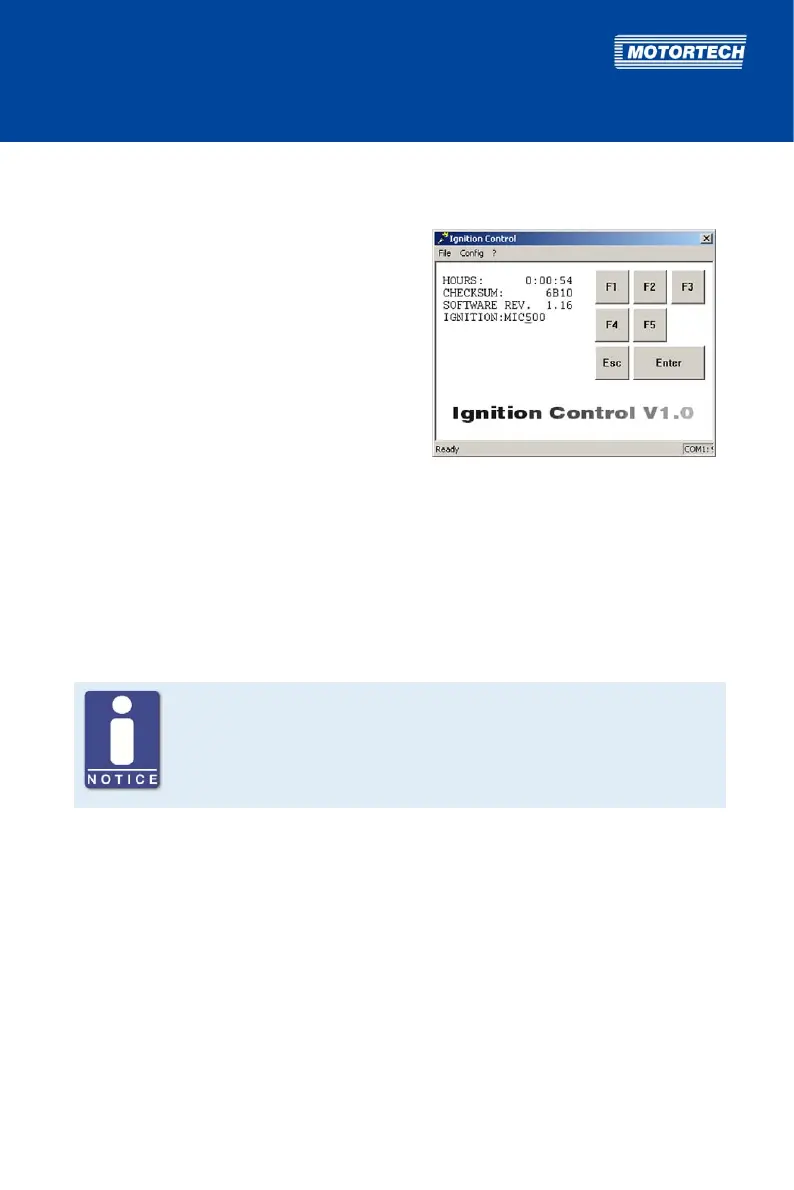
In this view, you will see information on the MIC500 ignition controller.
Activate View
– Computer: [Shift]+[H]
– Hand-held programmer: [H]
Displayed Values
– HOURS:
Hours of operation of the ignition controller
– CHECKSUM:
Internal checksum of the ignition controller
(relevant in some service instances)
– SOFTWARE REV.
Revision of the ignition controller software
– IGNITION:
Model name of the ignition controller
8.6.3 Cylinder-to-Cylinder Alignment
Use of measuring unit
Use this setup option only if a suitable measuring unit is available for
determining the optimum timing point, so that the result of a change can be
assessed immediately.
To optimize combustion, the ignition timing of the individual cylinders can be set from this view.
Which of the ignition outputs can be configured, depends on the currently set sequence (see Set
Sequence Number on page 80). If a sequence number is changed, all ignition outputs are reset
to 0°.
The settings of this view are only applied by the ignition controller if the cylinder-to-cylinder
alignment is activated (see Activate Cylinder-to-Cylinder Alignment on page 87).



 To Next Page